AI agent for investor relations managers
Shareholder Register and Ownership Change Agent
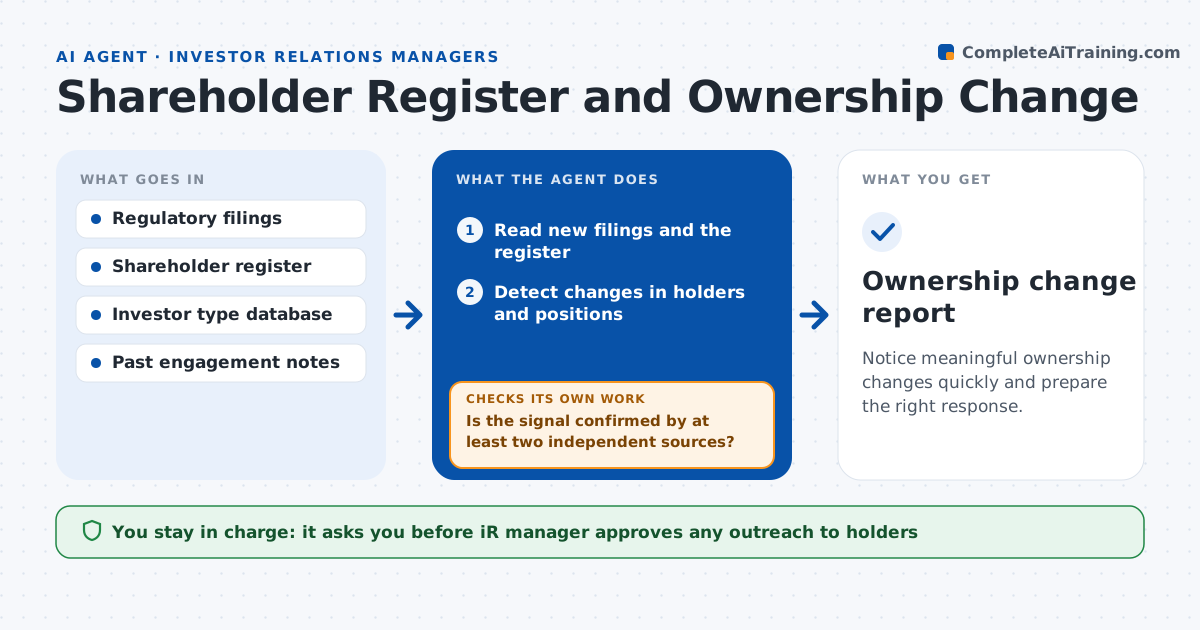
Notice meaningful ownership changes quickly and prepare the right response.
What it does
Big holders buy and sell, and an activist can build a stake before the company knows. This agent reads regulatory filings and the shareholder register, detects changes in holders and classifies each by type, such as index fund, long-only manager, hedge fund or activist. It checks for signals of activism, such as a stake near a reporting threshold, a new filing with a stated purpose, or buying in several steps. It updates target and watch lists and drafts outreach suggestions for new large holders. When a signal is weak, it waits for the next filing to confirm. The IR manager approves any outreach.
How it works
Follow the arrows from top to bottom. The orange dashed arrow is the loop: when a check fails, the agent goes back and tries again.
Read the steps as a list
- New filing or register update
- Read new filings and the register
- Detect changes in holders and positions
- Classify each holder by type and past behavior
- Check for activist signals
- Is the signal confirmed by at least two independent sources?If not: mark it as weak and recheck with the next filing. Back to step 4.
- Update the target and watch lists
- Draft outreach suggestions for new large holders
- IR manager approves any outreachThe agent waits here for your OK.
- Ownership change report
How it decides
It flags a holder whose position changed by a set share or whose type and behavior suggest activist interest.
- Report any holder whose stake changes by 0.5 percent of shares or more
- Treat a stake above 4 percent with a stated purpose as a watch item
- Flag buying in 3 or more steps within 30 days
- Classify an unknown holder before adding to the target list
Make it yours
Every agent is a starting point. You choose these settings for your own situation.
- Change threshold (default 0.5 percent)
- Watch stake level (default 4 percent)
- Investor types to prioritize
- Report schedule
What keeps you in control
It always asks you first
- IR manager approves any outreach to holders
- IR manager approves escalation to the CEO or board
Hard limits
- Never contacts a holder
- Cites the filing behind every claim
It stops when
- Done: report delivered and lists updated
- Stop: register data is out of date
Set it up
We guide you through the set-up, step by step
Members get the full set-up guide for this agent. No technical skills needed: you copy, paste and upload.
- One set of instructions to paste into your AI, with the clicks for ChatGPT, Claude, Microsoft 365 Copilot, Gemini and Grok
- The agent then walks you through connecting your own data, one source at a time
- A downloadable copy with the flow chart, the rules and the full guide