AI agent for service managers
Shop Bay Scheduling Agent
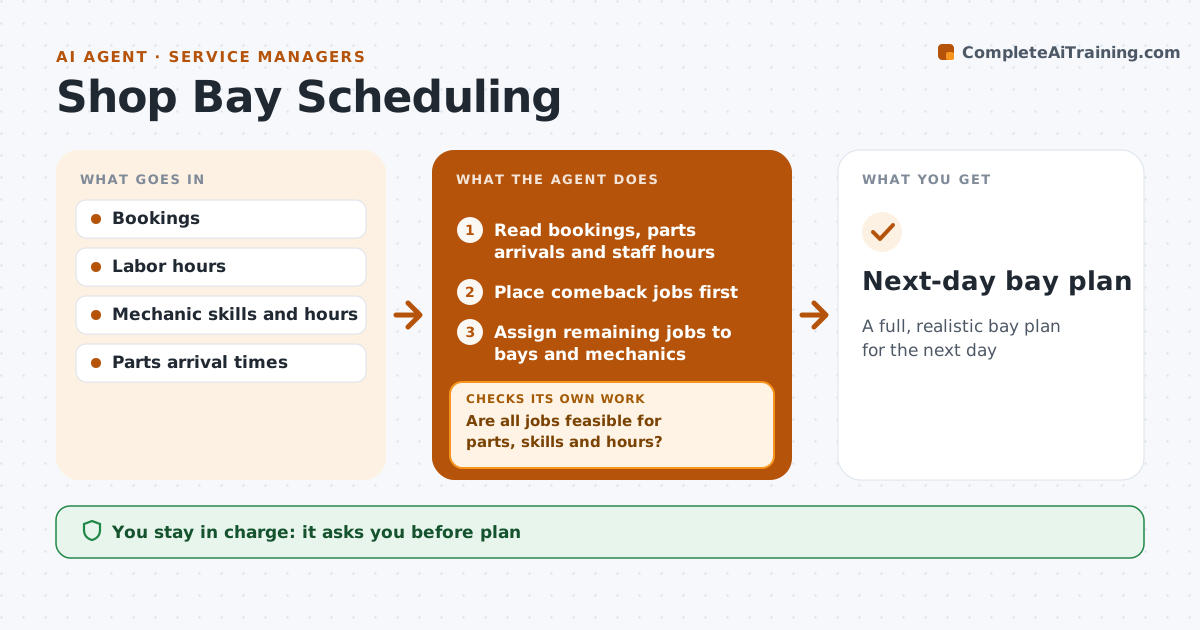
A full, realistic bay plan for the next day
What it does
Booking jobs without checking parts and skills leaves bays idle in the morning and cars waiting at closing time. Each evening this agent reads tomorrow's bookings with estimated hours, each mechanic's skills and hours, and when parts are due. Comeback jobs are placed first. It assigns jobs to bays and mechanics, sending diagnostic work to certified mechanics. It then checks that no job starts before its parts arrive, that each job has a qualified mechanic and that nobody is booked past their hours. If a check fails, it moves or swaps jobs and checks again. It lists customers whose drop-off time should change and drafts the messages. The service manager approves the plan and any customer time changes. Edge case: a part that misses its delivery slot overnight triggers a morning recheck before the first car goes in.
How it works
Follow the arrows from top to bottom. The orange dashed arrow is the loop: when a check fails, the agent goes back and tries again.
Read the steps as a list
- Evening planning run
- Read bookings, parts arrivals and staff hours
- Place comeback jobs first
- Assign remaining jobs to bays and mechanics
- Are all jobs feasible for parts, skills and hours?If not: move or swap jobs and reassign. Back to step 4.
- List customers whose drop-off time should change
- Draft time change messages for those customers
- Service manager approves plan and time changesThe agent waits here for your OK.
- Next-day bay plan
How it decides
A job is placed only when its parts are due before the start time and a qualified mechanic has the hours.
- Comebacks first
- Parts arrival sets the earliest start
- Diagnostic work goes to certified mechanics
Make it yours
Every agent is a starting point. You choose these settings for your own situation.
- Number of bays
- Skill tags per mechanic
- Shop hours
- Priority rules
What keeps you in control
It always asks you first
- Plan
- Any change to a customer's appointment
Hard limits
- Never messages customers
- Never books overtime
It stops when
- Done: plan approved
- Stop: bookings exceed capacity, list jobs to reschedule
Set it up
We guide you through the set-up, step by step
Members get the full set-up guide for this agent. No technical skills needed: you copy, paste and upload.
- One set of instructions to paste into your AI, with the clicks for ChatGPT, Claude, Microsoft 365 Copilot, Gemini and Grok
- The agent then walks you through connecting your own data, one source at a time
- A downloadable copy with the flow chart, the rules and the full guide