AI agent for teaching assistants
Similarity Review Agent
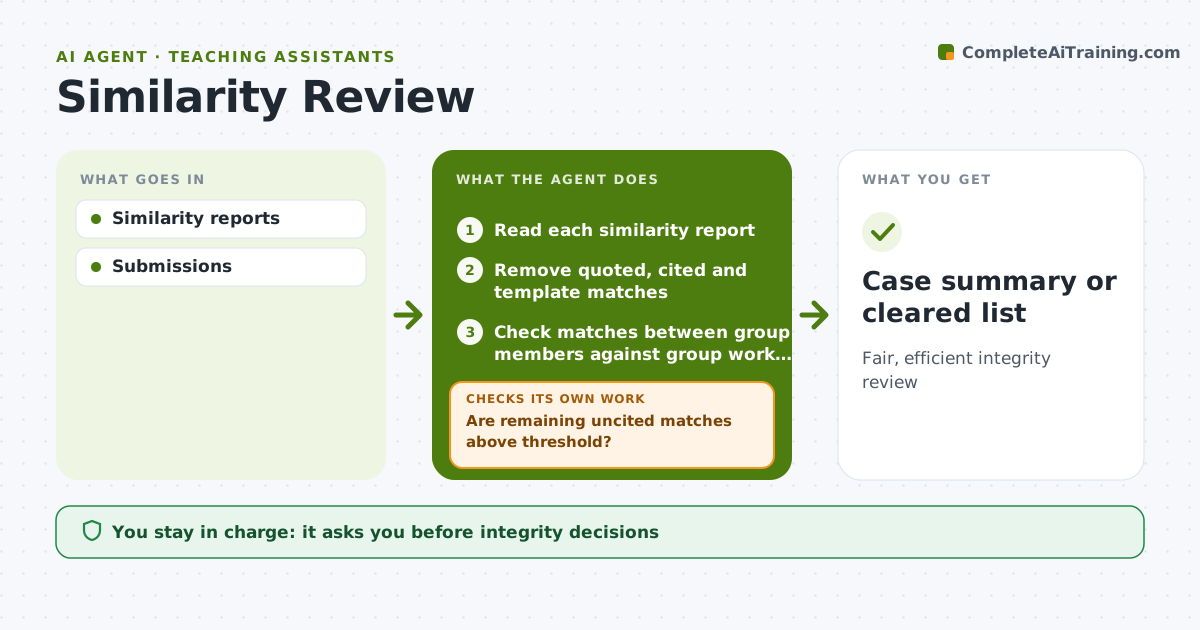
Fair, efficient integrity review
What it does
Similarity checkers flag many matches that are properly quoted text, cited material, assignment templates or common phrases, and instructors waste hours sorting them. This agent reads each similarity report, removes matches that are correctly quoted and cited and text that came from the assignment template, and lists what remains with the matching source and context. It then checks whether the remaining uncited matches pass the set threshold, such as 15 percent. If they do not, it records the submission as cleared and moves on. If they do, it drafts a neutral case summary for the instructor with side-by-side text. The instructor decides what happens next; the agent never contacts the student or files a report. Edge case: matches between members of the same group project are checked against the course's group work rules before anything is flagged.
How it works
Follow the arrows from top to bottom. The orange dashed arrow is the loop: when a check fails, the agent goes back and tries again.
Read the steps as a list
- Similarity reports ready
- Read each similarity report
- Remove quoted, cited and template matches
- Check matches between group members against group work rules
- Are remaining uncited matches above threshold?If not: record the submission as cleared and move on. Back to step 3.
- Draft a neutral case summary with side-by-side text
- Instructor decides what happens nextThe agent waits here for your OK.
- Case summary or cleared list
How it decides
Uncited matches above threshold.
- Cited quotes excluded
- Over 15% uncited flagged
- Group rules applied
Make it yours
Every agent is a starting point. You choose these settings for your own situation.
- Threshold
- Exclusions
- Template text
- Report
What keeps you in control
It always asks you first
- Integrity decisions
Hard limits
- No accusations by agent
It stops when
- Done: reviewed
- Stop: none
Set it up
We guide you through the set-up, step by step
Members get the full set-up guide for this agent. No technical skills needed: you copy, paste and upload.
- One set of instructions to paste into your AI, with the clicks for ChatGPT, Claude, Microsoft 365 Copilot, Gemini and Grok
- The agent then walks you through connecting your own data, one source at a time
- A downloadable copy with the flow chart, the rules and the full guide