AI agent for physicists
Simulation Convergence Check Agent
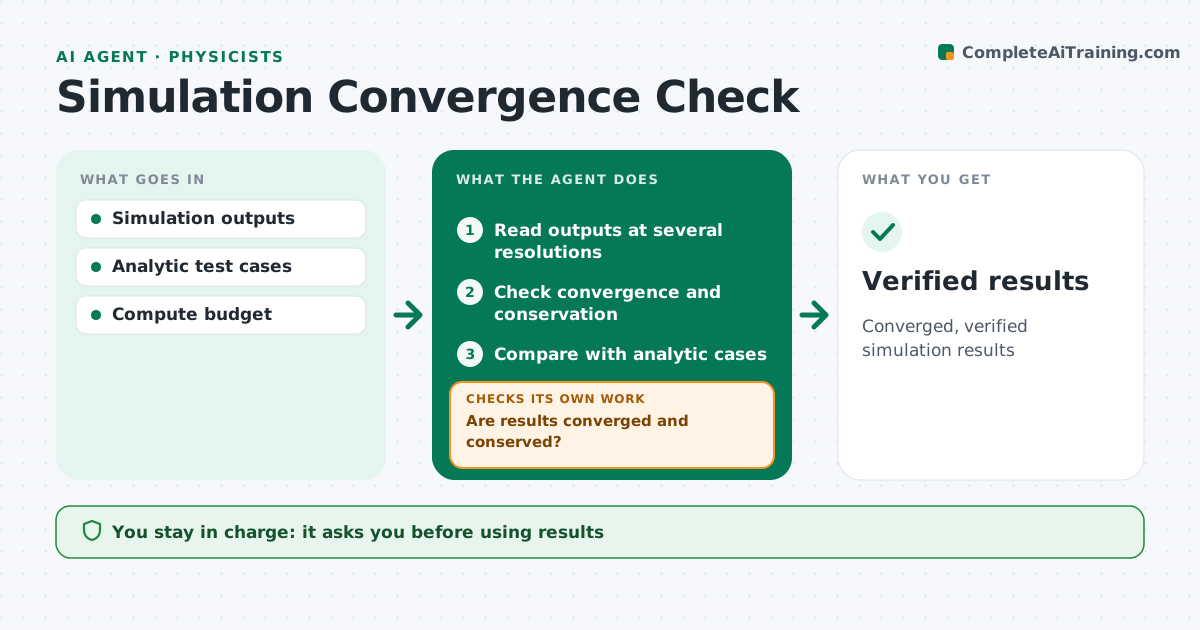
Converged, verified simulation results
What it does
A simulation result means little unless it has converged and the numerical error is known. This agent runs or reads your simulations at several resolutions or time steps, checks that key outputs converge, and estimates numerical error. It also checks conservation of mass, energy or momentum, and compares results with known analytic cases, so a code bug does not hide behind a smooth-looking answer. If results have not converged, it suggests finer settings and launches new runs within your compute budget, then checks again. It writes a short convergence note with plots for each case. You decide which results to use and approve any run that would exceed the budget. Edge case: a run that converges but violates energy conservation is flagged rather than accepted.
How it works
Follow the arrows from top to bottom. The orange dashed arrow is the loop: when a check fails, the agent goes back and tries again.
Read the steps as a list
- Simulation campaign completes
- Read outputs at several resolutions
- Check convergence and conservation
- Are results converged and conserved?If not: launch finer runs within budget. Back to step 2.
- Compare with analytic cases
- Physicist approves resultsThe agent waits here for your OK.
- Verified results
How it decides
It accepts results when outputs change less than the tolerance between resolutions and conservation checks pass.
- Flag conservation violations
- Stay within compute budget
- Compare with analytic cases
Make it yours
Every agent is a starting point. You choose these settings for your own situation.
- Convergence tolerance
- Compute budget
- Test cases
- Output quantities
What keeps you in control
It always asks you first
- Using results
- Exceeding compute budget
Hard limits
- Never exceeds compute budget
It stops when
- Done: results verified
- Stop: budget exhausted
Set it up
We guide you through the set-up, step by step
Members get the full set-up guide for this agent. No technical skills needed: you copy, paste and upload.
- One set of instructions to paste into your AI, with the clicks for ChatGPT, Claude, Microsoft 365 Copilot, Gemini and Grok
- The agent then walks you through connecting your own data, one source at a time
- A downloadable copy with the flow chart, the rules and the full guide