AI agent for robotics engineers
Simulation-First Robot Program Validation Agent
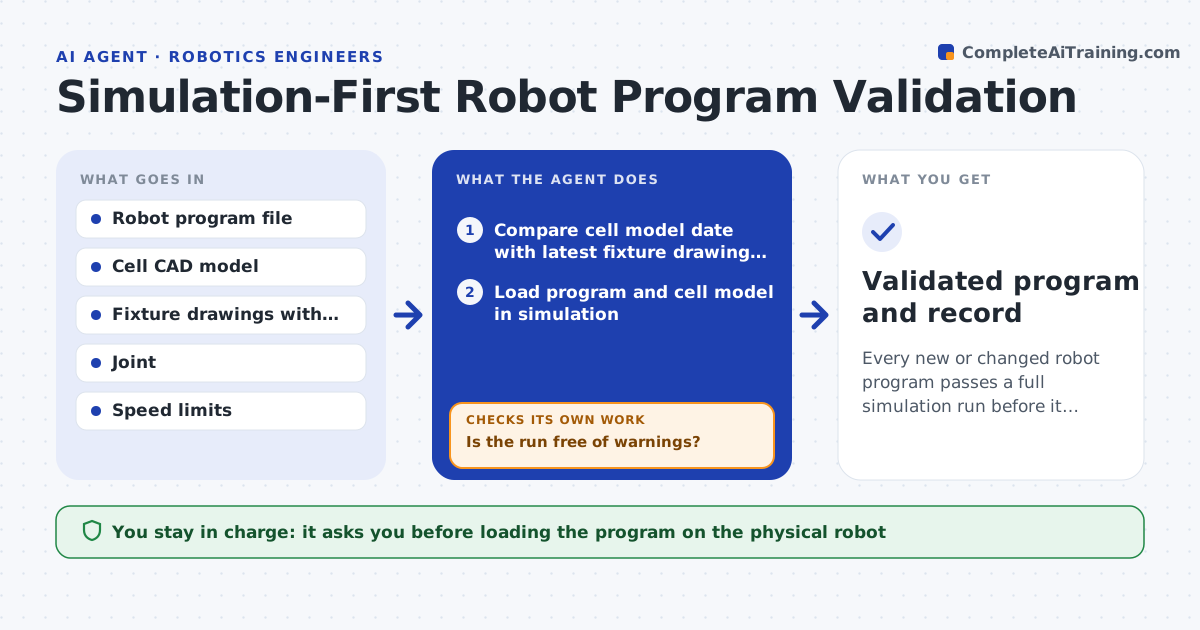
Every new or changed robot program passes a full simulation run before it touches hardware
What it does
Before a new robot program runs on hardware, someone should check it in simulation for collisions, joint limits, singularities and reach, but this often gets rushed. This agent first checks that the cell model matches the latest fixture drawing. It then loads the program, runs every path including error recovery paths, and logs each warning with the line number. It suggests fixes such as an extra via point or a changed wrist configuration, reruns the simulation and repeats until the run is clean. A fix can create a new problem, so every rerun covers all paths. It then writes a short validation record. The engineer signs off before the program goes on the real robot. Edge case: if the cell model is older than the latest drawing, the agent stops and asks for an updated model.
How it works
Follow the arrows from top to bottom. The orange dashed arrow is the loop: when a check fails, the agent goes back and tries again.
Read the steps as a list
- Program change committed
- Compare cell model date with latest fixture drawing revisions
- Load program and cell model in simulation
- Run all paths including error recovery routines
- Log each collision, limit and singularity warning with line number
- Is the run free of warnings?If not: propose a via point or configuration change, apply it to the draft program, and rerun. Back to step 4.
- Write validation record with screenshots of tight clearances
- Engineer signs off before loading on hardwareThe agent waits here for your OK.
- Validated program and record
How it decides
A program passes only if every path, including recovery paths, runs with zero collisions, no joint over 95 percent of its limit and no singularity warnings.
- Clearance under 10 mm is reported even if no collision occurs
- Recovery paths are tested, not just the main path
- An outdated cell model stops validation until it is updated
Make it yours
Every agent is a starting point. You choose these settings for your own situation.
- Minimum clearance to report (default 10 mm)
- Joint limit margin (default 95 percent)
- Simulation tool and file formats
- Who signs validation records
What keeps you in control
It always asks you first
- Loading the program on the physical robot
Hard limits
- Never loads programs onto robots
- Never edits the cell model geometry
It stops when
- Done: clean run and signed validation record
- Stop: cell model outdated or a fix needs a fixture change
Set it up
We guide you through the set-up, step by step
Members get the full set-up guide for this agent. No technical skills needed: you copy, paste and upload.
- One set of instructions to paste into your AI, with the clicks for ChatGPT, Claude, Microsoft 365 Copilot, Gemini and Grok
- The agent then walks you through connecting your own data, one source at a time
- A downloadable copy with the flow chart, the rules and the full guide