AI agent for clinical data managers
Site Data Entry Lag Monitor Agent
Catch sites that fall behind early and see whether reminders work
What it does
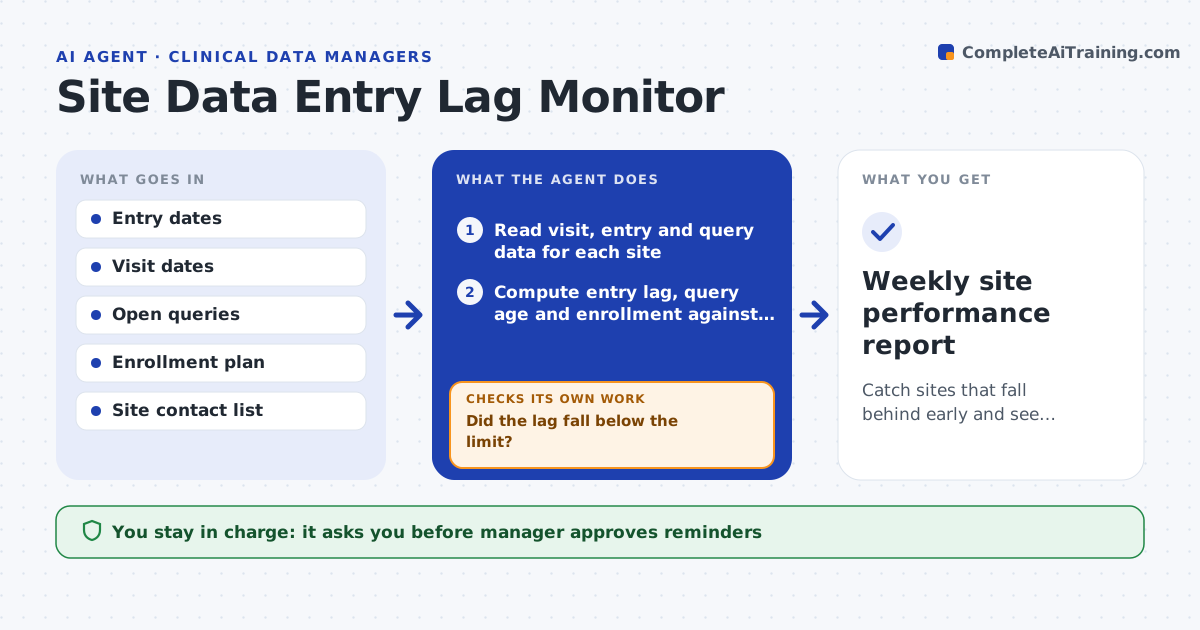
By the time a site is found to be six weeks behind on data entry, the study is already at risk. Weekly, this agent reads the days between a visit and its data entry, the open queries and the enrollment against plan for every site. It finds sites that lag or are slipping and ranks them. For each one, it drafts a short reminder with the specific numbers: how many visits are late, which queries are open. A week later it checks whether the site improved. If not, it escalates to the monitor or the study lead with a summary. The manager approves messages. Edge case: a site has few subjects and one delayed entry makes it look bad, so the agent weighs the number of subjects.
How it works
Follow the arrows from top to bottom. The orange dashed arrow is the loop: when a check fails, the agent goes back and tries again.
Read the steps as a list
- Weekly run
- Read visit, entry and query data for each site
- Compute entry lag, query age and enrollment against plan
- Flag lagging sites, adjusted for number of subjects
- Draft a reminder with the site's specific numbers
- Manager approves the messagesThe agent waits here for your OK.
- Send the reminders
- Recompute the site's metrics the following week
- Did the lag fall below the limit?If not: escalate to the monitor with a summary and draft a follow-up message. Back to step 4.
- Weekly site performance report
How it decides
It flags a site when median entry lag, open query age or enrollment shortfall passes the limit, adjusted for the number of subjects.
- Flag a site when median entry lag is over 7 days
- Flag a site with queries open over 14 days
- Weigh sites with fewer than 5 subjects separately
- Escalate after two reminders without improvement
Make it yours
Every agent is a starting point. You choose these settings for your own situation.
- Lag limit (default 7 days)
- Query age limit (default 14 days)
- Small site rule
- Reminder tone
- Escalation contacts
What keeps you in control
It always asks you first
- Manager approves reminders
- Manager approves escalation
Hard limits
- Never send messages without approval
- Never change data
It stops when
- Done: the weekly report is saved and flagged sites are tracked
- Stop: the data export is unavailable
Set it up
We guide you through the set-up, step by step
Members get the full set-up guide for this agent. No technical skills needed: you copy, paste and upload.
- One set of instructions to paste into your AI, with the clicks for ChatGPT, Claude, Microsoft 365 Copilot, Gemini and Grok
- The agent then walks you through connecting your own data, one source at a time
- A downloadable copy with the flow chart, the rules and the full guide