AI agent for director of operations
Site Utilization Review Agent
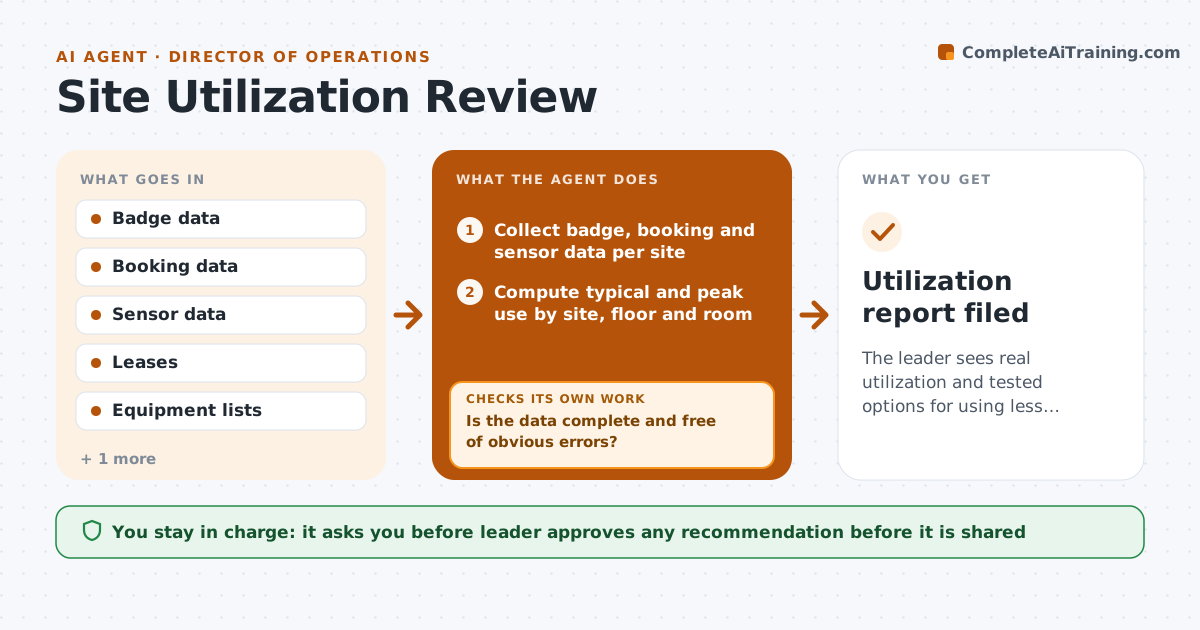
The leader sees real utilization and tested options for using less space or equipment.
What it does
The company pays for three floors, but badge data suggests the building is half empty on Fridays. This agent combines badge, booking and sensor data to compute use by site, floor, room and period. Before analyzing, it checks the data for errors such as doors without sensors, bookings that never happened or duplicate badge swipes. It fixes or flags them, then looks at peak and typical use. It tests consolidation scenarios, such as closing a floor or sharing equipment, against peak demand and lease terms. It writes the options with savings and risks. The leader approves any recommendation before it is shared. Edge case: a room has high bookings but low badge use, so no-shows are flagged.
How it works
Follow the arrows from top to bottom. The orange dashed arrow is the loop: when a check fails, the agent goes back and tries again.
Read the steps as a list
- Monthly utilization review
- Collect badge, booking and sensor data per site
- Is the data complete and free of obvious errors?If not: find missing sensors, duplicates and phantom bookings, fix or exclude them and refetch. Back to step 2.
- Compute typical and peak use by site, floor and room
- Flag spaces with peak use under 60 percent
- Build consolidation scenarios with costs and lease terms
- Does each scenario fit peak demand with a 15 percent buffer?If not: adjust or discard the scenario and test the next one. Back to step 5.
- Write the options with savings and risks
- Leader approves any recommendation before it is sharedThe agent waits here for your OK.
- Utilization report filed
How it decides
It calls a space underused when peak use stays below 60 percent over 8 weeks, and tests scenarios against peak demand with a 15 percent buffer.
- Call a space underused below 60 percent peak use over 8 weeks.
- Require a 15 percent buffer above peak demand.
- Exclude no-show bookings from true use.
- Include lease end dates and exit costs.
Make it yours
Every agent is a starting point. You choose these settings for your own situation.
- Underuse threshold (default 60 percent)
- Buffer (default 15 percent)
- Sites and spaces
- Data sources
What keeps you in control
It always asks you first
- Leader approves any recommendation before it is shared
Hard limits
- Use aggregated data, not individual tracking
- Show the data quality fixes
It stops when
- Done: report approved.
- Stop: data too incomplete for a sound conclusion.
Set it up
We guide you through the set-up, step by step
Members get the full set-up guide for this agent. No technical skills needed: you copy, paste and upload.
- One set of instructions to paste into your AI, with the clicks for ChatGPT, Claude, Microsoft 365 Copilot, Gemini and Grok
- The agent then walks you through connecting your own data, one source at a time
- A downloadable copy with the flow chart, the rules and the full guide