AI agent for operations analysts
Government Service Backlog Diagnosis Agent
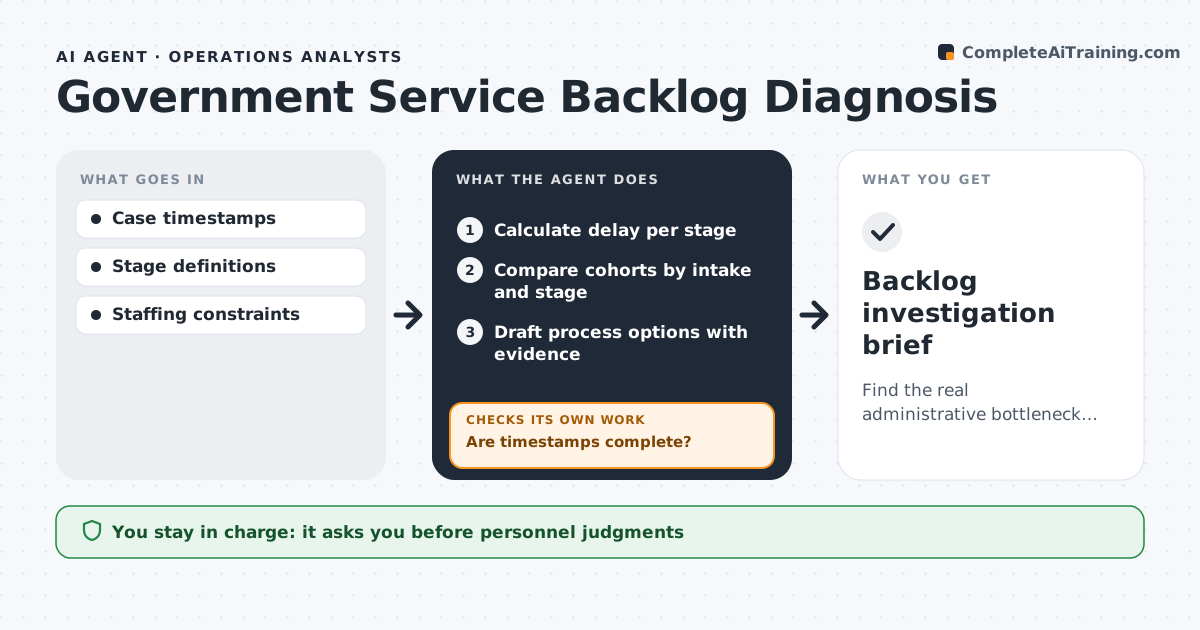
Find the real administrative bottleneck behind a backlog.
What it does
Backlog reports show that cases are slow but not where they get stuck. When a backlog review is requested, this agent calculates how long cases sit in each stage. It first checks data quality, because missing timestamps can create delays that are not real. When timestamps are missing, it adjusts its assumptions and notes the data gap before drawing any conclusion. It then compares cohorts, for example cases opened in different months, to separate rising demand from process delay. It drafts process options, each linked to the evidence behind it, and never blames individuals. The operations lead reviews the brief; personnel judgments and policy changes stay with managers. Edge case: a stage looks slow only because staff close cases in batches, so the agent reports it as a recording pattern.
How it works
Follow the arrows from top to bottom. The orange dashed arrow is the loop: when a check fails, the agent goes back and tries again.
Read the steps as a list
- Backlog review requested
- Calculate delay per stage
- Are timestamps complete?If not: adjust assumptions and note the data gap. Back to step 2.
- Compare cohorts by intake and stage
- Draft process options with evidence
- Operations lead reviewsThe agent waits here for your OK.
- Backlog investigation brief
How it decides
It chooses cohorts that separate causes and fixes analysis assumptions when data gaps explain apparent delays.
- Demand versus delay is judged from cohort comparison.
- Data gaps are corrected or disclosed before any conclusion.
- Findings name stages and steps, never individual staff.
- Each process option links to the evidence behind it.
Make it yours
Every agent is a starting point. You choose these settings for your own situation.
- Case system and stages to analyze
- Cohort grouping (by month, case type or office)
- Share of missing timestamps that blocks conclusions (default 10%)
- Who reviews the brief
- Brief format (two-page memo or slide summary)
What keeps you in control
It always asks you first
- Personnel judgments
- Policy changes
Hard limits
- No blame on teams.
It stops when
- Done: bottleneck identified.
Set it up
We guide you through the set-up, step by step
Members get the full set-up guide for this agent. No technical skills needed: you copy, paste and upload.
- One set of instructions to paste into your AI, with the clicks for ChatGPT, Claude, Microsoft 365 Copilot, Gemini and Grok
- The agent then walks you through connecting your own data, one source at a time
- A downloadable copy with the flow chart, the rules and the full guide