AI agent for grant managers
Site Visit Findings Corrective Action Agent
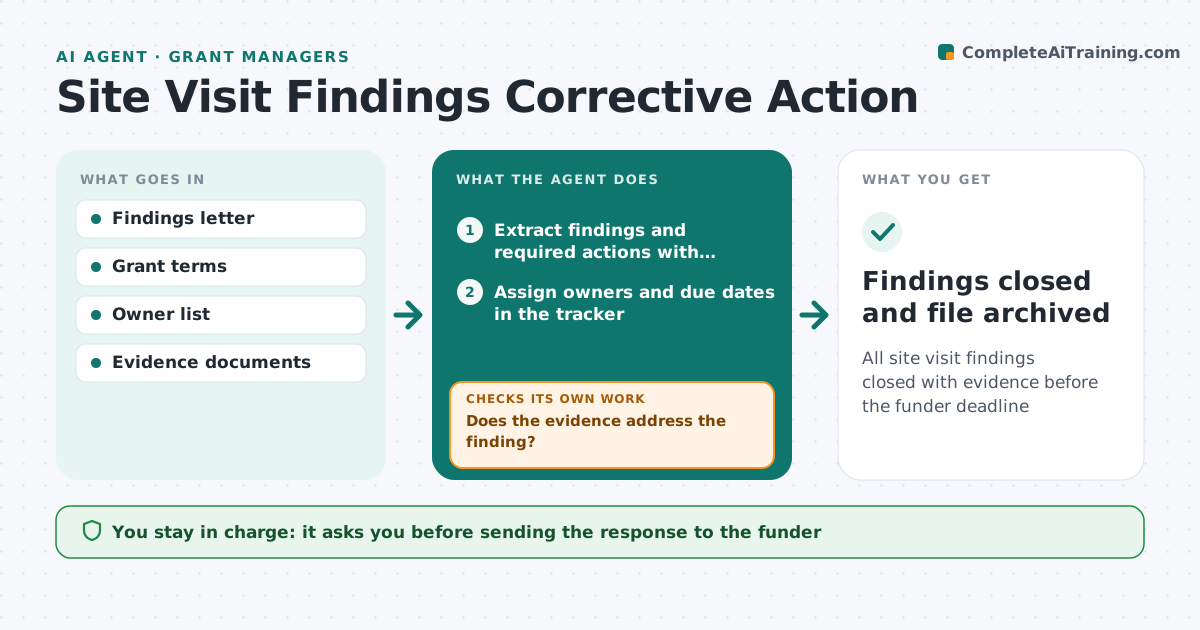
All site visit findings closed with evidence before the funder deadline
What it does
After a funder site visit, the grant manager receives findings with corrective actions due by set dates, and actions slip until the next review. This agent reads the findings letter, breaks it into actions with owners and due dates, and tracks progress. When an owner marks an action done, it checks that the evidence actually addresses the finding, such as an updated policy or corrected time records. If not, it reopens the action and says exactly what is missing. A finding that needs a board-approved policy change is tracked against the board date. It drafts the response to the funder from verified evidence only. The grant manager approves the response before it is sent.
How it works
Follow the arrows from top to bottom. The orange dashed arrow is the loop: when a check fails, the agent goes back and tries again.
Read the steps as a list
- Findings letter arrives
- Extract findings and required actions with deadlines
- Assign owners and due dates in the tracker
- Collect evidence when owners mark actions done
- Does the evidence address the finding?If not: reopen the action and tell the owner what is missing. Back to step 4.
- Draft the corrective action response to the funder
- Grant manager approves and sends the responseThe agent waits here for your OK.
- Findings closed and file archived
How it decides
It accepts an action as closed only when the evidence matches the finding's requirement and is dated after the finding.
- Evidence must be dated after the finding
- Actions due within 10 days get daily reminders
- Board-dependent actions are tracked with their meeting date
Make it yours
Every agent is a starting point. You choose these settings for your own situation.
- Reminder frequency
- Evidence rules per finding type
- Tracker tool
- Response letter format
What keeps you in control
It always asks you first
- Sending the response to the funder
- Extending an internal deadline
Hard limits
- Never sends anything to the funder
- Does not alter evidence documents
It stops when
- Done: all findings closed with evidence
- Stop: funder deadline at risk, escalate to grant manager
Set it up
We guide you through the set-up, step by step
Members get the full set-up guide for this agent. No technical skills needed: you copy, paste and upload.
- One set of instructions to paste into your AI, with the clicks for ChatGPT, Claude, Microsoft 365 Copilot, Gemini and Grok
- The agent then walks you through connecting your own data, one source at a time
- A downloadable copy with the flow chart, the rules and the full guide