AI agent for grant managers
Research Grant Deliverable Evidence Agent
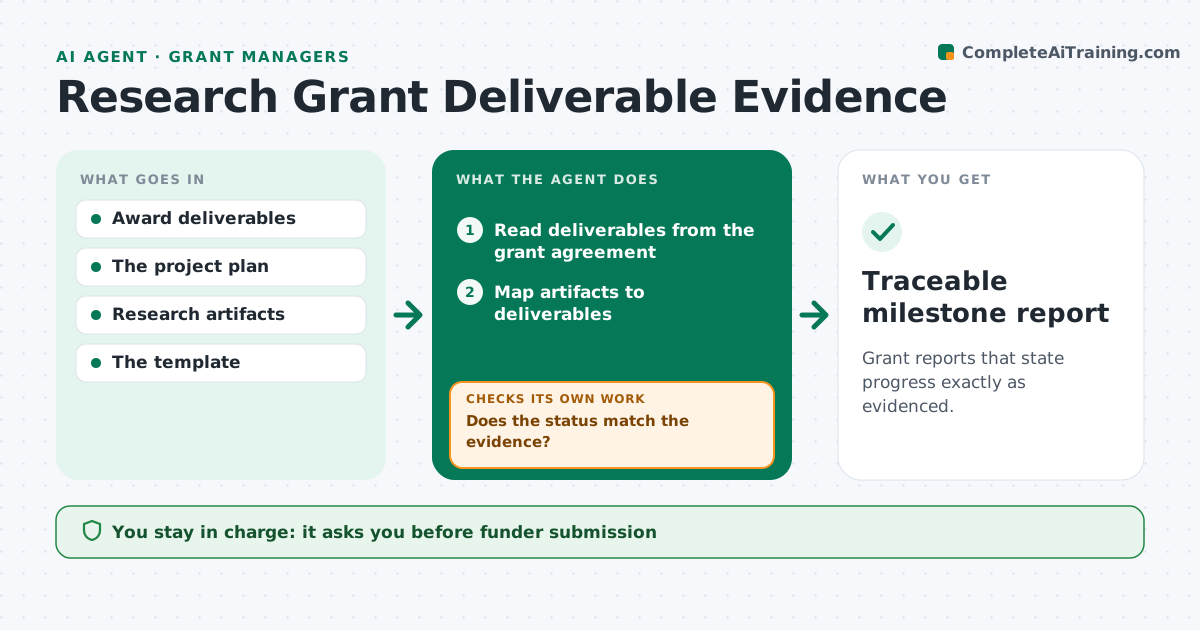
Grant reports that state progress exactly as evidenced.
What it does
Grant milestone reports often overstate progress, and a funder audit then finds no trail from the work to the deliverable. This agent runs at the end of each reporting period. It maps research outputs, such as datasets, manuscripts, software releases and meeting records, to each deliverable in the grant agreement. It checks the actual status and dates against the evidence and revises wording that claims more than the evidence shows, for example 'accepted' when a paper is only 'submitted'. Unresolved or late items are listed honestly. It drafts the milestone report with links to evidence, and the grant manager reviews and submits it. Edge case: a deliverable shared with a partner institution is marked as partner-dependent when the evidence is held by the partner.
How it works
Follow the arrows from top to bottom. The orange dashed arrow is the loop: when a check fails, the agent goes back and tries again.
Read the steps as a list
- Reporting period ends
- Read deliverables from the grant agreement
- Map artifacts to deliverables
- Does the status match the evidence?If not: revise the wording to what the evidence shows. Back to step 3.
- List late and unresolved items
- Draft the report
- Grant manager submitsThe agent waits here for your OK.
- Traceable milestone report
How it decides
It uses the artifact's actual status.
- Status wording must match the evidence exactly.
- Late items are listed, not hidden.
- Partner-held evidence is marked partner-dependent.
- Only the grant manager submits.
Make it yours
Every agent is a starting point. You choose these settings for your own situation.
- Grant agreement and deliverable list
- Evidence sources (default: repository, journal portals, project drive)
- Status vocabulary to use
- Report template required by the funder
- Who submits (default: grant manager)
What keeps you in control
It always asks you first
- Funder submission
- Scientific claims
- Grant commitments
Hard limits
- No overstatement.
It stops when
- Done: report drafted.
Set it up
We guide you through the set-up, step by step
Members get the full set-up guide for this agent. No technical skills needed: you copy, paste and upload.
- One set of instructions to paste into your AI, with the clicks for ChatGPT, Claude, Microsoft 365 Copilot, Gemini and Grok
- The agent then walks you through connecting your own data, one source at a time
- A downloadable copy with the flow chart, the rules and the full guide