AI agent for training and development managers
Skills Matrix Update Agent
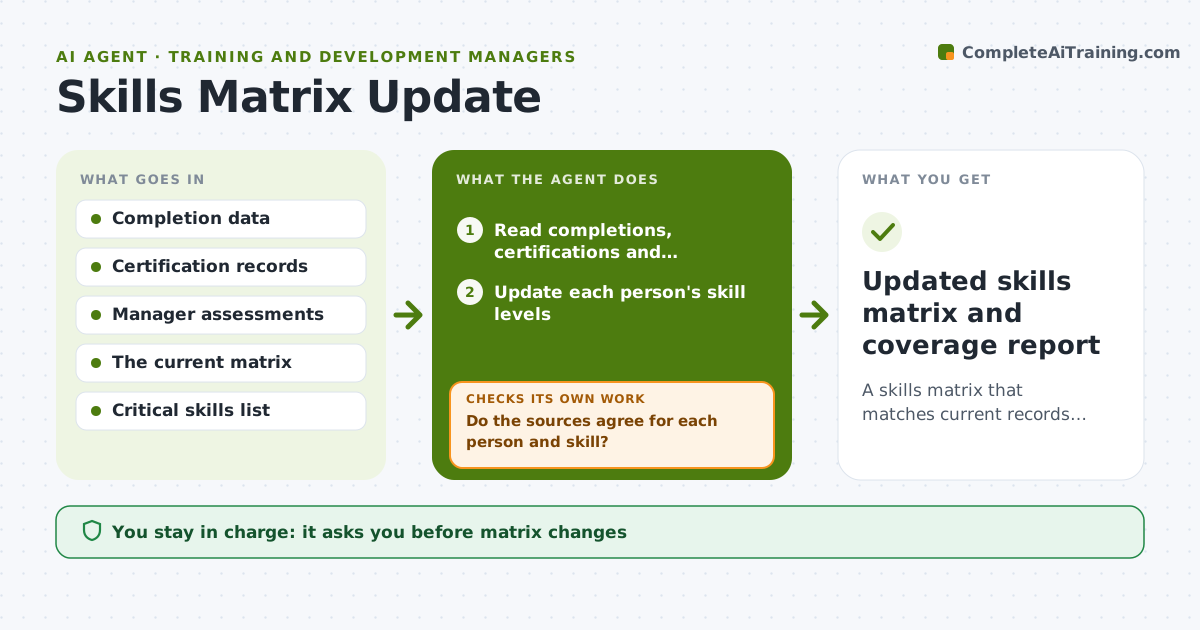
A skills matrix that matches current records, with coverage risks visible.
What it does
A skills matrix is built in January and by June it no longer shows who has which certification. This agent reads completions, certifications and manager assessments and updates the matrix. It finds conflicts between sources, such as a manager rating that differs from the test score, and asks for confirmation. It flags critical skills with single-person coverage. It also lists skills that only one person holds, so you can plan cross-training before that person leaves or is on vacation. Every proposed change shows its source, such as a certificate date or a test score, so you can see why it was made. Edge case: an expired certification still shows as current, so the agent corrects it. The manager approves changes.
How it works
Follow the arrows from top to bottom. The orange dashed arrow is the loop: when a check fails, the agent goes back and tries again.
Read the steps as a list
- Monthly matrix update
- Read completions, certifications and assessments
- Update each person's skill levels
- Do the sources agree for each person and skill?If not: list conflicts and ask the manager to confirm. Back to step 3.
- Check certification expiry dates
- Find critical skills covered by one person or none
- Manager approves matrix changesThe agent waits here for your OK.
- Draft development suggestions for coverage gaps
- Updated skills matrix and coverage report
How it decides
It prefers dated evidence such as a test or certificate over a self-report, and flags conflicts for a manager to settle.
- Expired certifications are marked lapsed.
- Skills with one qualified person are flagged.
- Dated evidence outranks self-reports.
- Conflicts are never resolved without a manager.
Make it yours
Every agent is a starting point. You choose these settings for your own situation.
- Update frequency
- Critical skills list
- Evidence rules
- Rating scale
- Coverage threshold
What keeps you in control
It always asks you first
- Matrix changes
- Any development plan
Hard limits
- Do not change ratings without approval.
- Do not share the matrix outside the team.
It stops when
- Done: the matrix matches evidence and the manager approved
- Stop: source data is missing, so the agent asks for an export
Set it up
We guide you through the set-up, step by step
Members get the full set-up guide for this agent. No technical skills needed: you copy, paste and upload.
- One set of instructions to paste into your AI, with the clicks for ChatGPT, Claude, Microsoft 365 Copilot, Gemini and Grok
- The agent then walks you through connecting your own data, one source at a time
- A downloadable copy with the flow chart, the rules and the full guide