AI agent for sports coachs
Skills Testing Day Agent
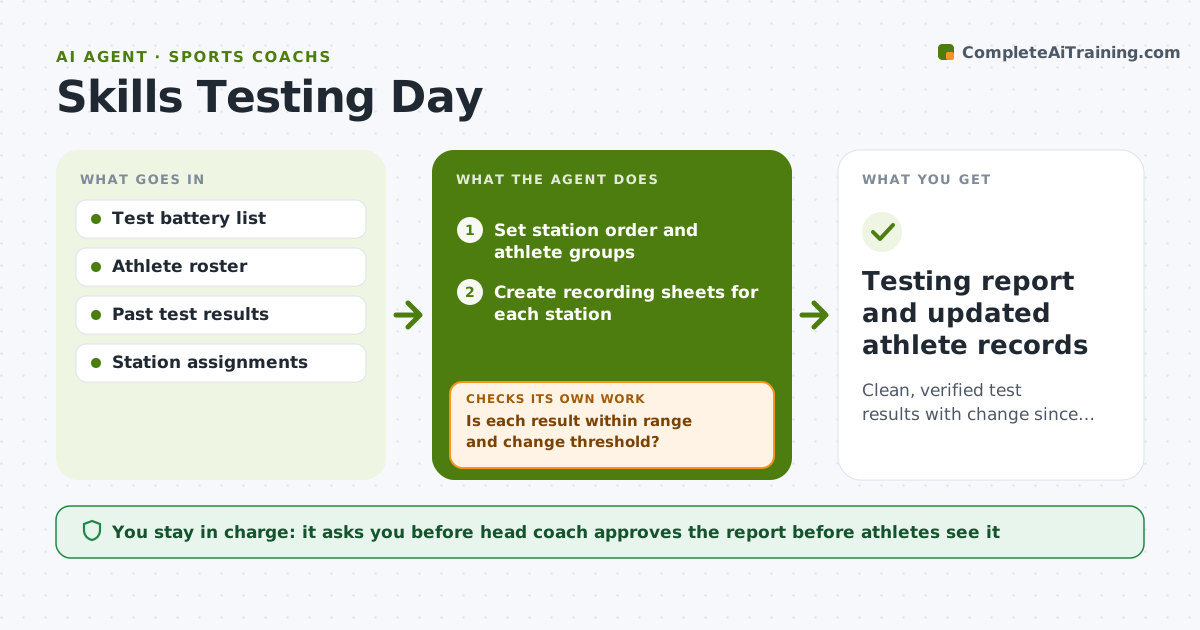
Clean, verified test results with change since last test for every athlete
What it does
Testing days produce a flood of numbers from sprints, jumps and skill drills, and errors creep in when assistants write fast. This agent sets up the test stations and recording sheets, then collects the results as they come in. It compares each result to the athlete's past scores and to sensible ranges, and flags values that look like typos, such as a 40-yard dash two seconds faster than last time. Flagged results go back to the station lead for a retest or correction before anything is saved. Once clean, it calculates change since last test and ranks improvement by athlete and by team group. It decides which results need a retest using a change threshold per test. Coaches decide on any role, roster or training changes. Edge case: an athlete who skipped a test is marked absent, not given a zero.
How it works
Follow the arrows from top to bottom. The orange dashed arrow is the loop: when a check fails, the agent goes back and tries again.
Read the steps as a list
- Testing day scheduled
- Set station order and athlete groups
- Create recording sheets for each station
- Collect results as stations submit them
- Is each result within range and change threshold?If not: send flagged result back to station lead for retest or correction. Back to step 4.
- Compute change since last test per athlete
- Are all athletes either scored or marked absent?If not: list missing athletes and schedule a makeup test. Back to step 4.
- Head coach reviews results before sharing with athletesThe agent waits here for your OK.
- Testing report and updated athlete records
How it decides
It flags any result that changed more than the set threshold from the athlete's last test or falls outside realistic ranges, and requests a retest or correction.
- Change greater than 8 percent from last test triggers a check
- Values outside preset realistic ranges are never saved without confirmation
- Absent athletes are marked absent, never scored as zero
- Makeup tests must be within 7 days to count for this cycle
Make it yours
Every agent is a starting point. You choose these settings for your own situation.
- Test battery (default sprint, jump, agility, sport skill)
- Change threshold that triggers a check (default 8 percent)
- Makeup window (default 7 days)
- Who sees individual results (default athlete and coaches only)
What keeps you in control
It always asks you first
- Head coach approves the report before athletes see it
- Coach decides any change in training group
Hard limits
- Never publishes rankings to the whole team without approval
- Never treats a missing test as a failed one
It stops when
- Done: all results verified and report approved
- Stop: a station's equipment fails and results for that test are void
Set it up
We guide you through the set-up, step by step
Members get the full set-up guide for this agent. No technical skills needed: you copy, paste and upload.
- One set of instructions to paste into your AI, with the clicks for ChatGPT, Claude, Microsoft 365 Copilot, Gemini and Grok
- The agent then walks you through connecting your own data, one source at a time
- A downloadable copy with the flow chart, the rules and the full guide