AI agent for it managers
Software Renewal Negotiation Prep Agent
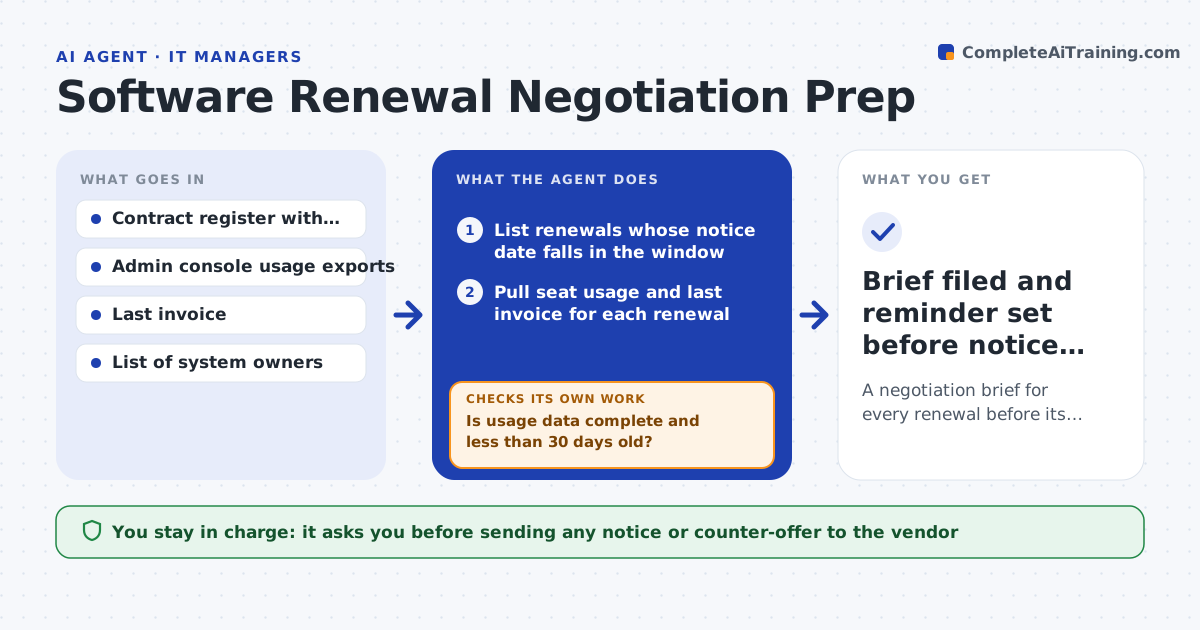
A negotiation brief for every renewal before its notice deadline
What it does
Software contracts renew on fixed dates, and the notice window often passes before anyone checks whether the seats are still used. This agent watches the contract register for renewals inside your window. For each one it pulls seat usage from the admin console, compares paid seats with active users, checks the price against last year and looks up public pricing for comparable tools. Before drafting, it checks that usage data is less than 30 days old. If it is older or missing, it asks the system owner for a fresh export and waits. It then drafts a negotiation brief with a target seat count, a target price and the notice deadline. You decide whether to renew, cut seats or switch, and you send anything to the vendor. Edge case: a tool used heavily by one team but barely elsewhere gets a split recommendation instead of a flat cut.
How it works
Follow the arrows from top to bottom. The orange dashed arrow is the loop: when a check fails, the agent goes back and tries again.
Read the steps as a list
- Weekly check of the contract register
- List renewals whose notice date falls in the window
- Pull seat usage and last invoice for each renewal
- Is usage data complete and less than 30 days old?If not: ask the system owner for a fresh usage export and wait. Back to step 3.
- Compare price with last year and with comparable tools
- Draft brief with seat target, price target and options
- IT leader chooses renew, reduce or replaceThe agent waits here for your OK.
- Brief filed and reminder set before notice date
How it decides
It recommends cutting seats when active users stay below 80% of paid seats for three months, and flags price increases above your limit for negotiation.
- Recommend a seat cut when active users stay under 80% of paid seats
- Flag any price rise above the set limit as a negotiation point
- Escalate when the notice date is under 14 days away
Make it yours
Every agent is a starting point. You choose these settings for your own situation.
- Look-ahead window (default 90 days)
- Seat utilization level that triggers a cut (default 80%)
- Price increase limit that triggers negotiation (default 5%)
- Who receives the briefs
What keeps you in control
It always asks you first
- Sending any notice or counter-offer to the vendor
- Decision to cancel or switch
Hard limits
- Never contacts vendors directly
- Never cancels or changes a subscription
It stops when
- Done: every renewal in the window has a brief and a decision date
- Stop: contract terms are not in the register
Set it up
We guide you through the set-up, step by step
Members get the full set-up guide for this agent. No technical skills needed: you copy, paste and upload.
- One set of instructions to paste into your AI, with the clicks for ChatGPT, Claude, Microsoft 365 Copilot, Gemini and Grok
- The agent then walks you through connecting your own data, one source at a time
- A downloadable copy with the flow chart, the rules and the full guide