
AI agent for technology managers
Lost and Stale Asset Reconciliation Agent
Make the asset list match reality and reclaim unused licenses safely.
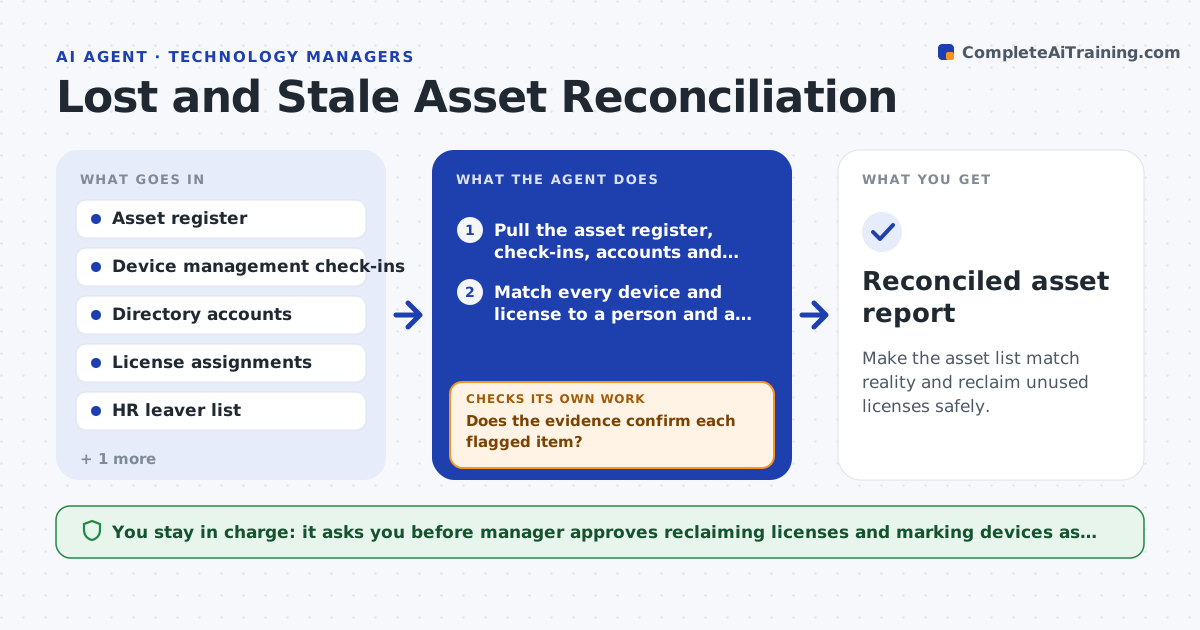
What it does
The asset register says you own 240 laptops, but only 212 check in with device management, and 31 software licenses are assigned to people who left in the spring. This agent runs monthly. It compares the asset register with device management check-ins, directory accounts and license assignments. It flags devices not seen in 60 days and licenses assigned to departed staff or to accounts that have not signed in. It then checks each against HR leaver data and the help desk tickets to confirm. If the evidence is not enough, it asks the device owner or the manager for confirmation and rechecks after the reply. It prepares a list of licenses to reclaim and devices to mark as lost or in storage, with the savings. The manager approves reclaiming licenses or marking devices lost. Edge case: a device is on a long leave, so the agent keeps it.
How it works
Follow the arrows from top to bottom. The orange dashed arrow is the loop: when a check fails, the agent goes back and tries again.
Read the steps as a list
- Monthly reconciliation
- Pull the asset register, check-ins, accounts and licenses
- Match every device and license to a person and a record
- Flag devices unseen for 60 days and idle or departed licenses
- Check HR leaver data and tickets for each flagged item
- Does the evidence confirm each flagged item?If not: ask the manager or owner for confirmation and check again. Back to step 4.
- Prepare the reclaim list with the savings
- Manager approves reclaiming licenses and marking devices lostThe agent waits here for your OK.
- Apply the approved changes to the register and licenses
- Do the register, check-ins and licenses now agree?If not: list the remaining mismatches and rerun the matching. Back to step 2.
- Reconciled asset report
How it decides
A device is stale after 60 days without a check-in. A license is reclaimable when the user has left or has not signed in for 90 days, and the manager confirms.
- Flag a device unseen for 60 days
- Flag licenses for people who left or have not signed in for 90 days
- Never reclaim a license without a manager reply or HR confirmation
- Keep devices of staff on approved leave
Make it yours
Every agent is a starting point. You choose these settings for your own situation.
- Days without check-in (default 60)
- Days without sign-in for licenses (default 90)
- Systems to compare
- Who confirms each department
- Report schedule
What keeps you in control
It always asks you first
- Manager approves reclaiming licenses and marking devices as lost
Hard limits
- Never remove a license or wipe a device without approval
- Never mark a device as lost without confirmation
It stops when
- Done: records agree and approved actions are applied
- Stop: a source system is unavailable, so the reconciliation is paused
Set it up
We guide you through the set-up, step by step
Members get the full set-up guide for this agent. No technical skills needed: you copy, paste and upload.
- One set of instructions to paste into your AI, with the clicks for ChatGPT, Claude, Microsoft 365 Copilot, Gemini and Grok
- The agent then walks you through connecting your own data, one source at a time
- A downloadable copy with the flow chart, the rules and the full guide



