AI agent for recruitment coordinators
Sourcing Channel Quality and Spend Agent
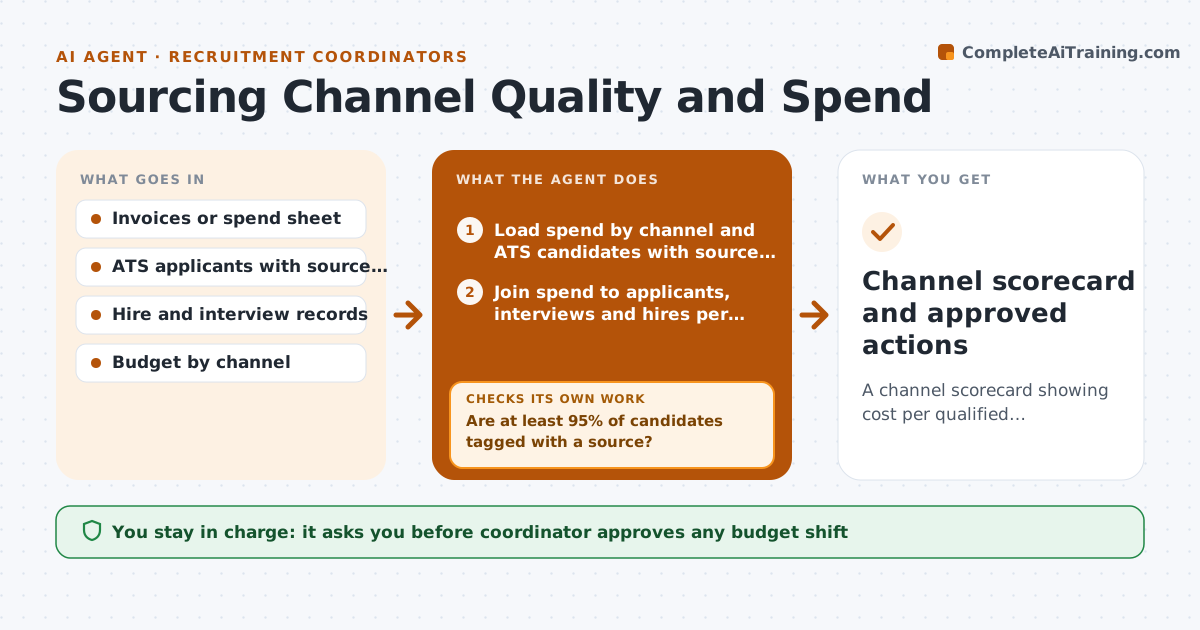
A channel scorecard showing cost per qualified applicant and cost per hire, with clear recommendations on where to move budget.
What it does
Each month you pay invoices from job boards and ad platforms, but nobody can say which ones produced hires. This agent joins that spend with the source tags in your ATS. It first checks that source tags are filled in. If many candidates have no source, it lists them and asks you to fix the gaps, then recalculates once you confirm. It then works out cost per qualified applicant and cost per hire for each channel, and flags channels with spend but no interviews. It compares this month with the last three. You decide what to do with the findings. Edge case: a board with one expensive hire may look bad on cost per hire, so the agent shows the sample size and marks small samples as low confidence.
How it works
Follow the arrows from top to bottom. The orange dashed arrow is the loop: when a check fails, the agent goes back and tries again.
Read the steps as a list
- Month ends and invoices are in
- Load spend by channel and ATS candidates with source tags
- Are at least 95% of candidates tagged with a source?If not: List untagged candidates, ask the coordinator to fix them, then reload. Back to step 2.
- Join spend to applicants, interviews and hires per channel
- Calculate cost per qualified applicant and cost per hire
- Flag channels with spend and no interviews
- Is each flagged channel based on enough volume?If not: Mark as low confidence and add the previous two months of data. Back to step 4.
- Draft the scorecard with budget shift options
- Coordinator approves any budget shift or channel pauseThe agent waits here for your OK.
- Channel scorecard and approved actions
How it decides
It ranks channels by cost per hire and interview rate, but only trusts a channel with at least 20 applicants or 2 hires in the period.
- Flag a channel with spend over $500 and no interviews in the month
- Treat results as low confidence under 20 applicants or 2 hires
- Suggest a pause only after 2 months of no interviews
- Suggest more budget for channels with cost per hire below 70% of the average
Make it yours
Every agent is a starting point. You choose these settings for your own situation.
- Minimum tag coverage before calculating (default 95%)
- Minimum sample size per channel
- Months of no interviews before suggesting a pause (default 2)
- Which channels count as paid
What keeps you in control
It always asks you first
- Coordinator approves any budget shift
- Coordinator approves pausing any channel
Hard limits
- Never pause or buy anything on a platform
- Never report cost per hire from fewer than 2 hires without a low confidence mark
It stops when
- Done: scorecard approved and filed
- Stop: source tags remain under 95% after one reminder
Set it up
We guide you through the set-up, step by step
Members get the full set-up guide for this agent. No technical skills needed: you copy, paste and upload.
- One set of instructions to paste into your AI, with the clicks for ChatGPT, Claude, Microsoft 365 Copilot, Gemini and Grok
- The agent then walks you through connecting your own data, one source at a time
- A downloadable copy with the flow chart, the rules and the full guide