AI agent for speechwriters
Speaker Voice Match Agent
A draft that sounds like the speaker before it reaches them
What it does
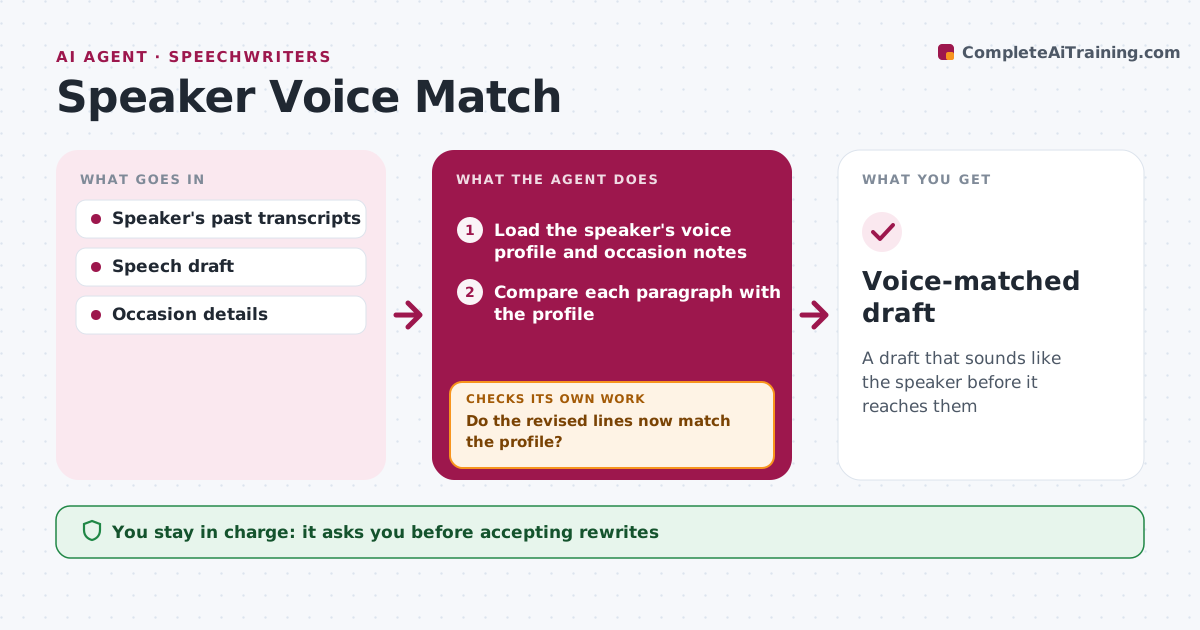
A speech that does not sound like the speaker falls flat, and writers often drift into their own style. This agent builds a voice profile from the speaker's past speeches, interviews and emails: sentence length, favorite phrases, words they avoid, how they open and close, and how they use stories. When a new draft comes in, it compares the draft with the profile and marks lines that do not sound like the speaker, such as jargon they never use or long sentences they stumble on. It suggests rewrites, then rechecks the revised text against the profile. Lines that still do not fit after two rewrites go to the writer. The writer accepts or rejects every change, and the profile is updated after each delivered speech. Edge case: a formal occasion can override the profile's casual tone.
How it works
Follow the arrows from top to bottom. The orange dashed arrow is the loop: when a check fails, the agent goes back and tries again.
Read the steps as a list
- Draft ready for voice review
- Load the speaker's voice profile and occasion notes
- Compare each paragraph with the profile
- Suggest rewrites for lines that don't fit
- Do the revised lines now match the profile?If not: try another rewrite, then hand the line to the writer. Back to step 4.
- Writer accepts or rejects suggestionsThe agent waits here for your OK.
- Update the profile after delivery
- Voice-matched draft
How it decides
It flags lines that differ from the speaker's patterns on length, vocabulary and structure, adjusted for the occasion's formality.
- Flag sentences over 25 words for speakers who use short ones
- Remove words on the speaker's avoid list
- Occasion formality can override tone
Make it yours
Every agent is a starting point. You choose these settings for your own situation.
- Sources for the profile
- Words to avoid
- Formality setting per occasion
- How many rewrite tries
What keeps you in control
It always asks you first
- Accepting rewrites
Hard limits
- Never changes the speech's message or facts
- Profile stays private to the writing team
It stops when
- Done: draft matched
- Stop: fewer than three past transcripts, ask for more
Set it up
We guide you through the set-up, step by step
Members get the full set-up guide for this agent. No technical skills needed: you copy, paste and upload.
- One set of instructions to paste into your AI, with the clicks for ChatGPT, Claude, Microsoft 365 Copilot, Gemini and Grok
- The agent then walks you through connecting your own data, one source at a time
- A downloadable copy with the flow chart, the rules and the full guide