AI agent for caregivers
Special Diet Meal Plan Agent
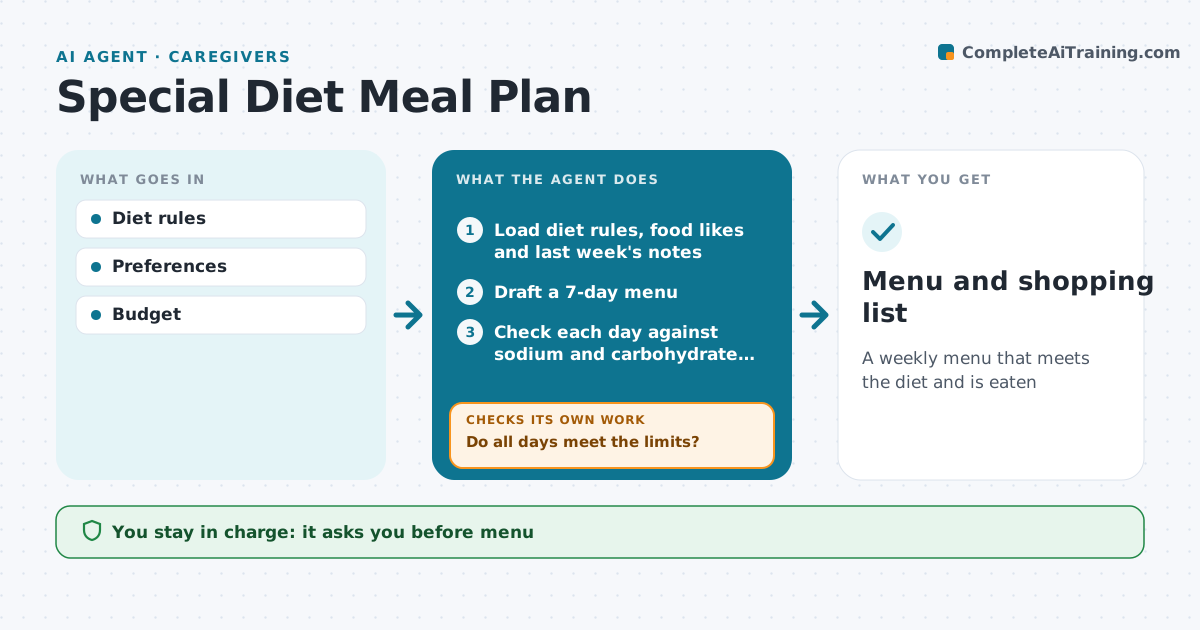
A weekly menu that meets the diet and is eaten
What it does
Special diets from a doctor or dietitian, such as low sodium, carbohydrate control or texture-modified food, are hard to plan around week after week. This agent drafts a weekly menu from the diet rules and the person's likes and dislikes. It checks each day against the limits, such as sodium per day or carbohydrates per meal. If a day goes over, it swaps the meals that cause it and checks again. It then makes a shopping list grouped by store section. After the week, it asks what was eaten and what was refused, and uses that to adjust the next menu. The caregiver approves the menu before shopping. Edge case: for swallowing diets, it only uses textures listed in the speech therapist's written instructions and never guesses a texture.
How it works
Follow the arrows from top to bottom. The orange dashed arrow is the loop: when a check fails, the agent goes back and tries again.
Read the steps as a list
- Weekly menu planning
- Load diet rules, food likes and last week's notes
- Draft a 7-day menu
- Check each day against sodium and carbohydrate limits
- Do all days meet the limits?If not: swap the meals that go over and check again. Back to step 3.
- Caregiver approves the menuThe agent waits here for your OK.
- Build the shopping list by store section
- Menu and shopping list
How it decides
Meals are checked against diet limits.
- Diet limits first
- Texture rules strict
- Refused foods dropped
Make it yours
Every agent is a starting point. You choose these settings for your own situation.
- Diet rules
- Budget
- Preferences
- Shop day
What keeps you in control
It always asks you first
- Menu
Hard limits
- No diet changes without professional
It stops when
- Done: menu
- Stop: diet changed, ask for new rules
Set it up
We guide you through the set-up, step by step
Members get the full set-up guide for this agent. No technical skills needed: you copy, paste and upload.
- One set of instructions to paste into your AI, with the clicks for ChatGPT, Claude, Microsoft 365 Copilot, Gemini and Grok
- The agent then walks you through connecting your own data, one source at a time
- A downloadable copy with the flow chart, the rules and the full guide