AI agent for speech therapists
Speech Goal Data Trend Agent
Spot mastered and stalled goals early and report progress accurately
What it does
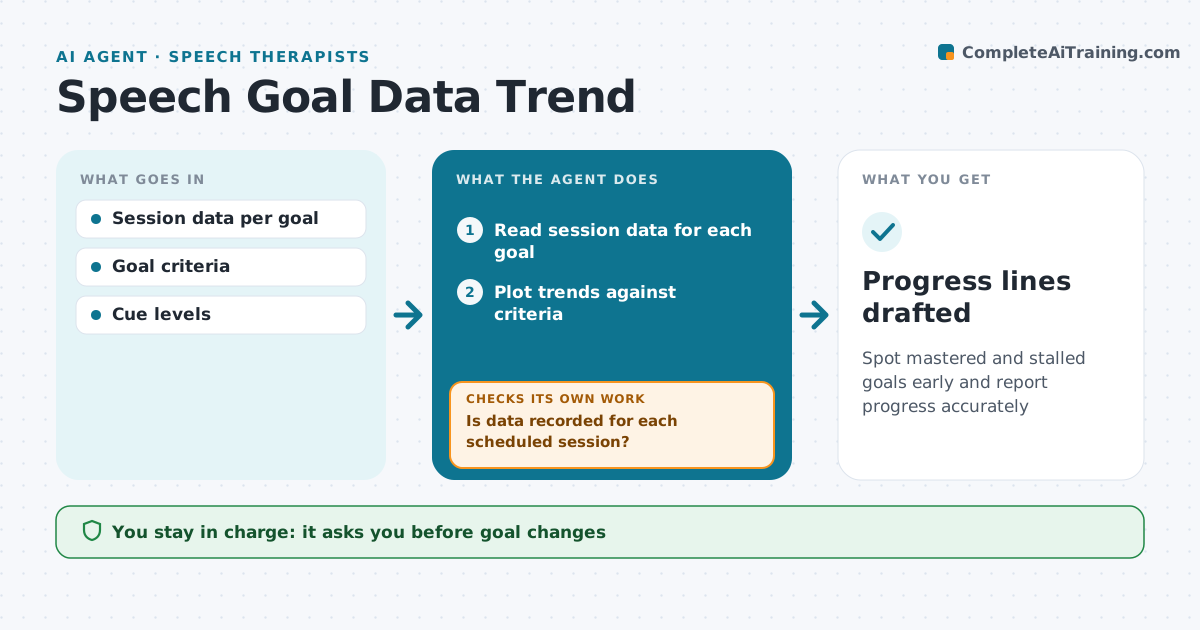
Speech therapists collect accuracy data on goals every session, often as tallies or percentages, and trends get lost between progress reports. Each week this agent reads session data for each student and goal. It first checks that data is recorded for every scheduled session and lists missing ones for the therapist to fill or mark absent. It plots trends against the goal criterion, showing cue level alongside accuracy. Goals flat for 6 sessions are flagged as stalled, with a list of what has been tried, such as cue levels and targets, so the therapist can change approach. Goals that meet criterion in 3 sessions in a row are flagged as mastered. It drafts progress report lines from the data. The therapist decides any change. Edge case: a sudden jump to 100% after a cue change is checked over two more sessions before mastery is called.
How it works
Follow the arrows from top to bottom. The orange dashed arrow is the loop: when a check fails, the agent goes back and tries again.
Read the steps as a list
- Weekly data review
- Read session data for each goal
- Is data recorded for each scheduled session?If not: list missing sessions for the therapist to fill or mark absent. Back to step 2.
- Plot trends against criteria
- Flag stalled and mastered goals
- Is each mastery call backed by 3 sessions in a row?If not: keep the goal open and recheck after two more sessions. Back to step 5.
- Therapist decides on changesThe agent waits here for your OK.
- Draft progress report lines
- Progress lines drafted
How it decides
Goals are compared with criteria over the last set of sessions. Flat trends are flagged; mastery requires the criterion met across consecutive sessions.
- Flat over 6 sessions is stalled
- Mastery needs criterion met in 3 sessions in a row
- Cue level is shown with accuracy
Make it yours
Every agent is a starting point. You choose these settings for your own situation.
- Sessions for stall and mastery
- Graph style
- Report dates
- Data source
What keeps you in control
It always asks you first
- Goal changes
- Progress report text
Hard limits
- No goal changes by the agent
- Progress lines use real data only
It stops when
- Done: progress lines drafted
- Stop: too little data, ask for more sessions
Set it up
We guide you through the set-up, step by step
Members get the full set-up guide for this agent. No technical skills needed: you copy, paste and upload.
- One set of instructions to paste into your AI, with the clicks for ChatGPT, Claude, Microsoft 365 Copilot, Gemini and Grok
- The agent then walks you through connecting your own data, one source at a time
- A downloadable copy with the flow chart, the rules and the full guide