AI agent for speechwriters
Speech Review Round Coordination Agent
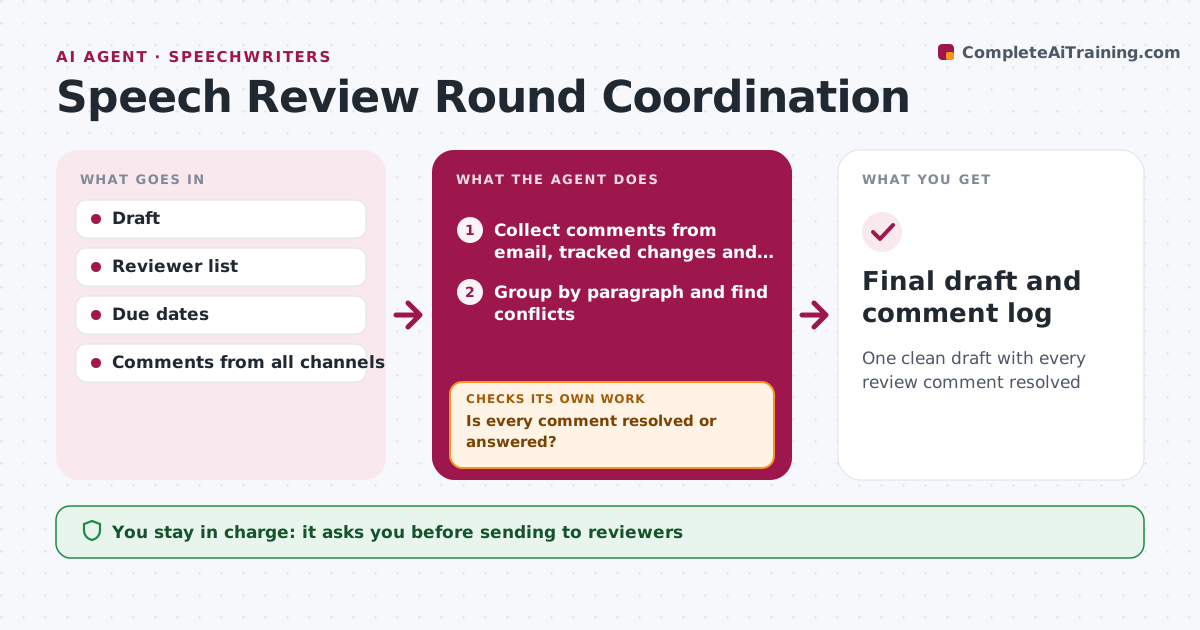
One clean draft with every review comment resolved
What it does
Speech review rounds produce comments scattered across emails, tracked changes and shared docs, often in conflict. When a draft goes out, this agent sends it to the reviewer list with a due date and gathers all comments into one list. It groups them by paragraph and spots conflicts, such as legal deleting a line that comms wants stronger. It drafts a merged version with suggested resolutions. Then it checks that every comment is resolved, accepted or answered. Open comments go back to the reviewer with a specific question, and the check runs again when replies come in. The speechwriter decides every conflict. Edge case: a reviewer who misses the deadline gets one reminder, then the draft moves on with a note saying their comments were not received.
How it works
Follow the arrows from top to bottom. The orange dashed arrow is the loop: when a check fails, the agent goes back and tries again.
Read the steps as a list
- Draft sent for review
- Writer approves the reviewer list and due date before sendingThe agent waits here for your OK.
- Collect comments from email, tracked changes and docs
- Group by paragraph and find conflicts
- Draft merged version with suggested resolutions
- Is every comment resolved or answered?If not: send questions back to reviewers and collect replies. Back to step 3.
- Writer settles conflicts and signs offThe agent waits here for your OK.
- Final draft and comment log
How it decides
It accepts non-conflicting edits, flags conflicts for the writer and follows up on unresolved comments.
- Legal edits win on legal wording unless the writer overrides
- One reminder for late reviewers
- Every comment gets a recorded outcome
Make it yours
Every agent is a starting point. You choose these settings for your own situation.
- Reviewer list and order
- Review deadline
- Reminder timing
- Comment log format
What keeps you in control
It always asks you first
- Sending to reviewers
- Resolving conflicts
Hard limits
- Never sends drafts outside the reviewer list
- Never accepts legal edits silently against the writer
It stops when
- Done: all comments resolved
- Stop: speaker withdraws
Set it up
We guide you through the set-up, step by step
Members get the full set-up guide for this agent. No technical skills needed: you copy, paste and upload.
- One set of instructions to paste into your AI, with the clicks for ChatGPT, Claude, Microsoft 365 Copilot, Gemini and Grok
- The agent then walks you through connecting your own data, one source at a time
- A downloadable copy with the flow chart, the rules and the full guide