AI agent for speechwriters
Speech Timing Cut Agent
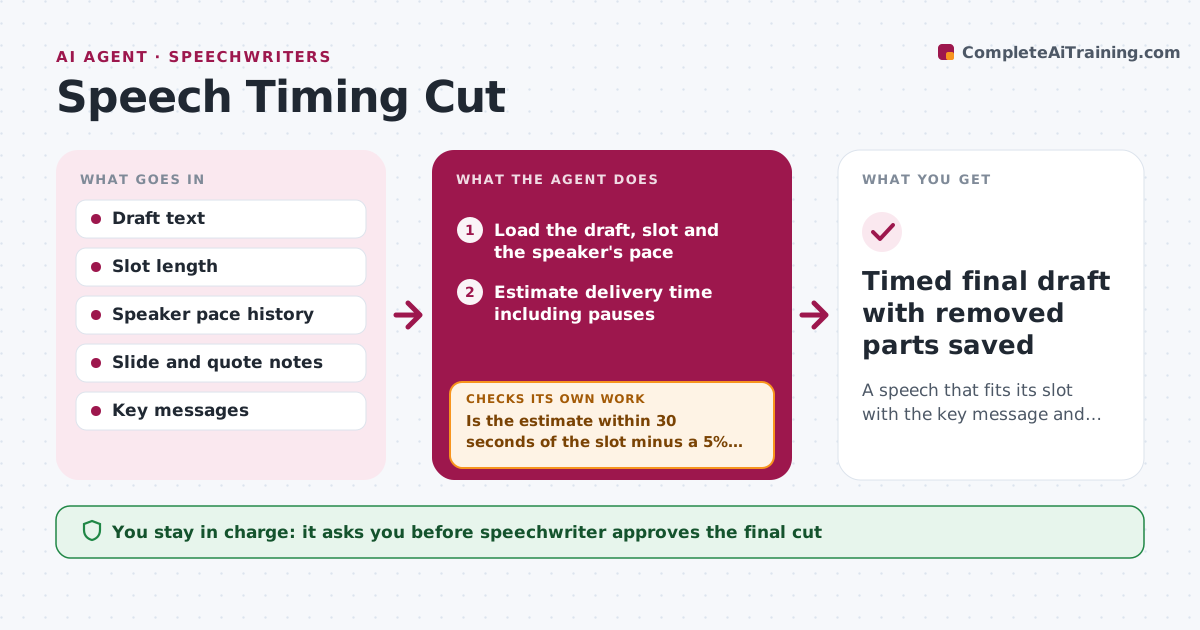
A speech that fits its slot with the key message and flow intact.
What it does
The draft is 2,900 words and the slot is 18 minutes, and you are cutting paragraphs the night before. This agent estimates delivery time using the speaker's own pace, including pauses, quotes and slides. It marks cut options by priority, from nice to have to essential, and rebuilds the speech to hit the slot with room for pauses and applause. After cutting, it re-estimates the time and checks that the key message and the transitions still work. If the key message is lost or a transition breaks, it restores the part and cuts elsewhere. You approve the final cut. Edge case: a joke that sets up the closing line is marked as tied to the ending and is not cut alone.
How it works
Follow the arrows from top to bottom. The orange dashed arrow is the loop: when a check fails, the agent goes back and tries again.
Read the steps as a list
- Draft is over the slot
- Load the draft, slot and the speaker's pace
- Estimate delivery time including pauses
- Mark each section as essential, useful or optional
- Remove optional parts first and rebuild transitions
- Re-estimate the time
- Is the estimate within 30 seconds of the slot minus a 5% buffer?If not: Cut the next lowest priority item and re-estimate. Back to step 4.
- Are all key messages and their setups still present?If not: Restore the lost part and cut elsewhere. Back to step 4.
- Speechwriter approves the final cutThe agent waits here for your OK.
- Timed final draft with removed parts saved
How it decides
It cuts in order of priority, first repeated points, then examples, then secondary arguments, and never cuts key messages or their setups.
- Use the speaker's measured pace, default 130 words per minute
- Keep a 5% time buffer
- Cut optional and repeated items first
- Keep the setup with its punchline or point
Make it yours
Every agent is a starting point. You choose these settings for your own situation.
- Words per minute
- Time buffer (default 5%)
- Cut priorities
- Mandatory content list
What keeps you in control
It always asks you first
- Speechwriter approves the final cut
Hard limits
- Never delete the original text
- Never cut required legal or sponsor mentions
It stops when
- Done: final cut within the slot
- Stop: key messages alone exceed the slot
Set it up
We guide you through the set-up, step by step
Members get the full set-up guide for this agent. No technical skills needed: you copy, paste and upload.
- One set of instructions to paste into your AI, with the clicks for ChatGPT, Claude, Microsoft 365 Copilot, Gemini and Grok
- The agent then walks you through connecting your own data, one source at a time
- A downloadable copy with the flow chart, the rules and the full guide