AI agent for product owners
Sprint Acceptance Review Agent
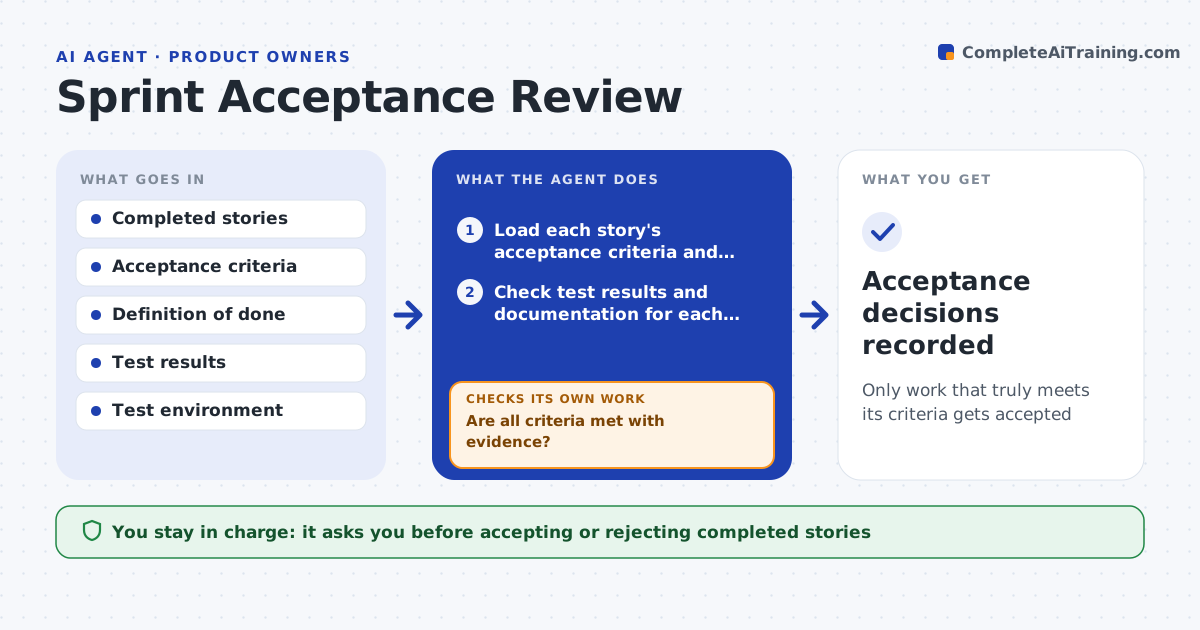
Only work that truly meets its criteria gets accepted
What it does
A story marked done does not always meet what was agreed, and the gaps surface after release. For each completed story this agent loads its acceptance criteria and the definition of done. It checks the real evidence: are tests present and passing, does the feature behave correctly in a test environment, is documentation updated, are there known defects. It does not trust the ticket status alone. Where a criterion is not met, it lists exactly what is missing and drafts a send-back note. It then runs a regression check on related features, because a story that works can still break something else. It drafts the acceptance summary for the sprint review. You make every accept or reject decision. Edge case: a story that meets its criteria but breaks another feature is flagged before acceptance.
How it works
Follow the arrows from top to bottom. The orange dashed arrow is the loop: when a check fails, the agent goes back and tries again.
Read the steps as a list
- Sprint ends with completed stories
- Load each story's acceptance criteria and definition of done
- Check test results and documentation for each story
- Exercise each feature in the test environment
- Are all criteria met with evidence?If not: list what is missing and draft a send-back note. Back to step 3.
- Run regression checks on related features
- Did the story avoid breaking other features?If not: flag the new defect and hold the story. Back to step 6.
- Product owner accepts or rejects each storyThe agent waits here for your OK.
- Acceptance decisions recorded
How it decides
A story is acceptable only when every acceptance criterion is met with evidence and the definition of done is satisfied.
- Accept only with evidence for every criterion
- Send back stories missing criteria or tests
- Flag stories that broke something else
Make it yours
Every agent is a starting point. You choose these settings for your own situation.
- Definition of done
- Evidence required per story
- Whether to run the feature live
- Summary format
What keeps you in control
It always asks you first
- Accepting or rejecting completed stories
Hard limits
- Does not accept work on its own
- Verifies evidence, not ticket status
It stops when
- Done: all stories reviewed with decisions
- Stop: acceptance criteria are missing
Set it up
We guide you through the set-up, step by step
Members get the full set-up guide for this agent. No technical skills needed: you copy, paste and upload.
- One set of instructions to paste into your AI, with the clicks for ChatGPT, Claude, Microsoft 365 Copilot, Gemini and Grok
- The agent then walks you through connecting your own data, one source at a time
- A downloadable copy with the flow chart, the rules and the full guide