AI agent for scrum masters
Sprint Review Demo Readiness Agent
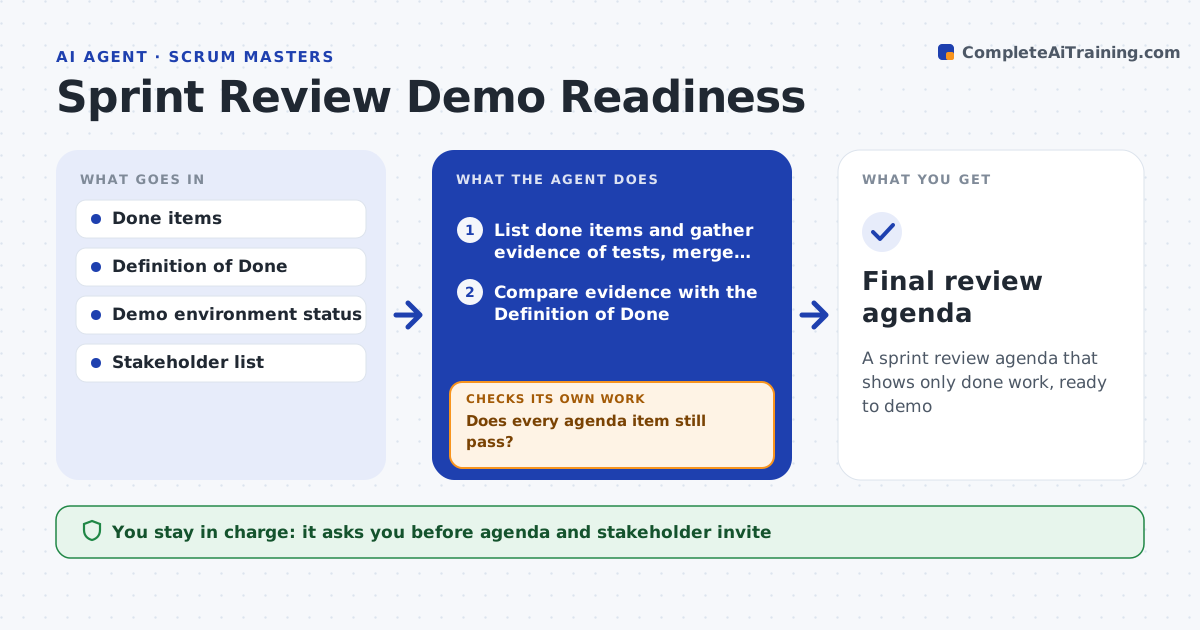
A sprint review agenda that shows only done work, ready to demo
What it does
Sprint reviews lose stakeholder trust when a demo fails or work shown as done is not really finished. Two days before the review, this agent lists items marked done and gathers evidence that tests passed, code merged and the feature is deployed to the demo environment. It compares that evidence with the Definition of Done and asks owners for anything missing. Items that do not pass every check are labeled as preview or removed. It drafts the agenda with one named demo owner per item and a short stakeholder invite. The Scrum Master approves the agenda and invite. On the morning of the review it checks the demo environment again. If an item now fails, it moves it to a not done list, updates the agenda and checks again. Edge case: work shown only as a preview is clearly labeled so stakeholders do not count it as delivered.
How it works
Follow the arrows from top to bottom. The orange dashed arrow is the loop: when a check fails, the agent goes back and tries again.
Read the steps as a list
- Two days before review
- List done items and gather evidence of tests, merge and deploy
- Compare evidence with the Definition of Done
- Draft agenda with demo owners and invite summary
- Scrum Master approves agenda and inviteThe agent waits here for your OK.
- Check demo environment on review morning
- Does every agenda item still pass?If not: move failing items to the not done list and update the agenda. Back to step 3.
- Final review agenda
How it decides
An item is shown as done only if all Definition of Done checks pass; anything else is labeled as preview or removed.
- Undeployed items are not shown as done
- Previews are labeled clearly
- Each item has one named demo owner
Make it yours
Every agent is a starting point. You choose these settings for your own situation.
- Definition of Done checks
- Demo environment URL
- Review lead time (default 2 days)
- Stakeholder groups
What keeps you in control
It always asks you first
- Agenda and stakeholder invite
Hard limits
- Never changes item status
- Never sends invites without approval
It stops when
- Done: agenda final
- Stop: demo environment down, suggest recorded demos
Set it up
We guide you through the set-up, step by step
Members get the full set-up guide for this agent. No technical skills needed: you copy, paste and upload.
- One set of instructions to paste into your AI, with the clicks for ChatGPT, Claude, Microsoft 365 Copilot, Gemini and Grok
- The agent then walks you through connecting your own data, one source at a time
- A downloadable copy with the flow chart, the rules and the full guide