AI agent for pmo managers
Stage Gate Governance Pack Agent
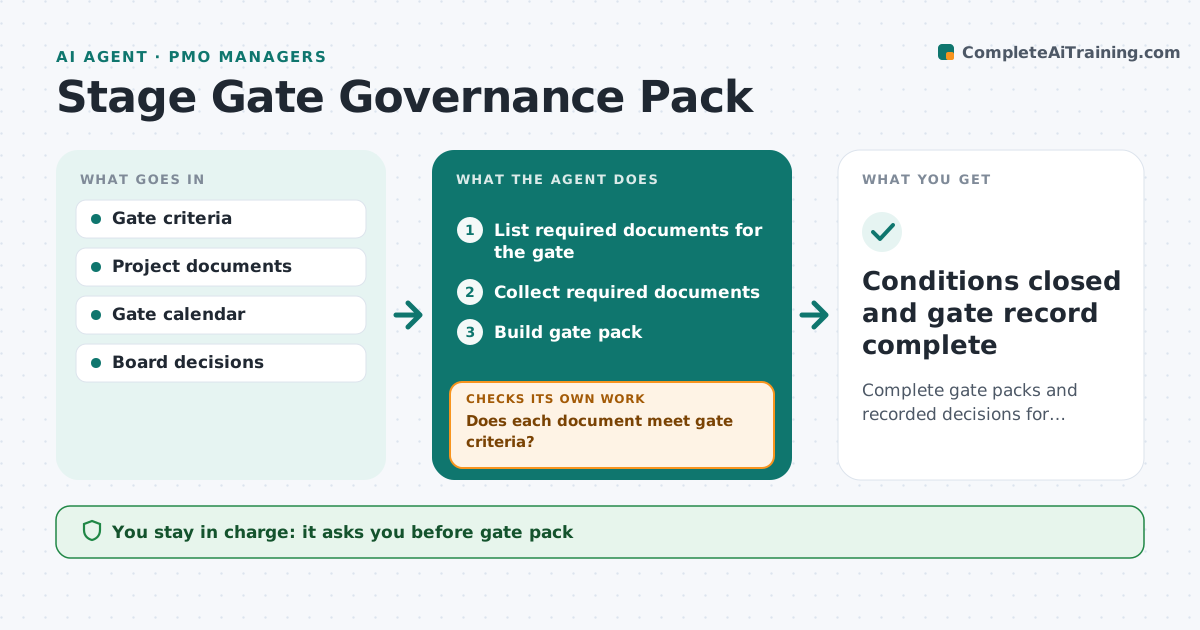
Complete gate packs and recorded decisions for every gate
What it does
Projects pass through gates such as approve, plan, build and close, each needing set documents and criteria, and incomplete packs waste board time. As a gate date approaches, this agent collects the required documents and checks each against gate criteria, such as a business case refreshed within six months or signed requirements. Missing or outdated items are requested from the project manager, and the agent checks again when they arrive. It builds the gate pack for the board. The PMO manager approves the pack, and the board decides. After the meeting it records the decision, conditions and owners, and tracks each condition until met, chasing owners as due dates pass. Edge case: a project wants to skip a gate, so the agent lists the risks and needs board approval for the skip.
How it works
Follow the arrows from top to bottom. The orange dashed arrow is the loop: when a check fails, the agent goes back and tries again.
Read the steps as a list
- Gate date approaches
- List required documents for the gate
- Collect required documents
- Does each document meet gate criteria?If not: request updates from the project manager. Back to step 3.
- Build gate pack
- PMO manager approves pack and board decidesThe agent waits here for your OK.
- Record decision, conditions, owners and dates
- Are all conditions met by their due dates?If not: chase owners and report overdue conditions to the PMO manager. Back to step 7.
- Conditions closed and gate record complete
How it decides
It accepts a gate pack only when every required document meets criteria.
- Business case older than 6 months needs refresh
- Gate skips need board approval
- Conditions get owners and dates
Make it yours
Every agent is a starting point. You choose these settings for your own situation.
- Gate criteria per gate
- Lead time
- Pack format
- Condition tracking
What keeps you in control
It always asks you first
- Gate pack
- Gate decision
Hard limits
- Never makes gate decisions
- Keeps decision log unchanged once approved
It stops when
- Done: decision recorded
- Stop: project paused
Set it up
We guide you through the set-up, step by step
Members get the full set-up guide for this agent. No technical skills needed: you copy, paste and upload.
- One set of instructions to paste into your AI, with the clicks for ChatGPT, Claude, Microsoft 365 Copilot, Gemini and Grok
- The agent then walks you through connecting your own data, one source at a time
- A downloadable copy with the flow chart, the rules and the full guide