AI agent for hr consultants
Stakeholder Feedback Pulse Agent
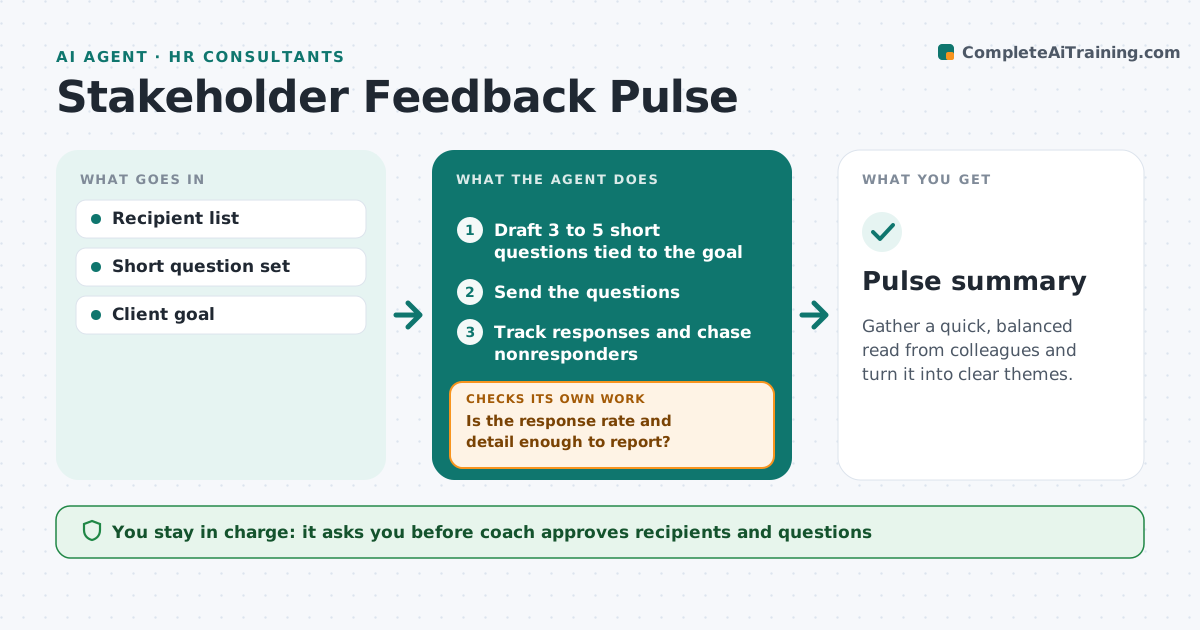
Gather a quick, balanced read from colleagues and turn it into clear themes.
What it does
Full 360 reviews are heavy, and quick feedback between rounds rarely gets collected. The agent sends a few brief questions to colleagues chosen by the coach, tracks who answered, and chases those who have not. It checks response quality for bias, such as only positive replies or one-word answers, and asks follow-up questions when the feedback is thin. It then summarizes themes with counts. The coach approves recipients and the summary. Edge case: eight of eight replies are all praise with no examples, so the agent sends a short second question asking for one example of an improvement.
How it works
Follow the arrows from top to bottom. The orange dashed arrow is the loop: when a check fails, the agent goes back and tries again.
Read the steps as a list
- Pulse requested
- Draft 3 to 5 short questions tied to the goal
- Coach approves recipients and questionsThe agent waits here for your OK.
- Send the questions
- Track responses and chase nonresponders
- Is the response rate and detail enough to report?If not: Send a second short question and chase again. Back to step 4.
- Check for bias such as all praise or vague answers
- Do the answers show a balanced picture?If not: Ask for a specific example of an improvement. Back to step 4.
- Summarize themes with counts
- Coach approves the summaryThe agent waits here for your OK.
- Pulse summary
How it decides
A pulse is ready when enough people replied with specific comments. Replies that are all praise or all one-word trigger a follow-up. Themes are counted before they are reported.
- At least 60 percent response before reporting
- Themes require 2 or more mentions
- All praise with no examples triggers a follow-up
- Chase twice at most
Make it yours
Every agent is a starting point. You choose these settings for your own situation.
- Minimum response rate (default 60 percent)
- Number of chases (default 2)
- Question set
- Theme threshold
What keeps you in control
It always asks you first
- Coach approves recipients and questions
- Coach approves the summary
Hard limits
- Never reveals who said what
- Never sends questions without coach approval
It stops when
- Done: summary approved
- Stop: response stays under the minimum, so the coach decides
Set it up
We guide you through the set-up, step by step
Members get the full set-up guide for this agent. No technical skills needed: you copy, paste and upload.
- One set of instructions to paste into your AI, with the clicks for ChatGPT, Claude, Microsoft 365 Copilot, Gemini and Grok
- The agent then walks you through connecting your own data, one source at a time
- A downloadable copy with the flow chart, the rules and the full guide