AI agent for scrum masters
Stand-Up Focus Board Prep Agent
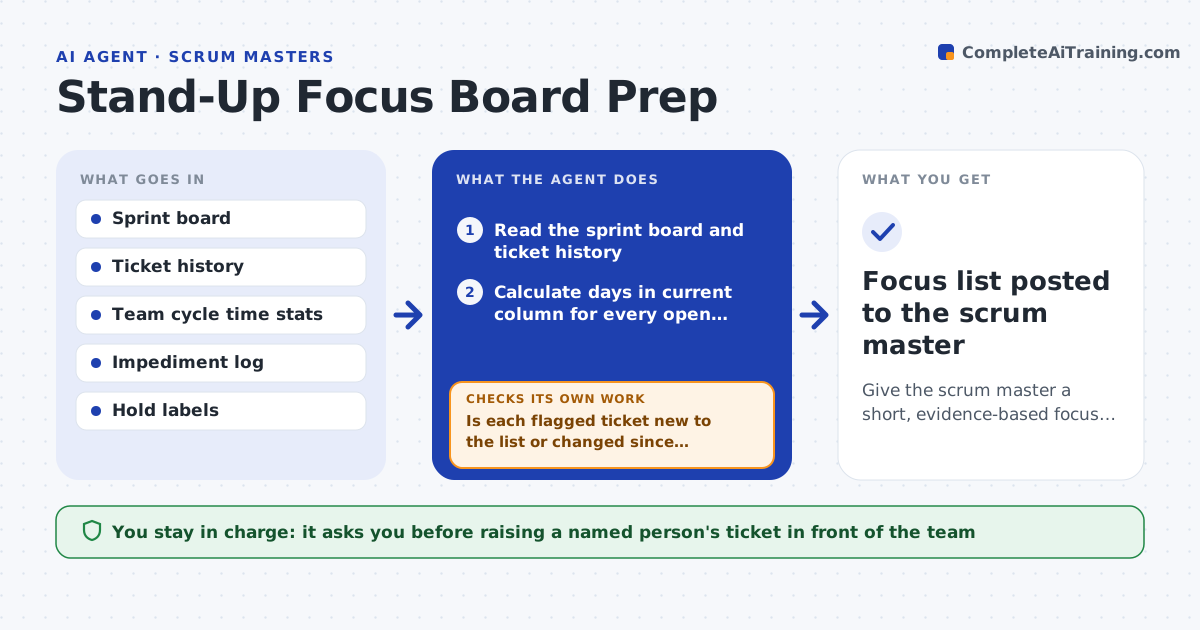
Give the scrum master a short, evidence-based focus list for each stand-up
What it does
A good stand-up spends its fifteen minutes on work that is stuck, not on everyone listing what they did. Spotting stuck work means checking each ticket's age by hand before the meeting. Each morning this agent reads the sprint board, works out how long every ticket has been in its current column, and compares that with the team's usual cycle time. It lists tickets that are older than normal, have no update since yesterday, or wait on a review or another team. It cross-checks against the impediment log so known blockers are not raised twice. If board data looks wrong, such as a ticket marked done with open subtasks, it adds a short question for the owner. The scrum master decides what to bring up and in what order. Edge case: tickets paused on purpose with a hold label are left off the list.
How it works
Follow the arrows from top to bottom. The orange dashed arrow is the loop: when a check fails, the agent goes back and tries again.
Read the steps as a list
- Workday morning, 45 minutes before stand-up
- Read the sprint board and ticket history
- Calculate days in current column for every open ticket
- Compare ages with the team's 85th percentile cycle time per column
- Check the impediment log for blockers already raised
- Is each flagged ticket new to the list or changed since yesterday?If not: drop repeats unless they got older by another day without an update. Back to step 4.
- Does the board data look consistent for each flagged ticket?If not: add a question for the owner instead of a flag. Back to step 2.
- Order the list by sprint goal impact
- Scrum master picks what to raise at stand-upThe agent waits here for your OK.
- Focus list posted to the scrum master
How it decides
A ticket goes on the focus list when its age in column is above the team's 85th percentile, it has no update in 24 hours, or it waits on another person.
- Flag tickets above the 85th percentile age for their column
- Flag any ticket waiting on review for more than one workday
- Skip tickets with a hold label
- Put sprint goal tickets ahead of others
Make it yours
Every agent is a starting point. You choose these settings for your own situation.
- Age percentile that triggers a flag (default 85th)
- Hours without update before flagging (default 24)
- Delivery time before stand-up (default 45 minutes)
- Labels that exclude a ticket (default hold)
What keeps you in control
It always asks you first
- Raising a named person's ticket in front of the team
Hard limits
- Never posts to the team channel on its own
- Never comments on individual performance
It stops when
- Done: focus list delivered
- Stop: no sprint active
Set it up
We guide you through the set-up, step by step
Members get the full set-up guide for this agent. No technical skills needed: you copy, paste and upload.
- One set of instructions to paste into your AI, with the clicks for ChatGPT, Claude, Microsoft 365 Copilot, Gemini and Grok
- The agent then walks you through connecting your own data, one source at a time
- A downloadable copy with the flow chart, the rules and the full guide