AI agent for immigration consultants
Status Expiry Monitoring Agent
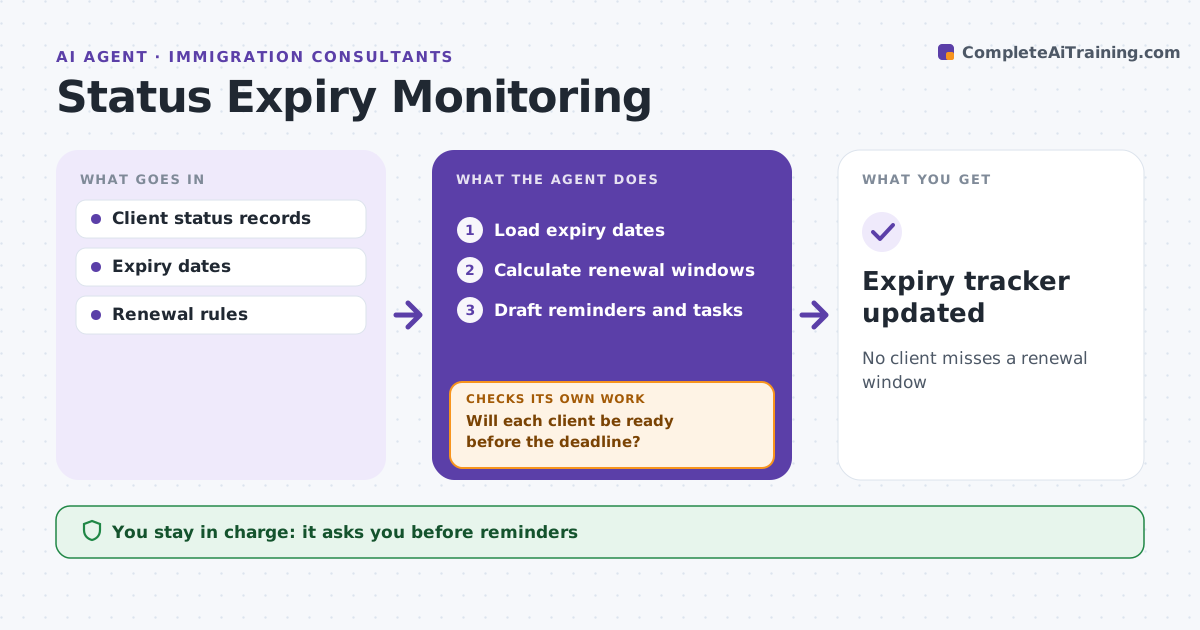
No client misses a renewal window
What it does
A client who lets a visa or permit lapse can lose status, so expiry dates must be watched far ahead. This agent tracks expiry dates for clients' visas, permits, passports and biometric cards. Each week it calculates when each renewal window opens and when the application must be filed, allowing for processing times. It drafts reminders to clients and opens tasks, which the consultant approves. It checks that the passport stays valid long enough for the renewal and that renewal documents will be ready in time. If a client is not on track, it flags the risk and adjusts the plan. Clients who do not reply in 14 days get a second reminder. Edge case: a passport expires before the visa, so the agent schedules the passport renewal first.
How it works
Follow the arrows from top to bottom. The orange dashed arrow is the loop: when a check fails, the agent goes back and tries again.
Read the steps as a list
- Weekly check
- Load expiry dates
- Calculate renewal windows
- Draft reminders and tasks
- Consultant approves remindersThe agent waits here for your OK.
- Will each client be ready before the deadline?If not: flag risk and adjust the plan. Back to step 3.
- Expiry tracker updated
How it decides
It calculates windows by route rules and flags clients needing action.
- Window opens within 60 days: remind
- Passport expires before visa: renew passport first
- No reply in 14 days: second reminder
Make it yours
Every agent is a starting point. You choose these settings for your own situation.
- Reminder lead times
- Document types tracked
- Message templates
- Escalation rules
What keeps you in control
It always asks you first
- Reminders
- Renewal plans
Hard limits
- Never files applications
- Never shares status data
It stops when
- Done: tracker updated
- Stop: client leaves practice
Set it up
We guide you through the set-up, step by step
Members get the full set-up guide for this agent. No technical skills needed: you copy, paste and upload.
- One set of instructions to paste into your AI, with the clicks for ChatGPT, Claude, Microsoft 365 Copilot, Gemini and Grok
- The agent then walks you through connecting your own data, one source at a time
- A downloadable copy with the flow chart, the rules and the full guide