AI agent for retail managers
Store Shrink Exception Investigation Agent
Find and explain shrink early, with evidence
What it does
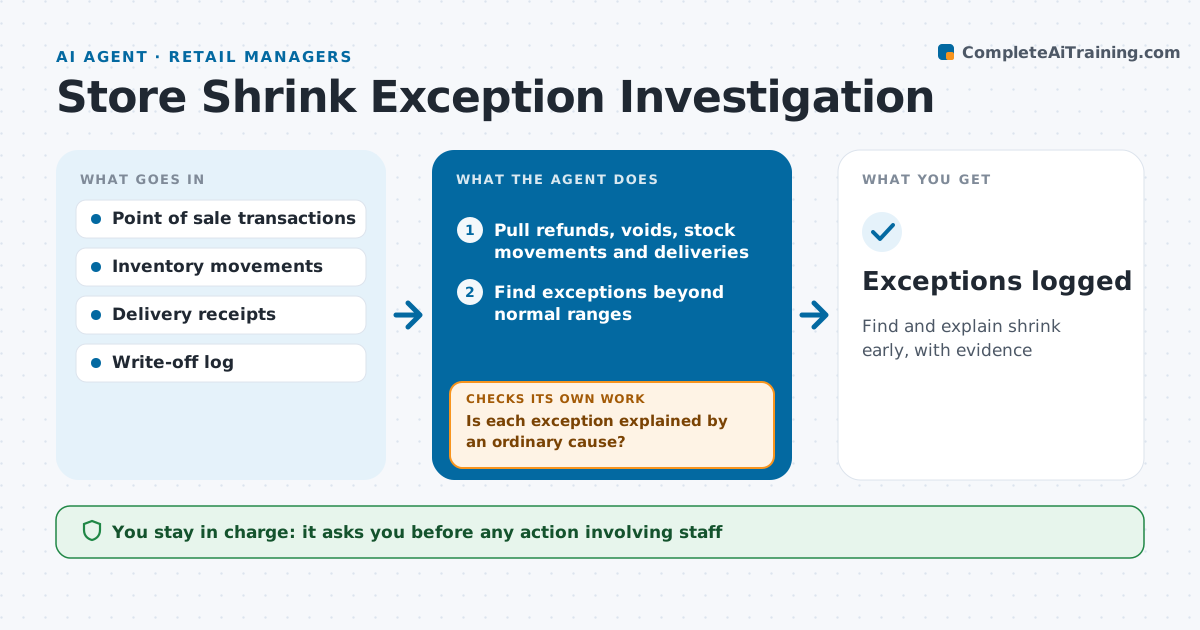
Store losses from theft, errors and damage add up, but most signals are buried in daily data. Each week this agent looks for loss signals: refund and void spikes by register or employee, stock drops not matched by sales, deliveries short against invoices, and damaged goods write-offs. For each exception it checks for ordinary explanations first, such as a missed delivery scan or a price change. Exceptions still unexplained are listed with evidence. It rechecks open items the next week to see if they repeat. Possible employee issues go only to the manager and loss prevention, never to the wider team. The manager decides any action. Edge case: an employee with many refunds who works the returns desk is compared with other returns-desk staff, not the whole store.
How it works
Follow the arrows from top to bottom. The orange dashed arrow is the loop: when a check fails, the agent goes back and tries again.
Read the steps as a list
- Weekly shrink review
- Pull refunds, voids, stock movements and deliveries
- Find exceptions beyond normal ranges
- Check for missed scans, price changes and delivery errors
- Is each exception explained by an ordinary cause?If not: keep it on the list with evidence and watch for repeats. Back to step 4.
- Draft exceptions report
- Manager and loss prevention decide actionsThe agent waits here for your OK.
- Exceptions logged
How it decides
It rules out admin and delivery errors before listing an exception and compares staff with peers in the same role.
- Compare staff with others in the same role
- Short deliveries go to the supplier claim process
- Repeat exceptions raise priority
Make it yours
Every agent is a starting point. You choose these settings for your own situation.
- Exception thresholds
- High-risk items list
- Report day
- Who sees staff-level data
What keeps you in control
It always asks you first
- Any action involving staff
- Supplier claims
Hard limits
- Never accuses or disciplines staff
- Staff data shared only with the manager and loss prevention
It stops when
- Done: report delivered
- Stop: data incomplete for the week
Set it up
We guide you through the set-up, step by step
Members get the full set-up guide for this agent. No technical skills needed: you copy, paste and upload.
- One set of instructions to paste into your AI, with the clicks for ChatGPT, Claude, Microsoft 365 Copilot, Gemini and Grok
- The agent then walks you through connecting your own data, one source at a time
- A downloadable copy with the flow chart, the rules and the full guide