AI agent for interior designers
Lead Time and Delivery Conflict Agent
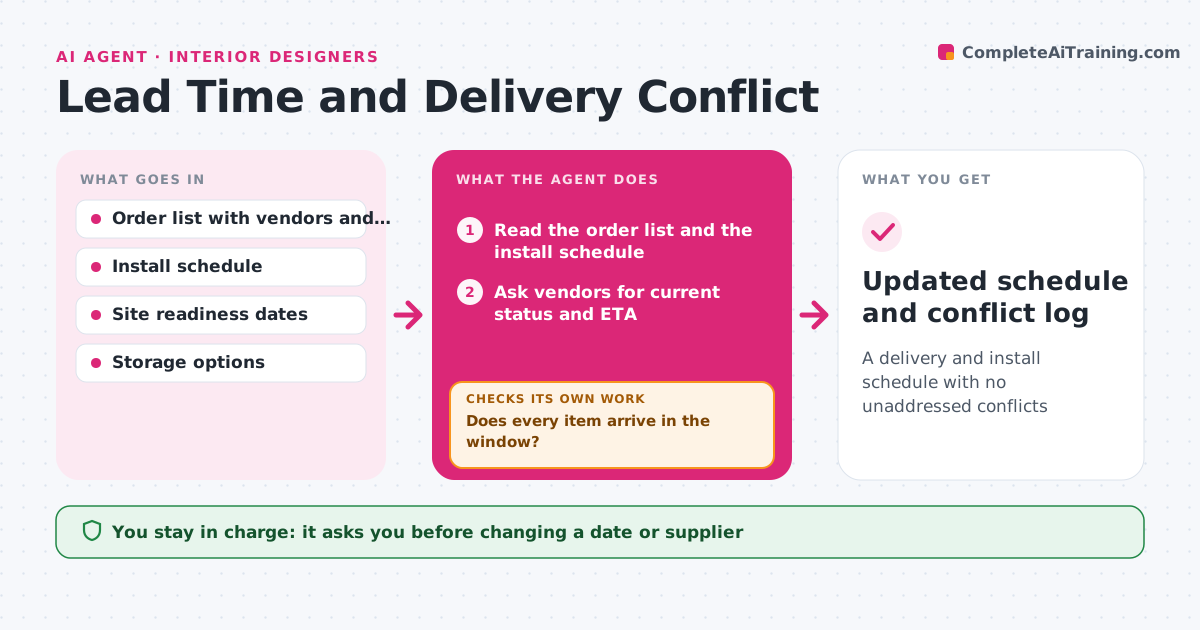
A delivery and install schedule with no unaddressed conflicts
What it does
Items arrive before the site is ready, or later than the install date, and nobody notices until the day. This agent reads the order list and the install schedule, then checks each item's order status and estimated arrival with the vendors. It flags conflicts, such as a sofa arriving 2 weeks after the install date, or a delivery before painting is done. It proposes changes, such as paid storage, a reorder of a different item or a revised install date, and then updates the schedule. After each change, it checks the full schedule again because moving one item can clash with another trade. The designer approves any change of date or supplier. Edge case: custom items with no tracking get a weekly vendor check.
How it works
Follow the arrows from top to bottom. The orange dashed arrow is the loop: when a check fails, the agent goes back and tries again.
Read the steps as a list
- Weekly check or vendor date changes
- Read the order list and the install schedule
- Ask vendors for current status and ETA
- Compare every ETA with the install and site readiness dates
- Does every item arrive in the window?If not: propose storage, an alternative item or a date change. Back to step 3.
- Update the schedule with the proposed changes
- Does the revised schedule clash with any other trade or delivery?If not: adjust the proposal and re-check. Back to step 4.
- Designer approves any change of date or supplierThe agent waits here for your OK.
- Send updates to vendors and the client
- Updated schedule and conflict log
How it decides
A conflict is an arrival after the install date, or before the site is ready with no storage. Options are ranked by cost and delay.
- Flag an arrival less than 3 days before the install
- Flag an arrival before site readiness without storage
- Check custom items weekly
- Prefer a date change before a reorder
Make it yours
Every agent is a starting point. You choose these settings for your own situation.
- Warning window before install (default 3 days)
- Vendor check frequency
- Storage options
- Who receives updates
What keeps you in control
It always asks you first
- Changing a date or supplier
- Messages to the client
Hard limits
- Never changes an order
- Never contacts the client without approval
It stops when
- Done: no open conflicts and changes approved
- Stop: a vendor gives no date after two follow-ups
Set it up
We guide you through the set-up, step by step
Members get the full set-up guide for this agent. No technical skills needed: you copy, paste and upload.
- One set of instructions to paste into your AI, with the clicks for ChatGPT, Claude, Microsoft 365 Copilot, Gemini and Grok
- The agent then walks you through connecting your own data, one source at a time
- A downloadable copy with the flow chart, the rules and the full guide