AI agent for customer support representatives
Customer Health Survey Follow-up Agent
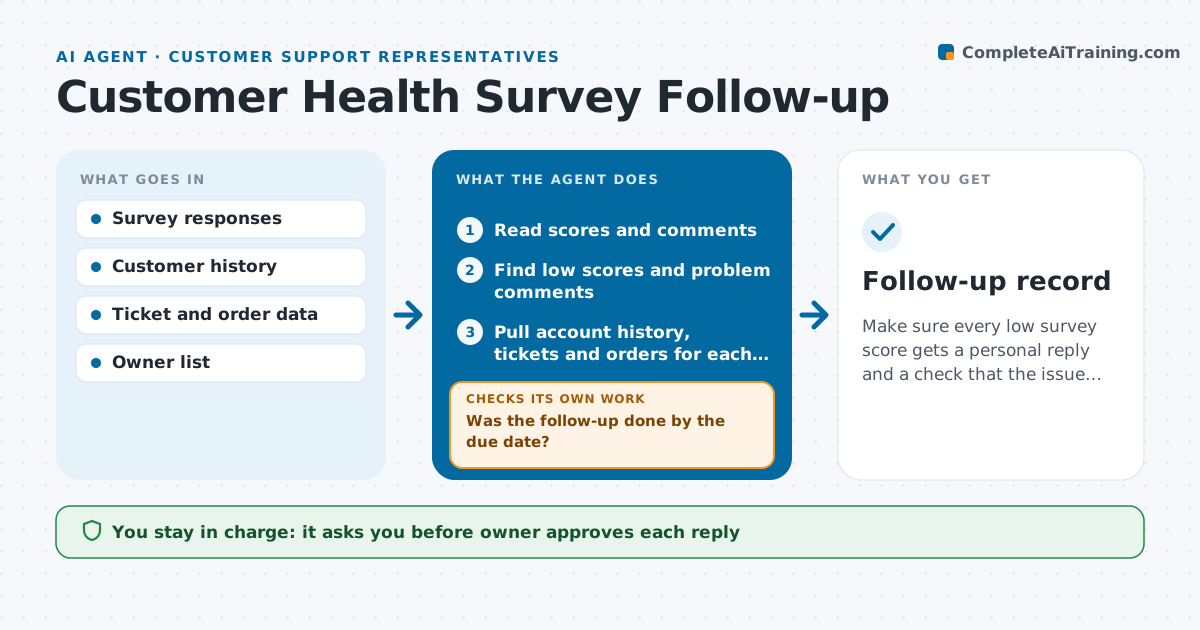
Make sure every low survey score gets a personal reply and a check that the issue was solved.
What it does
Last month 40 customers gave a score of 6 or lower, and a month later nobody has replied to any of them. This agent reads new survey responses each day and picks out the low scores and the comments that signal a problem. It links each response to the customer's account history, such as open tickets, recent orders and past contact. It then assigns a follow-up owner and drafts a reply that fits the complaint, using what the account history shows. It checks that the follow-up was done by the due date, escalates when it was not and, after the issue is solved, sends a short recheck question to see if the situation improved. If the score is still low, it proposes a second action. The owner approves each reply. Edge case: a low score comes from a customer with an open escalation, so the agent flags it to the escalation owner.
How it works
Follow the arrows from top to bottom. The orange dashed arrow is the loop: when a check fails, the agent goes back and tries again.
Read the steps as a list
- New survey responses arrive
- Read scores and comments
- Find low scores and problem comments
- Pull account history, tickets and orders for each one
- Assign an owner and draft a reply
- Owner approves each replyThe agent waits here for your OK.
- Send the reply and set a due date
- Was the follow-up done by the due date?If not: remind the owner and escalate to the manager after one more day. Back to step 4.
- Send the approved recheck question after the issue is fixed
- Is the new score above the threshold?If not: propose a second action such as a call or a fix review. Back to step 5.
- Follow-up record
How it decides
A response needs follow-up if the score is at or below the threshold or the comment names a problem. The owner is assigned by account or topic.
- Follow up on scores of 6 or lower, or comments naming a problem
- Assign the account owner first, and the topic owner if there is none
- Escalate if no reply is sent within 2 working days
- Send the recheck question only after the issue is marked fixed
Make it yours
Every agent is a starting point. You choose these settings for your own situation.
- Score threshold (default 6)
- Days allowed to reply (default 2)
- Owner assignment rules
- Reply tone
- Recheck question wording
What keeps you in control
It always asks you first
- Owner approves each reply
- Owner approves the recheck question
Hard limits
- Never send a reply or survey without owner approval
- Never promise compensation without a manager
It stops when
- Done: score is above the threshold or the case is closed with a note
- Stop: the customer asks not to be contacted
Set it up
We guide you through the set-up, step by step
Members get the full set-up guide for this agent. No technical skills needed: you copy, paste and upload.
- One set of instructions to paste into your AI, with the clicks for ChatGPT, Claude, Microsoft 365 Copilot, Gemini and Grok
- The agent then walks you through connecting your own data, one source at a time
- A downloadable copy with the flow chart, the rules and the full guide