AI agent for board members
Strategic Plan Progress Challenge Agent
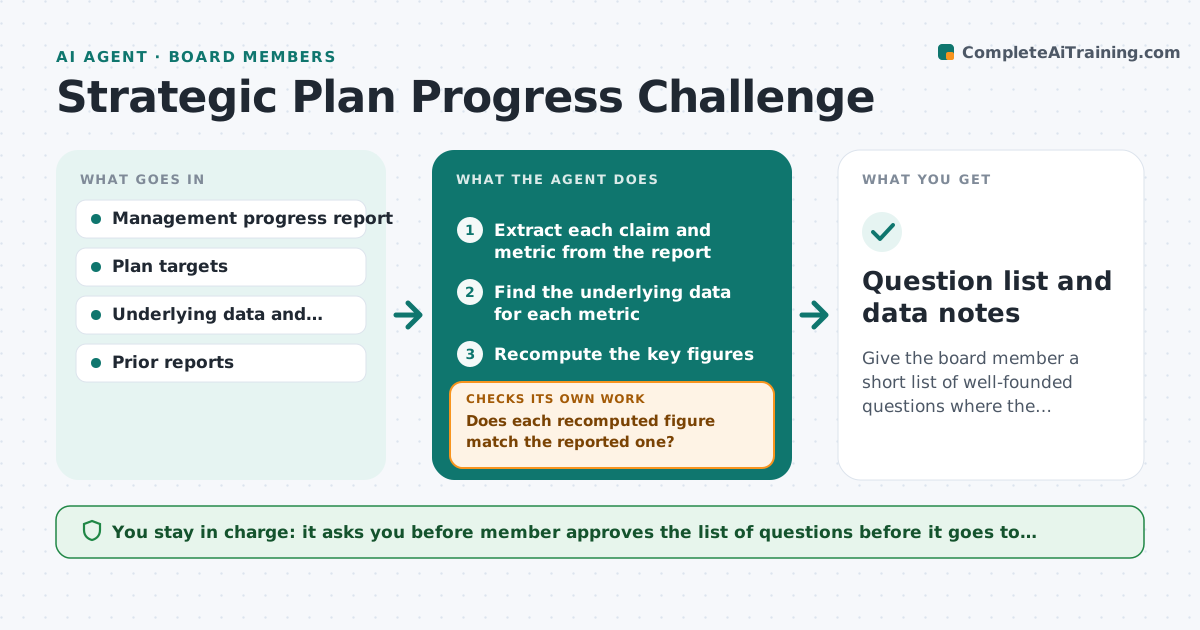
Give the board member a short list of well-founded questions where the reported story and the data disagree.
What it does
Management reports on strategy are usually positive, and board members find them hard to test against underlying data. The agent takes management's progress report, finds the underlying metrics in the data room, recomputes the key figures, and compares trends with the plan. It lists questions where the story and the data disagree and drills down into the cause. When management answers, it checks the answer against the data. The member approves the question list. Edge case: the report says customer growth is on plan, but the data shows new customers on plan and churn up, so net growth is below plan.
How it works
Follow the arrows from top to bottom. The orange dashed arrow is the loop: when a check fails, the agent goes back and tries again.
Read the steps as a list
- Progress report received
- Extract each claim and metric from the report
- Find the underlying data for each metric
- Recompute the key figures
- Does each recomputed figure match the reported one?If not: Record the difference and look for the cause in the data. Back to step 3.
- Compare trends with plan targets
- Drill down where the story and data disagree
- Draft a list of questions with the numbers
- Member approves the question listThe agent waits here for your OK.
- Do management answers match the data?If not: Draft a follow-up question with the remaining difference. Back to step 7.
- Question list and data notes
How it decides
A claim is tested by recomputing it from source data. A difference larger than the tolerance, or a trend that contradicts the story, becomes a question with the numbers attached.
- A difference over 2 percent is flagged
- A trend that contradicts the story becomes a question
- Show the source and the calculation for each question
- No more than 8 questions per report
Make it yours
Every agent is a starting point. You choose these settings for your own situation.
- Tolerance for differences (default 2 percent)
- Data sources
- Maximum number of questions
- Metrics tracked each quarter
What keeps you in control
It always asks you first
- Member approves the list of questions before it goes to management
Hard limits
- Never contacts management
- Never presents a figure without its source
It stops when
- Done: questions sent and answers checked
- Stop: data is not available, so the member is told what is missing
Set it up
We guide you through the set-up, step by step
Members get the full set-up guide for this agent. No technical skills needed: you copy, paste and upload.
- One set of instructions to paste into your AI, with the clicks for ChatGPT, Claude, Microsoft 365 Copilot, Gemini and Grok
- The agent then walks you through connecting your own data, one source at a time
- A downloadable copy with the flow chart, the rules and the full guide