AI agent for online course creators
Student Success Check-In Agent
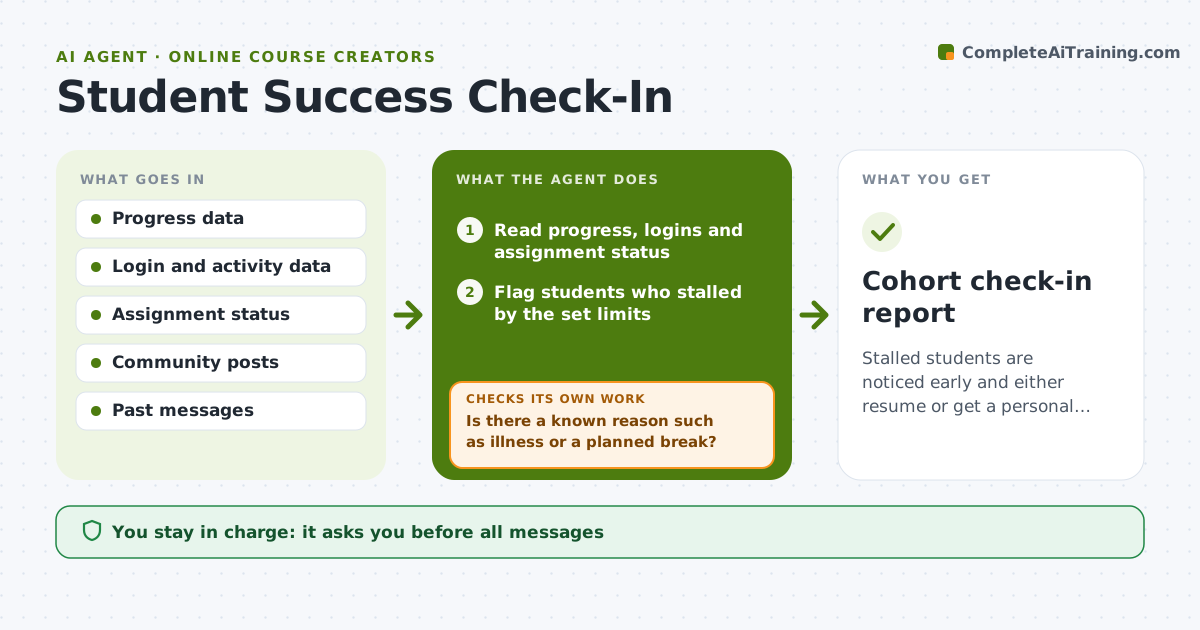
Stalled students are noticed early and either resume or get a personal call.
What it does
Cohort students go quiet in week three, and by week six they ask for a refund. This agent reads progress and activity data each day and finds students who have stalled, for example no login for 7 days or two missed assignments. It first checks for a known reason, such as a planned break or something personal they shared, and passes those students to you. For the rest it drafts a tailored check-in that names the last lesson they finished and offers one small next step. It then tracks whether the student came back. If not within five days, it suggests a personal call. Edge case: a student who stalled after posting about a family illness gets a gentle note from you, not an automated message. You approve every message.
How it works
Follow the arrows from top to bottom. The orange dashed arrow is the loop: when a check fails, the agent goes back and tries again.
Read the steps as a list
- Daily cohort data arrives
- Read progress, logins and assignment status
- Flag students who stalled by the set limits
- Is there a known reason such as illness or a planned break?If not: route to the creator for a personal note. Back to step 3.
- Draft a tailored check-in with the next small step
- Creator approves the messagesThe agent waits here for your OK.
- Send and track whether the student resumes
- Did the student resume within 5 days?If not: suggest a personal call to the creator. Back to step 5.
- Log outcomes and update cohort risk
- Cohort check-in report
How it decides
It flags a student as stalled when inactivity or missed work passes the set limits, and picks the next small step from their last completed lesson.
- Stalled means 7 days with no login or 2 missed assignments.
- Known personal reasons go to the creator only.
- One automated-style check-in per stall, then a call suggestion.
- Keep messages short with one next step.
Make it yours
Every agent is a starting point. You choose these settings for your own situation.
- Stall limits
- Follow-up days
- Message tone
- Cohort size to watch
- Escalation method
What keeps you in control
It always asks you first
- All messages
- Any call suggestion or refund talk
Hard limits
- Do not send messages without approval.
- Do not mention a refund or discount in check-ins.
It stops when
- Done: students resumed or the creator handled the case
- Stop: the student asks not to be contacted
Set it up
We guide you through the set-up, step by step
Members get the full set-up guide for this agent. No technical skills needed: you copy, paste and upload.
- One set of instructions to paste into your AI, with the clicks for ChatGPT, Claude, Microsoft 365 Copilot, Gemini and Grok
- The agent then walks you through connecting your own data, one source at a time
- A downloadable copy with the flow chart, the rules and the full guide