AI agent for school counselors
Student Support Team Referral Packet Agent
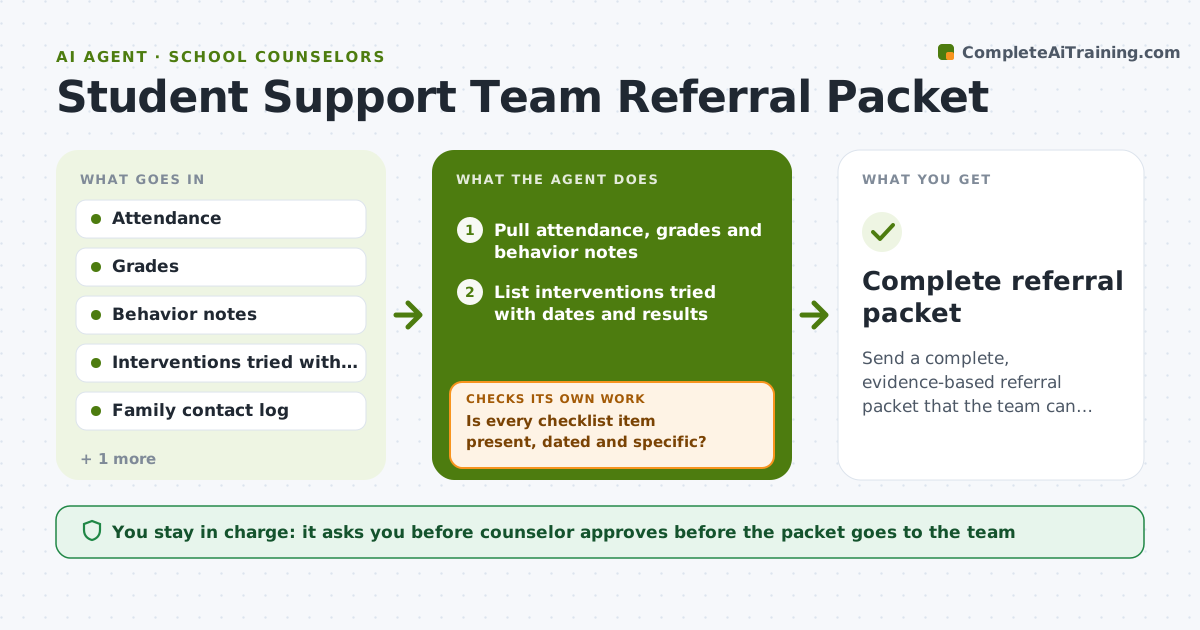
Send a complete, evidence-based referral packet that the team can act on at the first meeting
What it does
A teacher sends a referral and the team sends it back because attendance data is missing or no one wrote down what was tried. This agent assembles the packet before it goes. It pulls attendance, grades, behavior notes and the interventions already tried, then checks that each required item exists, is dated and is specific. When something is missing, it asks the referrer by name, for example the date of the family call. It repeats the check after each answer. Once complete, it drafts the referral summary and a meeting agenda with questions for the team. The counselor approves before it goes to the team or family. Edge case: if an intervention ran only one week, it marks it as too short and suggests extending it.
How it works
Follow the arrows from top to bottom. The orange dashed arrow is the loop: when a check fails, the agent goes back and tries again.
Read the steps as a list
- Referral started
- Pull attendance, grades and behavior notes
- List interventions tried with dates and results
- Is every checklist item present, dated and specific?If not: Ask the referrer for the missing item and add it to the packet. Back to step 2.
- Did each intervention run long enough to judge?If not: Mark it as short and suggest extending it before referral. Back to step 3.
- Confirm family contact and consent are documented
- Draft the referral summary and meeting agenda
- Counselor approves before it goes to the team or familyThe agent waits here for your OK.
- Complete referral packet
How it decides
A packet is ready only when every checklist item is present, dated and specific. Interventions under 4 weeks are marked as short.
- Require attendance, grades, behavior notes and at least 2 interventions
- Mark an intervention short when it ran fewer than 4 weeks
- Require a dated family contact
- Flag a safety concern to the counselor at once
Make it yours
Every agent is a starting point. You choose these settings for your own situation.
- Checklist items required (default the school's referral form)
- Minimum intervention length (default 4 weeks)
- Data sources used (default student information system export)
- Agenda format (default 3 questions and 15 minutes)
What keeps you in control
It always asks you first
- Counselor approves before the packet goes to the team
- Counselor approves any message to the family
Hard limits
- Never send a packet before approval
- Never include data the referrer is not permitted to see
- Keep student information to the team only
It stops when
- Done: Packet approved and sent to the team
- Stop: Referrer cannot supply required items, so hold the referral and tell the counselor
Set it up
We guide you through the set-up, step by step
Members get the full set-up guide for this agent. No technical skills needed: you copy, paste and upload.
- One set of instructions to paste into your AI, with the clicks for ChatGPT, Claude, Microsoft 365 Copilot, Gemini and Grok
- The agent then walks you through connecting your own data, one source at a time
- A downloadable copy with the flow chart, the rules and the full guide