AI agent for board members
Succession Readiness Agent
Every critical role has a successor who is ready now or within a year
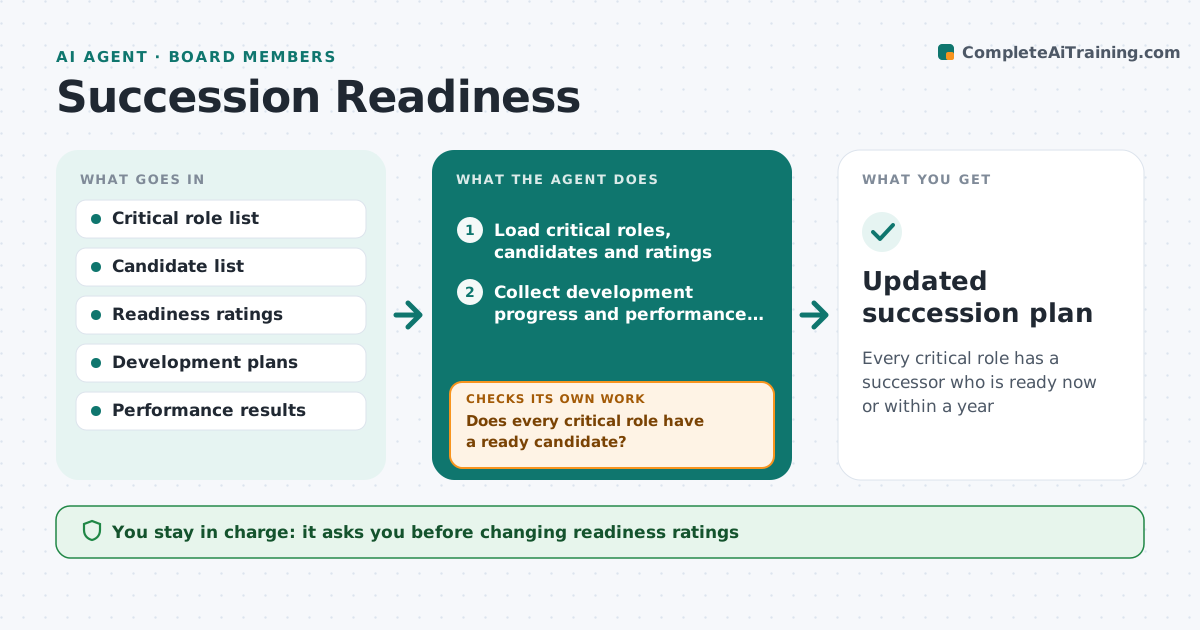
What it does
Most succession plans are a list of names that rarely changes, and gaps appear when someone resigns. Twice a year, or after a resignation, this agent loads critical roles, named candidates, readiness ratings and development actions. It collects progress from HR and each candidate's manager, plus recent performance results. A candidate who has left or moved is removed and the gap shown. It updates suggested readiness and checks every critical role has a candidate ready now or within a year. If one has none, it drafts options: speed up a development action, prepare an external search, or name an interim leader. It drafts a confidential update. The CEO and board make every decision about people.
How it works
Follow the arrows from top to bottom. The orange dashed arrow is the loop: when a check fails, the agent goes back and tries again.
Read the steps as a list
- Review date or resignation
- Load critical roles, candidates and ratings
- Collect development progress and performance results
- Remove candidates who left or moved
- Update suggested readiness for each candidate
- Does every critical role have a ready candidate?If not: draft development, search or interim options for the gap. Back to step 5.
- Draft confidential succession update
- CEO and board approve plan changesThe agent waits here for your OK.
- Updated succession plan
How it decides
A role is covered only when at least one candidate is rated ready now or ready within 12 months with development actions on track.
- Leavers are removed at once
- Development actions overdue by 3 months lower readiness
- Interim cover is named for every role without a ready candidate
Make it yours
Every agent is a starting point. You choose these settings for your own situation.
- Critical roles list
- Readiness scale
- Review frequency
- Who receives the update
What keeps you in control
It always asks you first
- Changing readiness ratings
- Starting an external search
Hard limits
- Never tells candidates their status
- Keeps all content confidential to the CEO and board
It stops when
- Done: plan approved
- Stop: critical role list not agreed; ask the board chair
Set it up
We guide you through the set-up, step by step
Members get the full set-up guide for this agent. No technical skills needed: you copy, paste and upload.
- One set of instructions to paste into your AI, with the clicks for ChatGPT, Claude, Microsoft 365 Copilot, Gemini and Grok
- The agent then walks you through connecting your own data, one source at a time
- A downloadable copy with the flow chart, the rules and the full guide