AI agent for psychologists
Supervision and Licensure Hour Tracker Agent
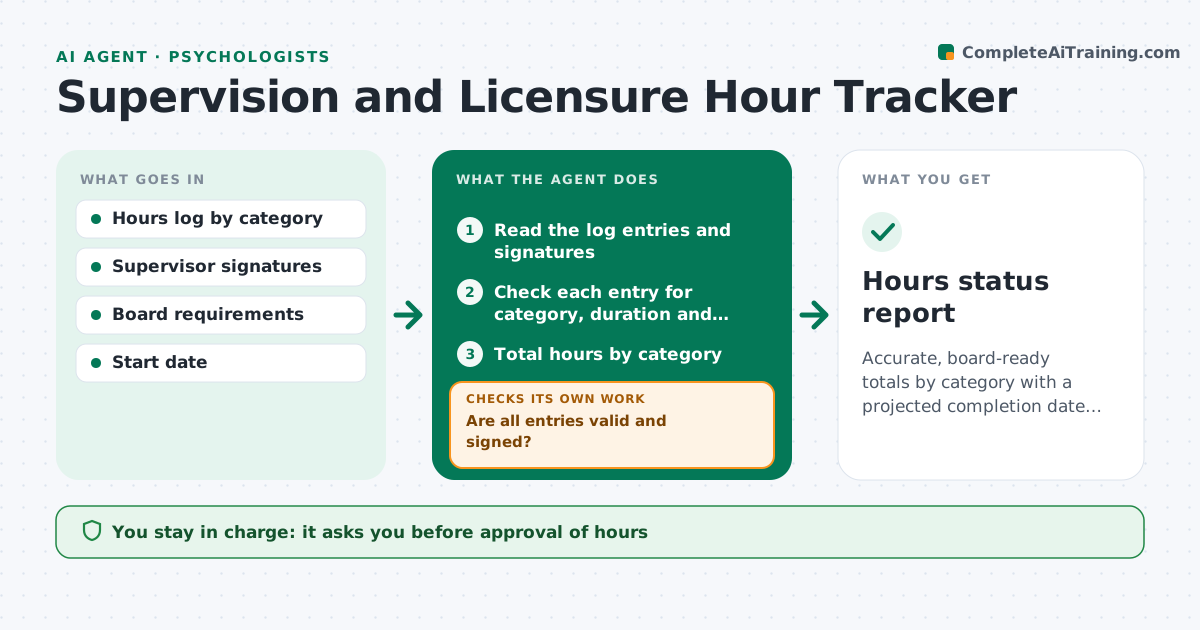
Accurate, board-ready totals by category with a projected completion date and any shortfall flagged early
What it does
Supervised hours are logged in different ways, and a shortfall is often found only when the licensure application is due. This agent totals supervised and direct hours by category from the logs, compares them to the board requirements, and projects the finish date at the current weekly rate. It flags shortfalls and inconsistent entries, such as a supervision session with no supervisor signature, or hours counted in the wrong category. After each log update, it recalculates. The supervisor approves the hours. Edge case: a trainee logs a 3 hour entry for a 1 hour supervision meeting, so the agent flags it before it counts.
How it works
Follow the arrows from top to bottom. The orange dashed arrow is the loop: when a check fails, the agent goes back and tries again.
Read the steps as a list
- Log updated
- Read the log entries and signatures
- Check each entry for category, duration and signature
- Are all entries valid and signed?If not: list invalid entries and request corrections. Back to step 3.
- Total hours by category
- Read the board requirements
- Compare totals and project the finish date
- Is the trainee on track to meet each category by the target date?If not: propose changes to the weekly mix. Back to step 7.
- Draft the status report
- Supervisor approves the hoursThe agent waits here for your OK.
- Hours status report
How it decides
Hours count only when signed and in the correct category. Projection uses the average weekly rate of the last 8 weeks.
- Count only signed entries
- Flag any entry longer than the scheduled session
- Project the finish from the last 8 weeks
- Warn when a category is behind by more than 10%
Make it yours
Every agent is a starting point. You choose these settings for your own situation.
- Board requirement table
- Projection window (default 8 weeks)
- Behind-pace warning (default 10%)
- Hour categories
What keeps you in control
It always asks you first
- Approval of hours
- Any correction to the log
Hard limits
- Never alters logged hours
- Never submits board applications
It stops when
- Done: totals verified and approved
- Stop: board requirements have changed
Set it up
We guide you through the set-up, step by step
Members get the full set-up guide for this agent. No technical skills needed: you copy, paste and upload.
- One set of instructions to paste into your AI, with the clicks for ChatGPT, Claude, Microsoft 365 Copilot, Gemini and Grok
- The agent then walks you through connecting your own data, one source at a time
- A downloadable copy with the flow chart, the rules and the full guide