
AI agent for social workers
Supervision Case Review Prep Agent
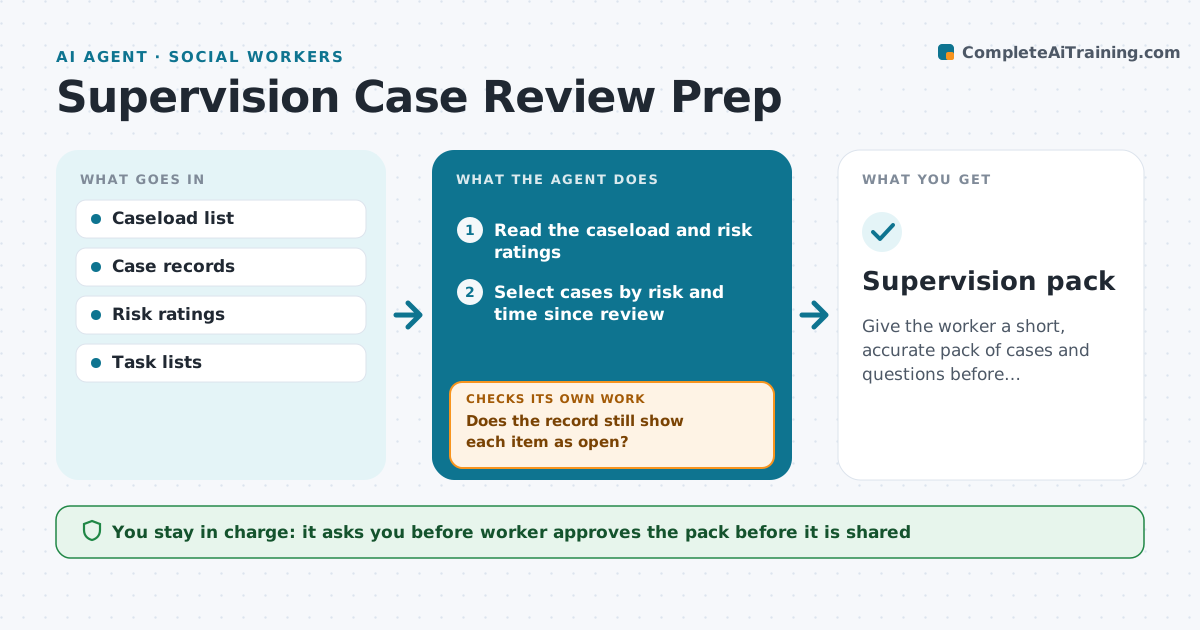
Give the worker a short, accurate pack of cases and questions before supervision.
What it does
Before supervision, workers rush to find which cases need discussion. This agent picks cases by risk, age and time since the last review. It reads the case record and summarizes status, including the last contact, open tasks and recent changes. It finds overdue tasks and drafts questions for the discussion. Each open item it lists is rechecked in the case record so finished work is not carried over. The worker reviews the pack and approves it. Edge case: a case has no entry for 6 weeks, so the agent lists it as a gap and asks the worker whether it has really been quiet.
How it works
Follow the arrows from top to bottom. The orange dashed arrow is the loop: when a check fails, the agent goes back and tries again.
Read the steps as a list
- Day before supervision
- Read the caseload and risk ratings
- Select cases by risk and time since review
- Read each case record for status and tasks
- List overdue and open items
- Does the record still show each item as open?If not: remove finished items and recheck. Back to step 4.
- Draft discussion questions per case
- Worker approves the packThe agent waits here for your OK.
- Supervision pack
How it decides
It ranks cases by risk, then by time since last review. It lists an item as open only if the record still shows it open.
- Include any high-risk case
- Include cases not reviewed in 90 days
- Remove tasks marked done in the record
- Cap the pack at 8 cases
Make it yours
Every agent is a starting point. You choose these settings for your own situation.
- Selection rules
- Pack size (default 8)
- Review age (default 90 days)
- Question style
What keeps you in control
It always asks you first
- Worker approves the pack before it is shared
Hard limits
- Never edit case records
- Share the pack only with the worker
It stops when
- Done: pack approved
- Stop: record access missing
Set it up
We guide you through the set-up, step by step
Members get the full set-up guide for this agent. No technical skills needed: you copy, paste and upload.
- One set of instructions to paste into your AI, with the clicks for ChatGPT, Claude, Microsoft 365 Copilot, Gemini and Grok
- The agent then walks you through connecting your own data, one source at a time
- A downloadable copy with the flow chart, the rules and the full guide



