AI agent for procurement specialists
Subscription Spend Reclamation Agent
Pay only for software that is used, and verify every saving on the invoice.
What it does
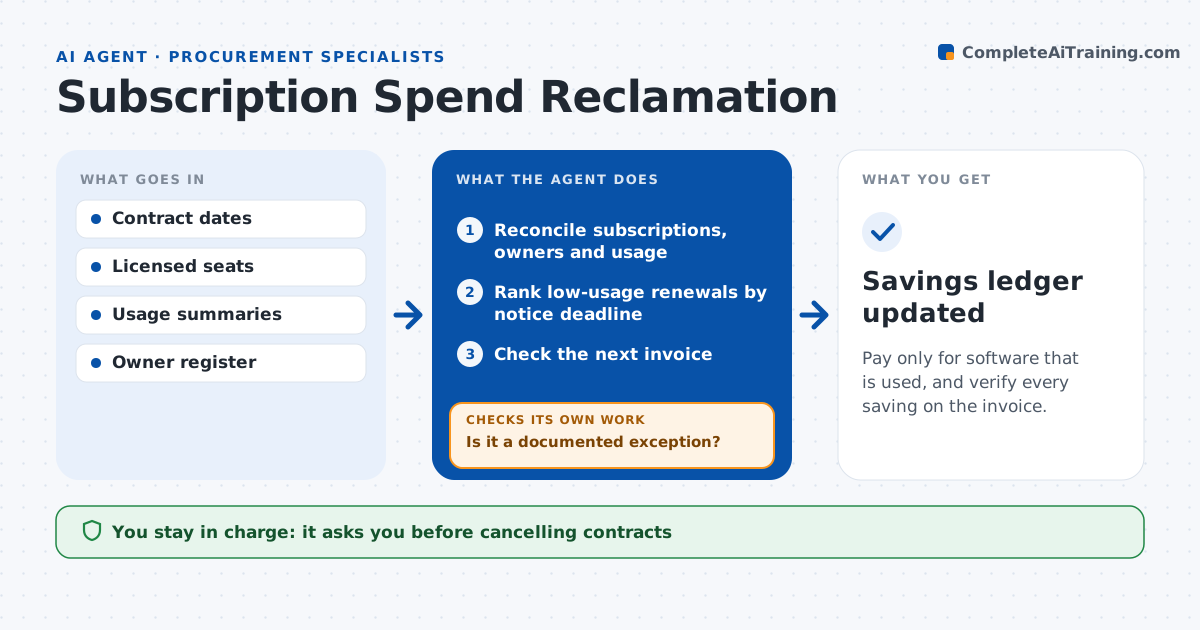
Software subscriptions keep renewing for tools nobody uses, and notice deadlines slip by before anyone checks. Each month this agent reconciles the subscription list with named owners and real usage data. It ranks renewals by how close the notice deadline is and how many seats sit unused, skips tools with a documented business exception, and drafts a seat-reduction or cancellation proposal that stays within the contract terms. The owner and procurement decide; the agent never contacts a vendor. After an approved change, it compares the next invoice with the agreed seat count. If the invoice still bills the old number, it reopens the case as a billing discrepancy. Edge case: a tool used only at year-end looks idle in October, so the agent checks twelve months of usage before proposing a cut.
How it works
Follow the arrows from top to bottom. The orange dashed arrow is the loop: when a check fails, the agent goes back and tries again.
Read the steps as a list
- Monthly run
- Reconcile subscriptions, owners and usage
- Rank low-usage renewals by notice deadline
- Is it a documented exception?If not: prepare a reduction or cancellation proposal. Back to step 3.
- Owner and procurement approve the changeThe agent waits here for your OK.
- Check the next invoice
- Does the invoice show the reduction?If not: reopen as a billing discrepancy. Back to step 6.
- Savings ledger updated
How it decides
It ranks renewals by days to notice deadline and unused seats, skips documented exceptions, and reopens cases when the next invoice doesn't show the reduction.
- Priority: closest notice deadline first, then most unused seats.
- Exception: tools with a documented business reason are skipped until the reason expires.
- Seasonal use: check twelve months of usage before proposing any reduction.
- Saving counts only when the next invoice shows it.
Make it yours
Every agent is a starting point. You choose these settings for your own situation.
- Days before the notice deadline to start a review (default 60)
- Unused-seat share that triggers a proposal (default 30%)
- Months of usage history to check before proposing a cut (default 12)
- Who approves seat changes (owner only, or owner plus procurement)
- Output format for the savings ledger (spreadsheet or finance system note)
What keeps you in control
It always asks you first
- Cancelling contracts
- Changing seats
- Contacting vendors
Hard limits
- Never contacts vendors itself.
It stops when
- Done: all due renewals reviewed and savings verified.
Set it up
We guide you through the set-up, step by step
Members get the full set-up guide for this agent. No technical skills needed: you copy, paste and upload.
- One set of instructions to paste into your AI, with the clicks for ChatGPT, Claude, Microsoft 365 Copilot, Gemini and Grok
- The agent then walks you through connecting your own data, one source at a time
- A downloadable copy with the flow chart, the rules and the full guide