
AI agent for automotive engineers
Supplier Engineering Change Coordination Agent
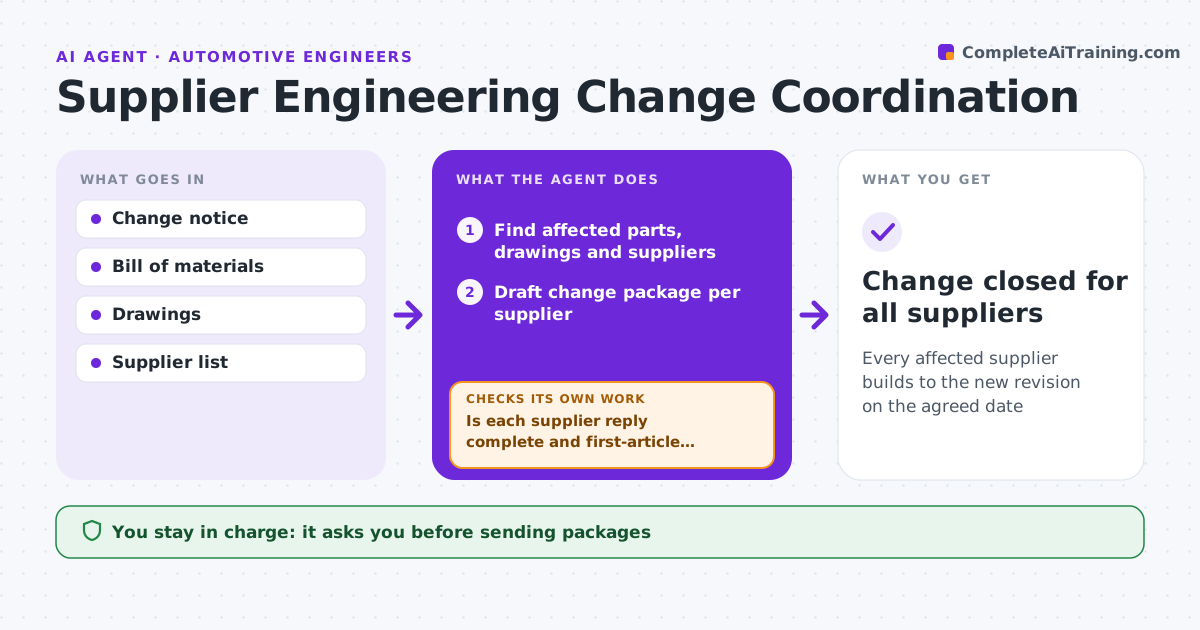
Every affected supplier builds to the new revision on the agreed date
What it does
Engineering changes go wrong at suppliers when someone ships parts at the old revision or never confirms the new one. When a change is approved, this agent finds the affected parts, drawings and suppliers. It drafts a change package for each supplier: what changed, the new revision, effective date and any re-qualification needed. It tracks each supplier's acknowledgement and impact reply on cost and timing. It checks replies for completeness, and sends missing details back with a question. When first parts at the new revision arrive, it checks their inspection report against the new drawing and requests new samples if they fail. The engineer approves outgoing packages and the cutover date. Edge case: a supplier with old-revision stock is asked for quantities so the team can decide on use-up or scrap.
How it works
Follow the arrows from top to bottom. The orange dashed arrow is the loop: when a check fails, the agent goes back and tries again.
Read the steps as a list
- Engineering change approved
- Find affected parts, drawings and suppliers
- Draft change package per supplier
- Engineer approves sending packagesThe agent waits here for your OK.
- Track acknowledgement and impact replies
- Is each supplier reply complete and first-article passed?If not: send questions or request a new first article. Back to step 5.
- Engineer approves the cutover dateThe agent waits here for your OK.
- Change closed for all suppliers
How it decides
It considers a supplier done only after acknowledgement, a complete impact reply and a passing first-article report.
- Ask for old-revision stock quantities
- No cutover without passing first article
- Remind suppliers after five working days
Make it yours
Every agent is a starting point. You choose these settings for your own situation.
- Reminder timing
- Package contents
- First-article requirements
- Approvers
What keeps you in control
It always asks you first
- Sending packages
- Cutover date
- Use-up or scrap of old stock
Hard limits
- Never sends drawings outside approved suppliers
- Never agrees cost changes
It stops when
- Done: all suppliers cut over
- Stop: change cancelled
Set it up
We guide you through the set-up, step by step
Members get the full set-up guide for this agent. No technical skills needed: you copy, paste and upload.
- One set of instructions to paste into your AI, with the clicks for ChatGPT, Claude, Microsoft 365 Copilot, Gemini and Grok
- The agent then walks you through connecting your own data, one source at a time
- A downloadable copy with the flow chart, the rules and the full guide



