AI agent for supply chain analysts
Supplier Lead Time Accuracy Agent
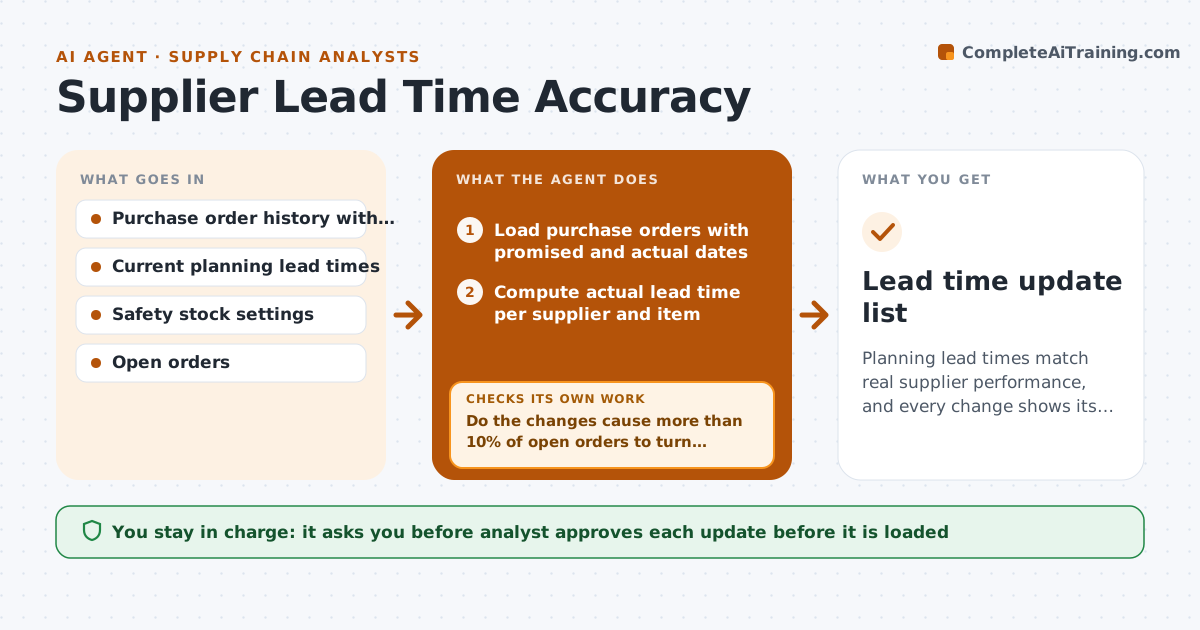
Planning lead times match real supplier performance, and every change shows its safety stock effect before approval.
What it does
The planning system says 14 days, but the supplier has been taking 21 for months. Orders arrive late and safety stock covers the gap by luck. This agent runs monthly. It compares promised and actual receipt dates for each supplier and item, finds items where the gap passes a threshold, and works out a new lead time from recent receipts, ignoring one-off events. Before it proposes a change, it tests the effect on safety stock and on open orders, so you see the cost and the risk. If the change would push many orders into a late status, it proposes smaller steps. You approve updates to the planning system. Edge case: a strike in one month is excluded as an outlier.
How it works
Follow the arrows from top to bottom. The orange dashed arrow is the loop: when a check fails, the agent goes back and tries again.
Read the steps as a list
- Month closes
- Load purchase orders with promised and actual dates
- Compute actual lead time per supplier and item
- Remove one-off outliers such as strikes or port closures
- Flag items where actual differs from planned by over 15%
- Calculate proposed lead times
- Simulate safety stock and open order effects
- Do the changes cause more than 10% of open orders to turn late or safety stock to jump?If not: Phase the change in steps and recalculate. Back to step 5.
- Draft the update file
- Analyst approves updates to the planning systemThe agent waits here for your OK.
- Lead time update list
How it decides
It uses the 80th percentile of the last 6 months of actual lead times and flags items where this differs from the planned time by more than 15%.
- Flag when actual and planned differ by more than 15%
- Use the 80th percentile of the last 6 months
- Need at least 5 receipts for an item to propose a change
- Phase any change over 7 days into two steps
Make it yours
Every agent is a starting point. You choose these settings for your own situation.
- Percentile used (default 80th)
- Difference threshold (default 15%)
- Minimum receipts
- Outlier rule
What keeps you in control
It always asks you first
- Analyst approves each update before it is loaded
Hard limits
- Never write to the planning system directly
- Never change items with fewer than 5 receipts
It stops when
- Done: updates approved and loaded by the analyst
- Stop: receipt data has missing actual dates for over 20% of items
Set it up
We guide you through the set-up, step by step
Members get the full set-up guide for this agent. No technical skills needed: you copy, paste and upload.
- One set of instructions to paste into your AI, with the clicks for ChatGPT, Claude, Microsoft 365 Copilot, Gemini and Grok
- The agent then walks you through connecting your own data, one source at a time
- A downloadable copy with the flow chart, the rules and the full guide