AI agent for inventory managers
Safety Stock Recalculation Agent
Safety stock that meets service targets with the least inventory
What it does
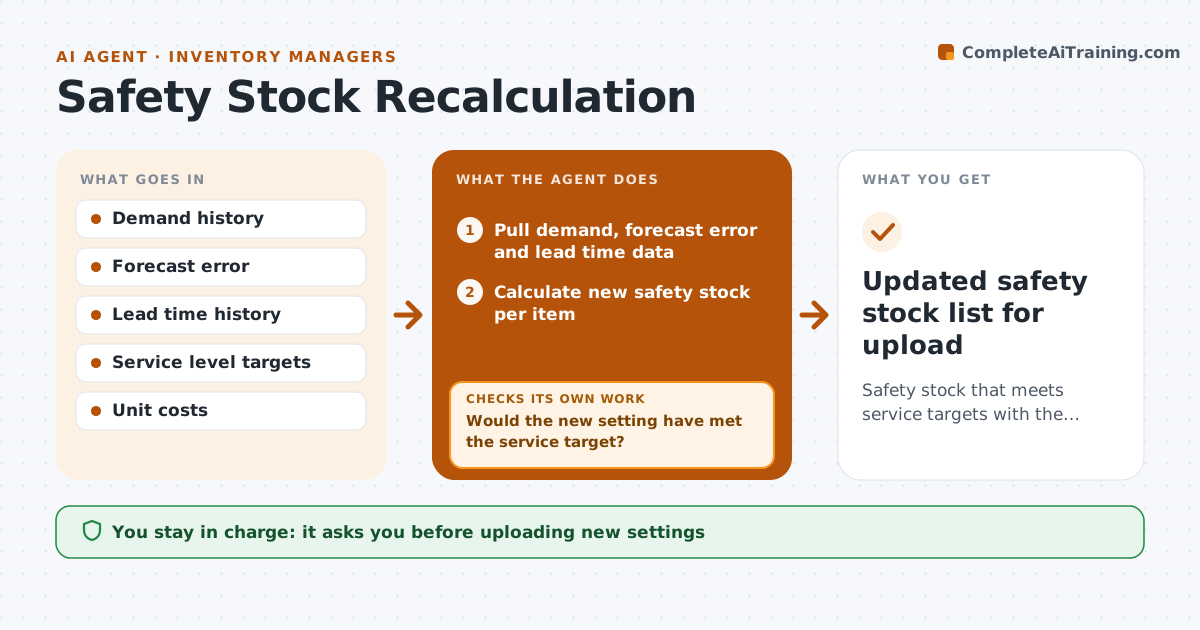
Safety stock protects against demand and supply swings, but the settings in the system are often years out of date. Each quarter this agent pulls demand, forecast error and supplier lead time data, including how much lead times vary, not just the average. It computes safety stock for each item's target service level, and uses an intermittent demand method for items with lumpy demand. It then simulates the last six months to see how many stockouts and how much extra stock each new setting would have produced. If a setting would not have met the service target, it adjusts the setting or method and simulates again. It summarizes changes with their inventory value impact. Changes over $10,000 need the planner or inventory manager's approval. Edge case: an item whose supplier changed recently uses only lead times from the new supplier.
How it works
Follow the arrows from top to bottom. The orange dashed arrow is the loop: when a check fails, the agent goes back and tries again.
Read the steps as a list
- Quarterly review
- Pull demand, forecast error and lead time data
- Calculate new safety stock per item
- Simulate the last six months with new settings
- Would the new setting have met the service target?If not: adjust the setting or method and simulate again. Back to step 3.
- Summarize changes with inventory value impact
- Planner or inventory manager approves changesThe agent waits here for your OK.
- Updated safety stock list for upload
How it decides
It uses forecast error and lead time variation for the target service level, and switches method for items with intermittent demand.
- Lumpy items use an intermittent demand method
- Changes over $10,000 in value need approval
- Lead time variation is included, not just average
Make it yours
Every agent is a starting point. You choose these settings for your own situation.
- Service level by item class
- Value limit for approval
- Simulation window (default 6 months)
- Method for lumpy demand
What keeps you in control
It always asks you first
- Uploading new settings
- Changes above the value limit
Hard limits
- Never uploads settings itself
- Never lowers safety stock on items flagged critical without approval
It stops when
- Done: approved settings uploaded by the planner
- Stop: lead time data missing for a supplier
Set it up
We guide you through the set-up, step by step
Members get the full set-up guide for this agent. No technical skills needed: you copy, paste and upload.
- One set of instructions to paste into your AI, with the clicks for ChatGPT, Claude, Microsoft 365 Copilot, Gemini and Grok
- The agent then walks you through connecting your own data, one source at a time
- A downloadable copy with the flow chart, the rules and the full guide