
AI agent for automotive engineers
Supplier Nonconformance Disposition Agent
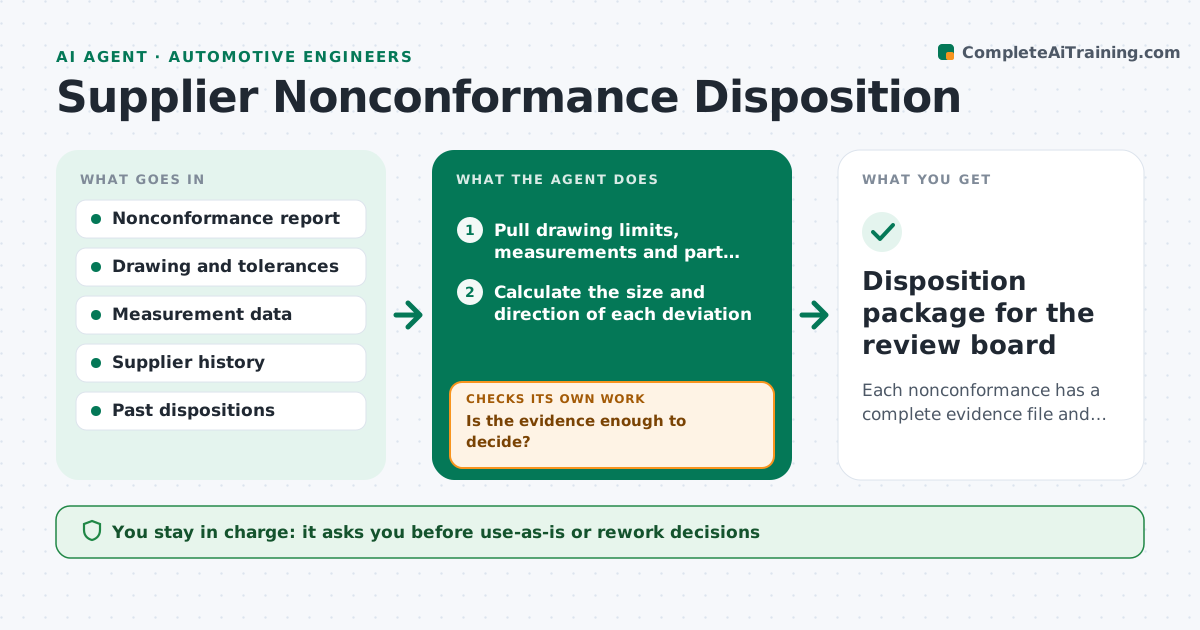
Each nonconformance has a complete evidence file and a reasoned recommendation ready for the review board.
What it does
A part arrives 0.2 mm out of tolerance and sits in quarantine for weeks while someone collects the drawing, the measurements and the history. This agent gathers that evidence for each nonconformance. It reads the drawing limits, measurement data and the supplier record, then searches past similar cases for how they were handled. It drafts a disposition recommendation such as use-as-is, rework, return or scrap with the reasoning. It checks the draft against requirements like critical characteristic flags and customer approval rules. If the evidence is unclear, it requests more data, such as a re-measure, and revises. The engineer approves any use-as-is or rework. Edge case: a characteristic marked critical can never be recommended use-as-is.
How it works
Follow the arrows from top to bottom. The orange dashed arrow is the loop: when a check fails, the agent goes back and tries again.
Read the steps as a list
- Nonconformance report opened
- Pull drawing limits, measurements and part classification
- Calculate the size and direction of each deviation
- Search past similar cases and their dispositions
- Is the evidence enough to decide?If not: request a re-measure or missing record from the owner and reload. Back to step 2.
- Draft a disposition recommendation with reasoning
- Does the recommendation meet the requirements for this characteristic class?If not: change to the next allowed disposition and redraft. Back to step 6.
- Add supplier corrective action request notes if the issue repeats
- Engineer approves use-as-is or reworkThe agent waits here for your OK.
- Record the decision as a draft in the quality system
- Disposition package for the review board
How it decides
It compares the deviation to the tolerance, characteristic class and past outcomes. Critical characteristics and flight-safety parts go to rework, return or scrap unless the customer approves.
- Critical characteristic out of tolerance: never use-as-is
- Deviation within 10 percent of tolerance with three prior accepted cases: lean use-as-is
- Same supplier and defect twice in six months: recommend corrective action request
- Measurement uncertainty larger than the deviation: request a re-measure
Make it yours
Every agent is a starting point. You choose these settings for your own situation.
- Characteristic classes and rules
- Evidence checklist
- Repeat defect window in months
- Days to wait for missing data
- Past case search depth
What keeps you in control
It always asks you first
- Use-as-is or rework decisions
- Corrective action requests to suppliers
Hard limits
- Never release or scrap a part
- Never recommend use-as-is on critical characteristics
It stops when
- Done: recommendation and evidence ready
- Stop: missing measurement not provided in 3 days
Set it up
We guide you through the set-up, step by step
Members get the full set-up guide for this agent. No technical skills needed: you copy, paste and upload.
- One set of instructions to paste into your AI, with the clicks for ChatGPT, Claude, Microsoft 365 Copilot, Gemini and Grok
- The agent then walks you through connecting your own data, one source at a time
- A downloadable copy with the flow chart, the rules and the full guide



