AI agent for technical support specialists
Support Escalation Reproduction Agent
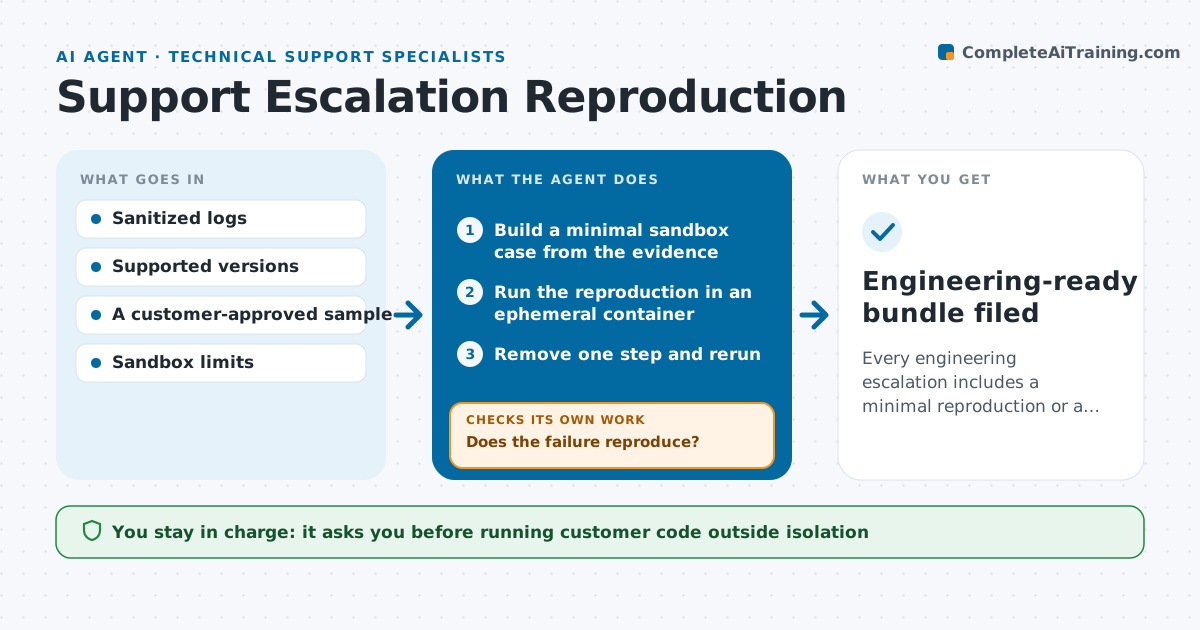
Every engineering escalation includes a minimal reproduction or a documented failure to reproduce.
What it does
Engineers often bounce escalations back because support cannot reproduce the problem. This agent builds the smallest possible reproduction from sanitized logs and the customer's approved sample, and runs it in a temporary, isolated container. If the failure does not appear, it tries another supported version or environment. Once it reproduces, it removes one step or setting at a time and reruns. If the failure disappears, that step matters, so it restores it and removes another. It stops when the case is minimal, the attempt budget is used, or no environment reproduces it. The support engineer approves the escalation. The result is a small reproducible bundle, or a clear 'could not reproduce' record listing everything tried. Edge case: customer data never enters the sandbox unless it has been sanitized and approved.
How it works
Follow the arrows from top to bottom. The orange dashed arrow is the loop: when a check fails, the agent goes back and tries again.
Read the steps as a list
- Ticket marked for escalation
- Build a minimal sandbox case from the evidence
- Run the reproduction in an ephemeral container
- Does the failure reproduce?If not: try another supported version or environment. Back to step 2.
- Remove one step and rerun
- Does it still fail?If not: restore the step (it matters) and remove another. Back to step 5.
- Package the minimal reproduction
- Support engineer approves the escalationThe agent waits here for your OK.
- Engineering-ready bundle filed
How it decides
It starts with the smallest setup that matches the logs, then removes steps one at a time while the failure persists; when the failure vanishes, the last removed step is relevant and goes back in.
- Starting setup: the smallest one consistent with the logs.
- Which step to remove next: the least related to the error.
- Stop: minimal case found, attempt budget reached, or no environment reproduces it.
Make it yours
Every agent is a starting point. You choose these settings for your own situation.
- Attempt budget per ticket (default 30 sandbox runs)
- Supported versions and environments to try (default the last three releases)
- Sanitization rules for customer samples (default remove names, emails and keys)
- Sandbox time limit per run (default 10 minutes)
- Who approves escalations (default the support engineer on the ticket)
What keeps you in control
It always asks you first
- Running customer code outside isolation
- Sharing logs beyond the approved team
Hard limits
- Only runs in isolated sandboxes.
It stops when
- Done: minimal reproduction attached.
- Not reproducible: record attempts and environments.
Set it up
We guide you through the set-up, step by step
Members get the full set-up guide for this agent. No technical skills needed: you copy, paste and upload.
- One set of instructions to paste into your AI, with the clicks for ChatGPT, Claude, Microsoft 365 Copilot, Gemini and Grok
- The agent then walks you through connecting your own data, one source at a time
- A downloadable copy with the flow chart, the rules and the full guide