AI agent for help desk technicians
Support Device Compatibility Agent
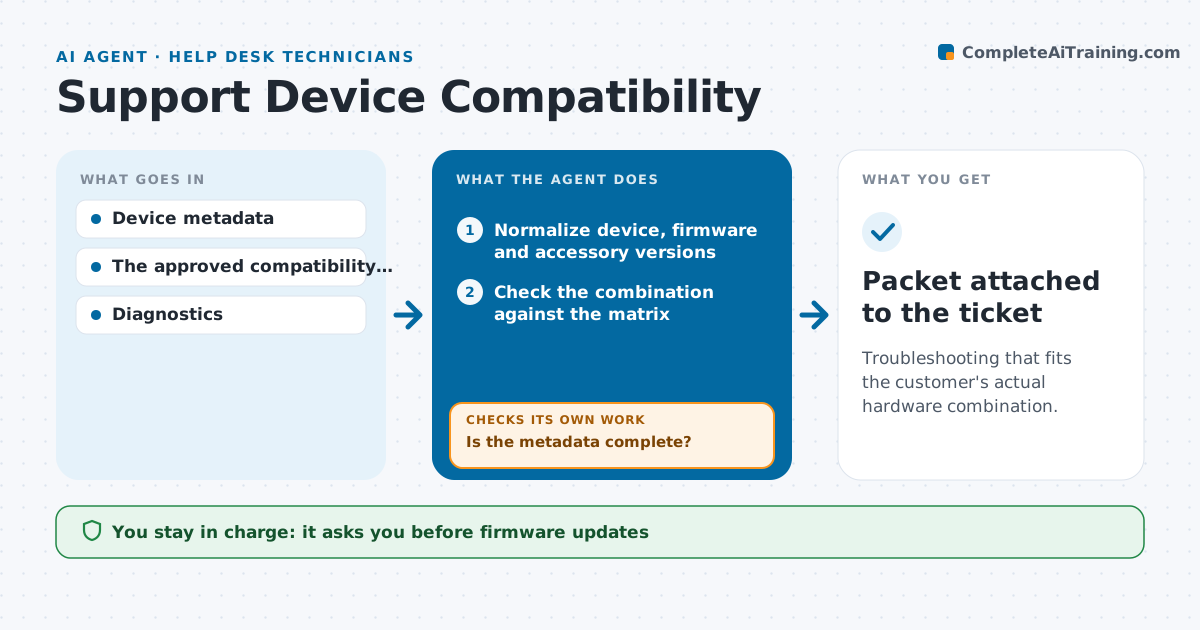
Troubleshooting that fits the customer's actual hardware combination.
What it does
Hardware troubleshooting often ignores the customer's exact combination of device, firmware and accessories, so agents run generic steps that cannot work. This agent reads the device metadata and normalizes the versions of the device, firmware and every accessory. If a version is missing or unclear, it requests that specific detail from the customer, through the agent. It then checks the combination against the approved compatibility matrix and runs only the read-only diagnostics that fit that combination. An unsupported accessory changes the diagnostic path. It writes a compatibility investigation packet on the ticket. The support lead approves firmware updates and replacements. Edge case: a device with a beta firmware is treated as outside the matrix and routed to the specialist queue.
How it works
Follow the arrows from top to bottom. The orange dashed arrow is the loop: when a check fails, the agent goes back and tries again.
Read the steps as a list
- Hardware ticket arrives
- Normalize device, firmware and accessory versions
- Is the metadata complete?If not: request the specific missing version. Back to step 2.
- Check the combination against the matrix
- Run the approved read-only diagnostics for this combination
- Write the compatibility investigation packet
- Support lead approves firmware updates or replacementsThe agent waits here for your OK.
- Packet attached to the ticket
How it decides
It checks compatibility first; unsupported combinations route to the compatibility path, supported ones to the matching diagnostics.
- Diagnostic path: chosen by the compatibility result for the exact combination.
- Ask for information: when any device, firmware or accessory version is missing.
- Unsupported accessory: switch to that accessory's path before generic steps.
- Beta or unknown firmware: route to the specialist queue.
Make it yours
Every agent is a starting point. You choose these settings for your own situation.
- Compatibility matrix source and update schedule
- Diagnostics the agent may run (default read-only only)
- How missing versions are requested (default a short message with where to find the version)
- Who approves firmware updates and replacements (default the support lead)
- Ticket types that trigger the agent (default hardware category)
What keeps you in control
It always asks you first
- Firmware updates
- Replacement authorization
Hard limits
- Read-only diagnostics.
It stops when
- Done: packet ready.
- Waiting: information requested.
Set it up
We guide you through the set-up, step by step
Members get the full set-up guide for this agent. No technical skills needed: you copy, paste and upload.
- One set of instructions to paste into your AI, with the clicks for ChatGPT, Claude, Microsoft 365 Copilot, Gemini and Grok
- The agent then walks you through connecting your own data, one source at a time
- A downloadable copy with the flow chart, the rules and the full guide