AI agent for technical support specialists
Customer Export Troubleshooting Agent
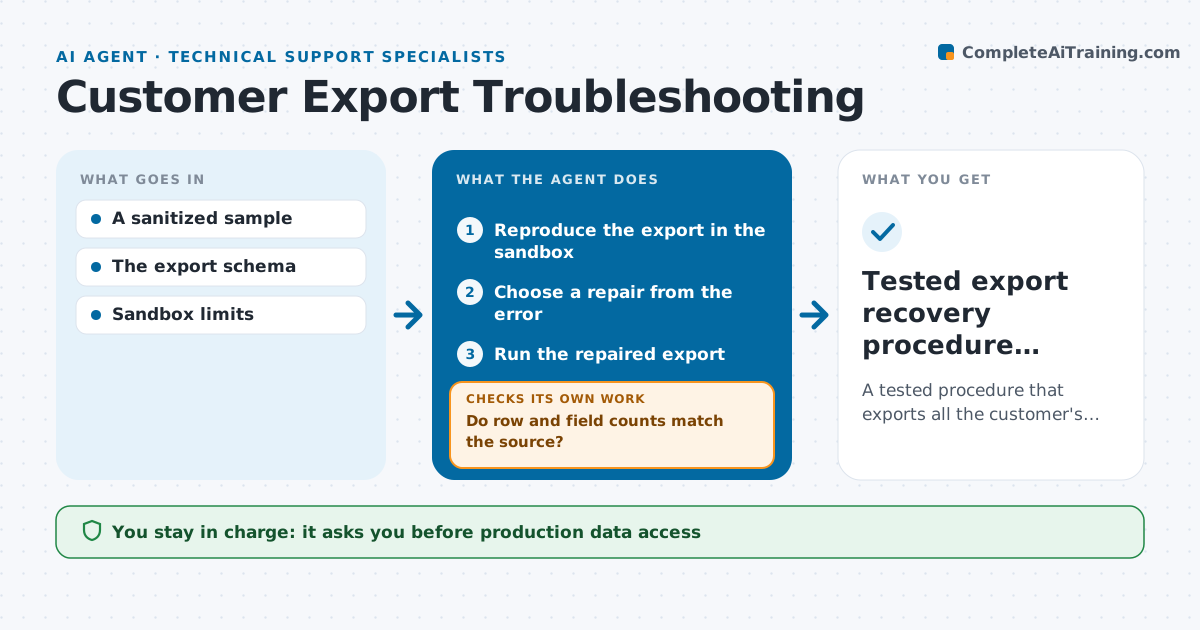
A tested procedure that exports all the customer's data correctly.
What it does
Customer data exports fail for different reasons: odd characters, schema changes or size limits. Support often retries the same export and hopes. This agent reproduces the failure in a sandbox with a sanitized sample, reads the error, and chooses a permitted repair, such as a different encoding, a smaller batch size or an updated field mapping. It runs the repaired export and compares row and field counts with the source. A 'successful' export that silently drops rows counts as a failure, so it investigates the missing rows and picks another repair. When the counts match, it writes a step-by-step recovery procedure. The support engineer approves the procedure before it is used on the customer's live data. Edge case: if the source itself changes during the test, it re-takes the counts before comparing.
How it works
Follow the arrows from top to bottom. The orange dashed arrow is the loop: when a check fails, the agent goes back and tries again.
Read the steps as a list
- Export failure reported
- Reproduce the export in the sandbox
- Choose a repair from the error
- Run the repaired export
- Do row and field counts match the source?If not: investigate the missing rows and choose another repair. Back to step 3.
- Write the recovery procedure
- Support engineer approves the procedureThe agent waits here for your OK.
- Tested export recovery procedure delivered
How it decides
It maps the error to a repair (encoding, schema mapping, batching) and validates both success and completeness (row counts, field counts).
- Repair type: chosen from the error message (encoding, batch size or field mapping).
- Complete: only when row and field counts match the source, not just when there is no error.
- Retry limit: after three repairs without matching counts, escalate to engineering with the sample.
- Live data: never run a repair on live data without an approved procedure.
Make it yours
Every agent is a starting point. You choose these settings for your own situation.
- Repairs the agent may try (default encoding, batch size, field mapping)
- Maximum repairs before escalation (default 3)
- Sample size for sandbox tests (default 10% of rows, sanitized)
- Checks run on the output (default row count, field count, checksum of key columns)
- Who approves the recovery procedure (default the support engineer)
What keeps you in control
It always asks you first
- Production data access
- Changing customer records
Hard limits
- Sandbox only.
It stops when
- Done: counts match.
- Needs a human: data corruption at source.
Set it up
We guide you through the set-up, step by step
Members get the full set-up guide for this agent. No technical skills needed: you copy, paste and upload.
- One set of instructions to paste into your AI, with the clicks for ChatGPT, Claude, Microsoft 365 Copilot, Gemini and Grok
- The agent then walks you through connecting your own data, one source at a time
- A downloadable copy with the flow chart, the rules and the full guide