AI agent for user support specialists
Support Macro and Canned Reply Audit Agent
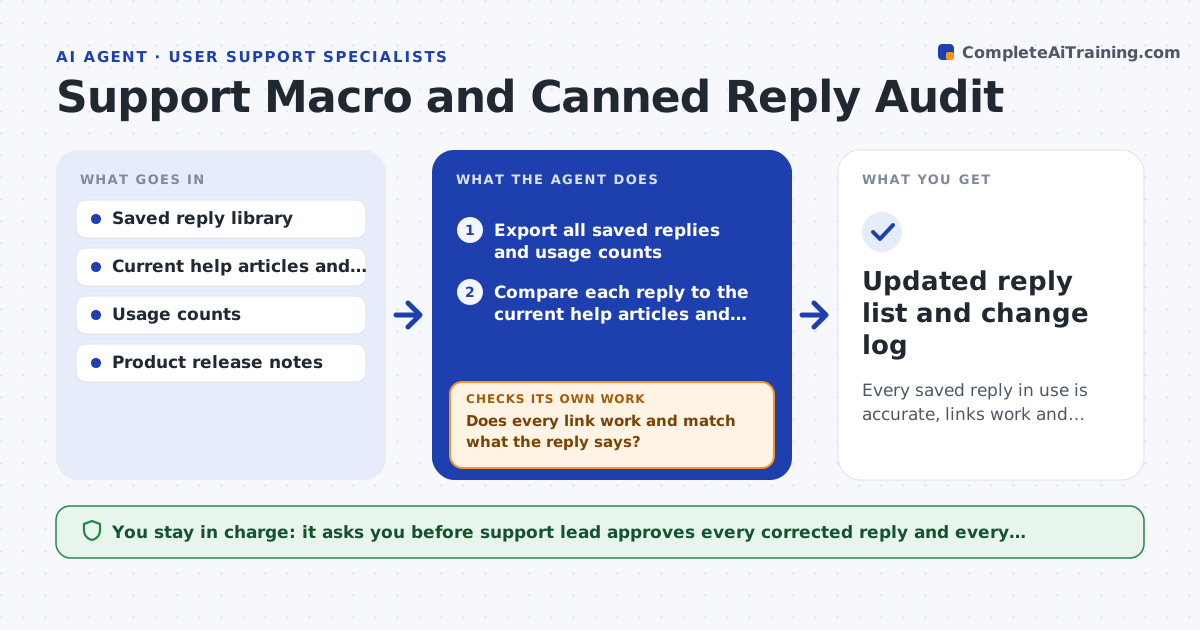
Every saved reply in use is accurate, links work and unused ones are retired.
What it does
Saved replies go stale quietly. A price changes, a menu moves, a plan is renamed, and agents keep sending the old text for weeks. This agent checks every saved reply against the current help articles and product pages. It flags wrong links, outdated steps and retired plan names, then drafts a corrected version for each. It tests each link in the corrected text and reads the page it lands on to confirm it says what the reply claims. It also reads usage counts and suggests retiring replies nobody has used in six months. If a link test fails it fixes the link and tests again. It never changes the live reply library. Edge case: a reply still tells customers to click Settings, then Billing, but the product now shows Account, then Plans, so the agent rewrites the steps from the current help article.
How it works
Follow the arrows from top to bottom. The orange dashed arrow is the loop: when a check fails, the agent goes back and tries again.
Read the steps as a list
- Monthly audit begins or a release ships
- Export all saved replies and usage counts
- Compare each reply to the current help articles and pricing page
- Flag wrong links, outdated steps and retired names
- Draft corrected versions using only current help text
- Test every link and read the landing page
- Does every link work and match what the reply says?If not: fix the link or the wording and test again. Back to step 5.
- List replies with no use in 180 days for retirement
- Support lead approves changes and retirementsThe agent waits here for your OK.
- Updated reply list and change log
How it decides
It marks a reply outdated when a fact in it conflicts with the current page. It drafts a replacement only from the current help text. It suggests retirement when usage is zero for 180 days.
- Flag a reply when a price, plan name or step conflicts with the current source
- Flag any link returning an error or a redirect to a different topic
- Suggest retiring after 180 days without use
- Never invent steps not found in a help article
Make it yours
Every agent is a starting point. You choose these settings for your own situation.
- Months of no use before retirement (default 6)
- Which pages count as the source of truth
- Audit schedule
- Reply tags to skip
- Tone rules for rewritten text
What keeps you in control
It always asks you first
- Support lead approves every corrected reply and every retirement
Hard limits
- Never edit the live library
- Never state a price that is not on the current pricing page
It stops when
- Done: all changed replies pass the link and fact check
- Stop: no current source exists for a fact and the lead must supply it
Set it up
We guide you through the set-up, step by step
Members get the full set-up guide for this agent. No technical skills needed: you copy, paste and upload.
- One set of instructions to paste into your AI, with the clicks for ChatGPT, Claude, Microsoft 365 Copilot, Gemini and Grok
- The agent then walks you through connecting your own data, one source at a time
- A downloadable copy with the flow chart, the rules and the full guide