
Learning path
AI for user support specialists
Be the AI expert in your job. Always up to date.
Your first AI Expert certificate this week. Your AI set up in 15 minutes.

This is exactly what happens after you join. Try it: everything below reacts to your choices.
Only stored for members. Join to keep the courses you choose in your account and favorites; until then only this browser remembers them. Start for Free





Picked by our course-matching AI for user support specialists, your level and your AI, from 700+ courses. Each course ends in a short exam and an AI Expert certificate. New courses arrive every week and your suggestions update with them. Your choices are kept in this browser until you join.
For members: your personal setup prompt, with your sign-in built in. Here's what's inside.
What the setup does
- Connects your AI to your AI Coach: ChatGPT, Claude, Cowork, Microsoft Copilot and more
- Asks you a few questions about your work and saves your profile
- Gives your AI the skills, prompts and tools for user support specialists
- Writes your personal instructions and gives you today's first suggestion
What your AI gets: the user support specialist AI kit
See everything in your user support specialist AI kit: log in or sign up first → · Start for Free
Like "Identify Automation Opportunities"
A new idea from your AI Coach every day
Lets your AI search, read, and update your IT Glue documentation for you.
From 4,600+ connections, after a short interview about the apps you use
Every affected customer is verified fixed before their ticket is closed.
From 3,900+ AI agents: hand a whole task to AI
Reduce repetitive inquiry handling while keeping answers traceable to approved sources.
From 2,400+ apps you can build, with step-by-step prompts
Not connected? The same suggestions wait for you on your dashboard under Today, with prompts to copy into any AI.
All the courses, certifications, AI tools, connections and apps for user support specialists, most relevant first. Tap the heart on anything to save it for later.
All prompt courses for user support specialists
How to talk to AI, then 15 lessons with ready-to-use prompts for user support specialists.
- 1Customer Inquiry Response5 prompts
- 2Troubleshooting Guide Creation17 prompts
- 3Feedback Analysis12 prompts
- 4Product Knowledge Base Expansion17 prompts
- 5Training Module Development6 prompts
- 6Escalation Handling Procedures18 prompts
- 7Policy Update Communication5 prompts
- 8Live Chat Assistance22 prompts
- 9Technical Documentation Review17 prompts
- 10Customer Satisfaction Surveys11 prompts
- 11Incident Reporting and Analysis19 prompts
- 12Automation of Repetitive Tasks18 prompts
- 13Crisis Management Planning7 prompts
- 14Multilingual Support Documentation6 prompts
- 15Performance Metrics Analysis21 prompts
All video courses for user support specialists
133 video courses our AI picked for user support specialists, most useful first. Tap the heart to save one for later.
Favorites are saved to your account: sign in or get your AI kit first.
All certifications for user support specialists
Every course ends in a short exam and an AI Expert certificate you can add to LinkedIn. Tap the heart to save the ones you're aiming for.
Favorites are saved to your account: sign in or get your AI kit first.
Main certification for user support specialists
More certifications for user support specialistsAll AI tools for user support specialists
24 AI tools our AI matched to the work of user support specialists, best fit first. Each review shows what it does, its alternatives and the jobs it suits.
Favorites are saved to your account: sign in or get your AI kit first.
All connections for user support specialists
Connections let ChatGPT, Claude or Copilot look things up and get work done in other apps, like your email, calendar or bookkeeping software. These 12 fit the work of user support specialists best, well-known apps first.

Zendesk MCP server
by michaelriceLets your AI read, search, and update Zendesk tickets, comments, views, and macros for you.

Freshdesk MCP server
by omnom62Lets your AI look up Freshdesk tickets, read conversations and pull text out of attachments for you.
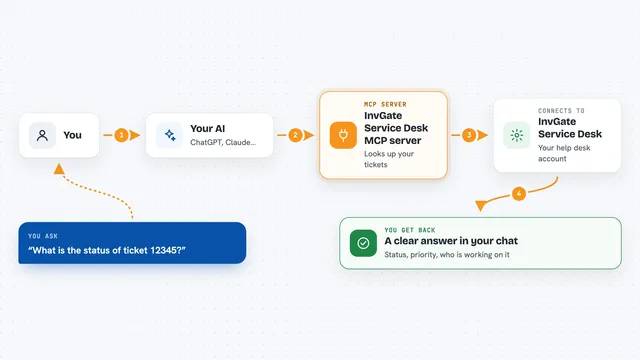
InvGate Service Desk MCP server
by tracegazerLets your AI look up InvGate tickets, users, knowledge base articles and assets, and optionally update them.

Entra ID MCP server
by hieuttmmoLets your AI look up Microsoft Entra ID users, groups, devices, sign-ins and MFA status for you.

PipesHub MCP server
by pipeshub-aiLets your AI search across your work apps like Google Workspace, Microsoft 365, Slack and Jira, and answer with the sources it found.

Pinecone Assistant MCP server
by pinecone-ioLet your AI search your Pinecone Assistant knowledge base and bring back answers with sources.
Notes Official
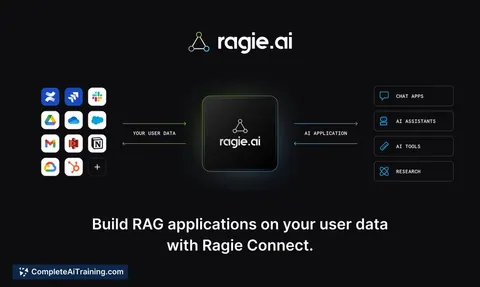
Ragie MCP server
by ragieaiLet your AI search your Ragie knowledge base and pull back the right passages when you ask a question.
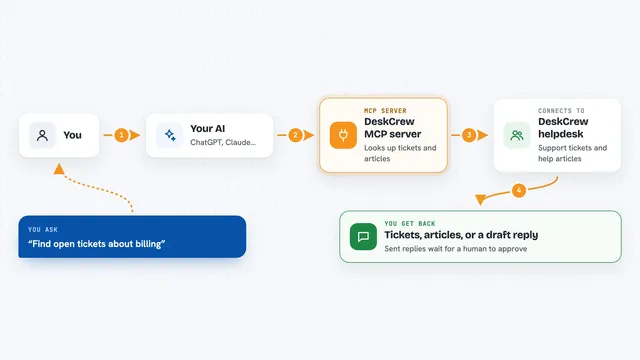
DeskCrew MCP server
by webmilmind1Let your AI read, draft, and triage support tickets on a helpdesk, paying per action in USDC.
Customer communicationNo install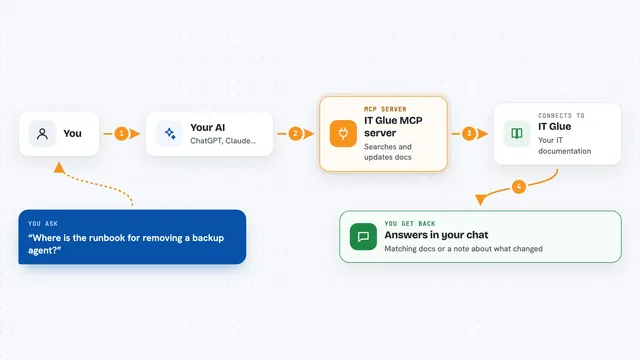
IT Glue MCP server
by selicLets your AI search, read, and update your IT Glue documentation for you.

UseCortex MCP server
by darktwLet your AI save notes to an online knowledge base and look them up later whenever you ask.
NotesNo install
NocturnusAI MCP server
by AuctalisKeeps your AI's memory short and tidy by remembering only the facts that changed since last time.

Laya MCP server
by dockndevaiGive your AI a fast local helper that answers simple decision questions like classify, score, or yes/no.
All apps you can build for user support specialists
Apps you build yourself with your own AI, no coding needed and no monthly fee. Our AI picked the 12 that fit the work of user support specialists.
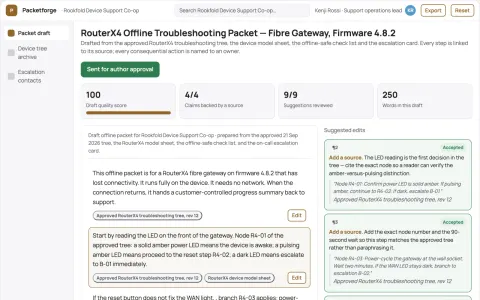
Offline troubleshooting packet compiler
Let customers complete approved troubleshooting without a working internet connection.
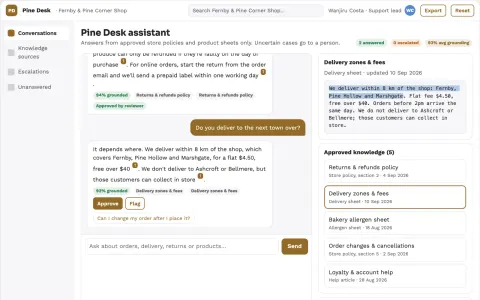
Source-linked support assistant and admin console
Reduce repetitive inquiry handling while keeping answers traceable to approved sources.
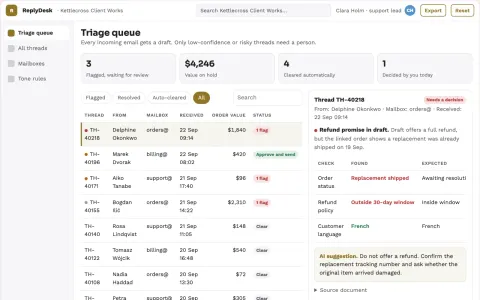
AI email reply drafting and escalation desk
Cut reply drafting time while keeping a named agent accountable for every send.
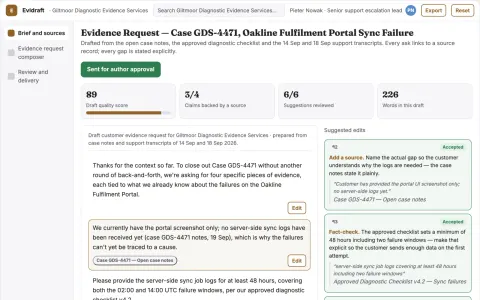
Customer evidence request composer
Clear bounded requests before another support round.
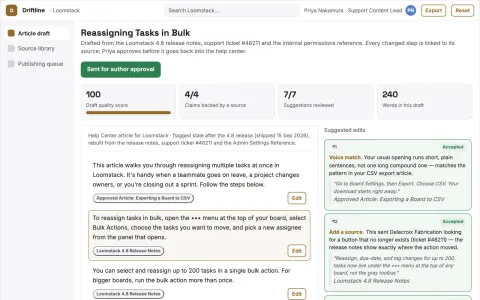
Knowledge base maintenance
Documentation updates begin with real customer friction and verified fixes.
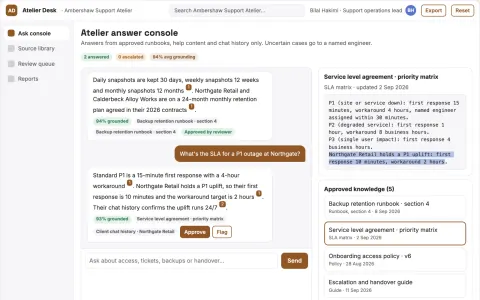
Source-linked internal answer console
Reduce repeated lookup and escalation while keeping every answer traceable to a permitted source.
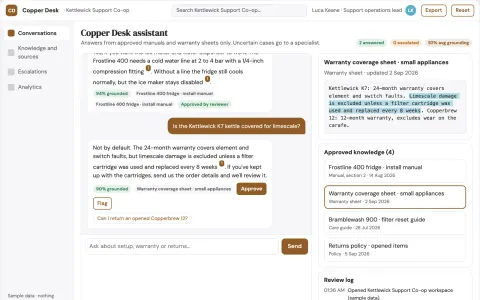
Source-linked support assistant and admin console
Reduce tool sprawl while keeping every answer tied to an approved source.
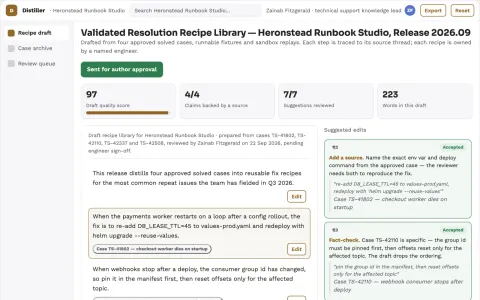
Support resolution knowledge distiller
Turn verified fixes into reusable operational knowledge.
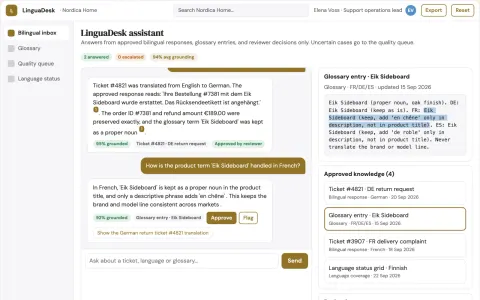
Multilingual help desk service
Order identifiers and product terms remain consistent through every translation.
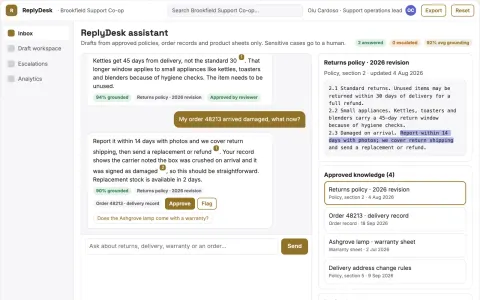
Source-linked customer support assistant and console
Reduce tool sprawl and keep customer context in one owned system.
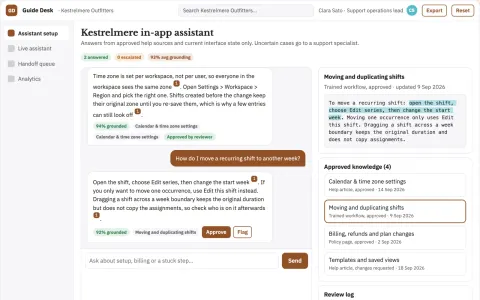
Source-linked in-app support assistant console
Reduce repeated support contacts while keeping answers tied to approved sources.
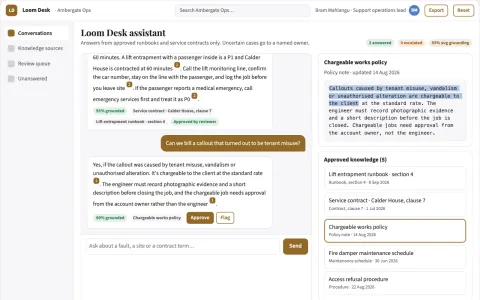
Source-linked support chatbot builder and console
Reduce repeated support handling while keeping every answer traceable to an approved source.
The handbook for user support specialists

































































































About this learning path
17 topicsHow do you become an AI Expert as a User Support Specialist?
Becoming an AI expert isn't just about learning technical jargon or complex algorithms. It's about leveraging AI to boost your productivity, solve customer problems faster, and position yourself as a valuable asset in your workplace. As a User Support Specialist, integrating AI into your skillset means better customer experiences, streamlined workflows, and a competitive edge in your career.
In this guide, you'll learn:
- Why learning AI is essential for your role
- Answers to the most common questions User Support Specialists have about AI
- What specific skills you need to master to become proficient in AI
- Actionable steps to start your AI journey today
You could spend months figuring this out yourself, but we've organized it all here, specifically tailored for your role.
Why Should User Support Specialists Learn AI?
Maybe you're thinking, "Is learning AI really necessary for me?" Yes, it is—and here's why:
- Future-Proof Your Career:
AI isn’t going away. Integrating it into your skillset ensures you stay relevant in your field, no matter how technology evolves. - Boost Your Productivity:
Automating routine tasks means you spend less time on repetitive work and more time providing innovative solutions and superior customer support. - Enhance Your Earnings:
Professionals who master AI skills tend to command higher salaries and better job opportunities. Investing in yourself today can pay dividends tomorrow. - Job Security:
As automation continues to rise, the ability to effectively harness AI tools will ensure you become indispensable to your employer.
- Future-Proof Your Career:
What Exactly Do I Need to Learn to Become an AI Expert?
The path to becoming proficient in AI as a User Support Specialist involves mastering several foundational and advanced topics:
- Understanding Generative AI:
Learn the fundamentals of generative AI, including how models like ChatGPT, Claude, and Google Gemini function and their practical uses. - Prompt Engineering:
Develop the ability to craft precise, effective prompts to get optimal results from various AI tools. - AI Tools for Customer Interactions:
Learn to use AI to automate customer communication, improve response times, and deliver personalized experiences. - AI for Workflow Automation:
Master AI-driven tools that can handle email management, documentation, data aggregation, and more, freeing you up to tackle higher-level tasks. - Continuous Learning:
Stay updated with emerging technology through curated courses, books, and resources tailored specifically for your profession.
- Understanding Generative AI:
How to Get Started: Your Journey to AI Mastery as a User Support Specialist
Ready to dive into AI? Here's how you can start right now:
Mastering AI Through Video Courses
Our structured video courses are designed specifically for User Support Specialists, covering essential concepts clearly and practically:
- Generative AI Foundations:
Understand what generative AI is, how it works, and its real-world applications in user support. - ChatGPT from Beginner to Expert:
Gain practical skills to leverage ChatGPT effectively in customer interactions, from basic inquiries to complex troubleshooting. - Claude2 AI Essentials:
Discover how Claude2 can streamline your workflow and enhance your productivity and customer satisfaction. - Google Gemini for Support Specialists:
Learn how Google's AI tool can simplify your daily tasks and provide efficient solutions to user problems. - AI-Powered Email Management:
Automate and optimize your email communications, reducing your workload and enhancing customer interaction effectiveness.
- Generative AI Foundations:
Prompt Courses: Communicating Effectively with AI
Mastering AI isn't just about understanding tools—it's about communication. Learn how to craft precise prompts tailored to your daily tasks, ensuring AI tools deliver maximum value:
- Creating Effective Customer Support Prompts
- Prompt Engineering for Faster Problem-Solving
- Advanced Prompt Techniques for Increased Efficiency
AI Tools Tailored for User Support Specialists
Stay ahead of the competition by mastering tools specifically designed to enhance your role. You'll learn how to integrate these seamlessly into your workflow:
- AI Chat Solutions:
Automate customer interactions without sacrificing quality, providing instant responses and solutions. - Data Aggregation Tools:
Quickly gather, analyze, and present relevant data to solve user issues efficiently. - Customer Inquiry Response Tools:
Automate standardized responses and personalize interactions at scale. - Technical Documentation Review:
Reduce errors and enhance accuracy in documentation through AI-powered reviews.
- AI Chat Solutions:
Continuous Updates and Learning
AI evolves constantly, and so should you. Our program offers regular updates, ensuring you never fall behind on the latest trends and tools.
Comprehensive AI Books and Guides
Gain access to specialized resources and guides, such as "The Artificial Intelligence Handbook for User Support Specialists," packed with actionable insights and practical strategies tailored specifically to your role.
Frequently Asked Questions from User Support Specialists
Is AI difficult to learn?
Not when you have the right guidance. AI tools today are user-friendly and intuitive. Our structured approach takes you step by step, making it easy to integrate AI into your existing workflow.
Can I trust AI in critical tasks?
Yes, modern AI tools are highly reliable, especially when properly configured and applied. Trust comes from understanding how to effectively leverage these tools—exactly what our courses teach you.
Will AI replace my job?
No, AI won't replace you—but someone proficient in AI might. AI is a powerful assistant, not a replacement. Mastering it means you'll become more valuable, not less.
How can I keep up with rapid AI changes?
Continuous education is essential. That's why our training provides regular updates, ensuring you're always informed and ahead of the curve.
Is AI just a temporary trend?
Far from it. AI is already transforming industries, with user support being one of its primary beneficiaries. Ignoring AI now could mean playing catch-up later.
Am I still in control when using AI?
Absolutely. AI tools are designed to support and enhance your decisions, not to make decisions for you. You remain in the driver's seat.
How quickly can I become proficient in AI?
It depends on your commitment. With our structured training, you can grasp the basics rapidly and steadily advance to expert levels over weeks or months, not years.
How to Start and Become an AI Specialist as a User Support Specialist Today
Ready to elevate your career? Our specialized AI training program for User Support Specialists offers unlimited access to:
- Comprehensive Video Courses tailored specifically to your role
- Practical Prompt Engineering Courses
- Curated AI Tools to streamline your everyday tasks
- Thousands of Professionally Crafted Prompts
- Exclusive AI Books and Detailed Guides
- Ongoing Updates and Expert Insights
Your journey to AI proficiency starts today—no more guesswork, just clear, actionable steps.
At a glance
What you get
- 3 step setup process
- Relevant courses for your job (700+ available)
- A certificate per course
- AI Coach
- 15-minute AI setup in ChatGPT, Claude, Copilot and more