AI agent for prompt engineers
System Prompt Conflict Audit Agent
A system prompt where every known rule collision has one clear, steady winner
What it does
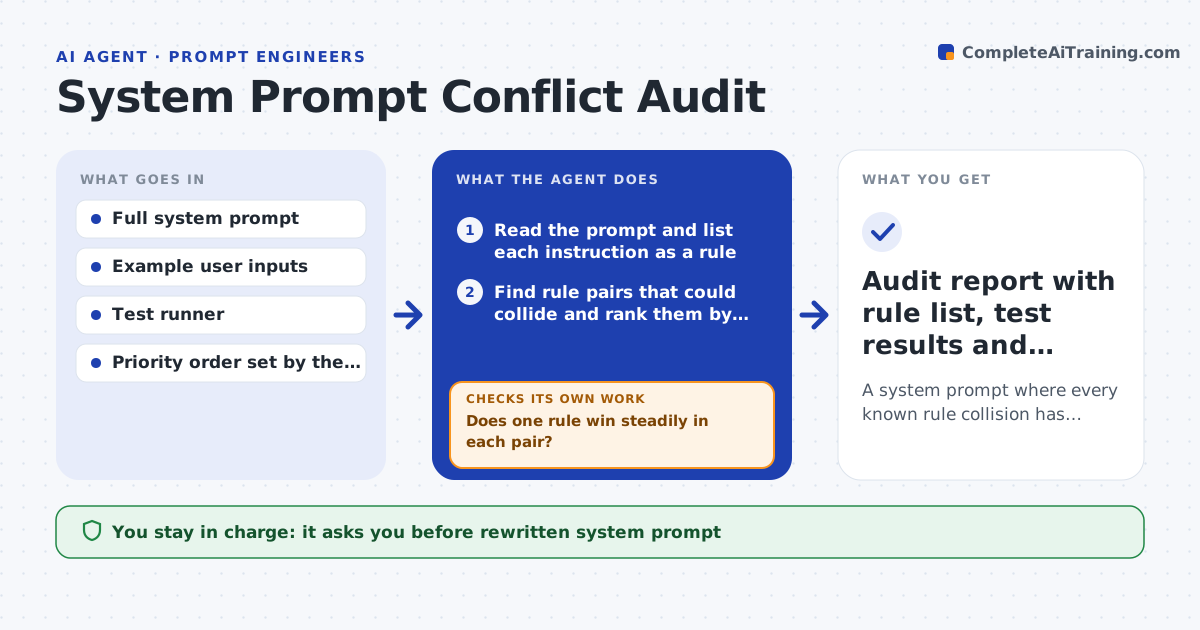
A long system prompt grows by patches, and soon one line says be brief while another says always explain. This agent reads the whole prompt and lists every instruction as a short rule. It looks for pairs that could collide, such as tone, length, format, refusal and priority rules. For each pair it builds a test input where both rules apply and runs it several times, recording which rule wins and how steady that result is. Pairs that flip between runs are marked unstable. It then rewrites the prompt with clearer priorities or merged rules and reruns the same tests. It repeats until every collision gives the same winner across runs. The engineer approves the rewrite. Edge case: a safety rule and a formatting rule collide, and the agent keeps safety first.
How it works
Follow the arrows from top to bottom. The orange dashed arrow is the loop: when a check fails, the agent goes back and tries again.
Read the steps as a list
- Engineer submits a system prompt for audit
- Read the prompt and list each instruction as a rule
- Find rule pairs that could collide and rank them by risk
- Build and run a test input for each pair several times
- Does one rule win steadily in each pair?If not: mark the pair unstable and note which runs differ. Back to step 3.
- Rewrite the prompt with clearer priorities or merged rules
- Rerun every collision test on the rewrite
- Does the winner match the priority order in every pair?If not: adjust the wording again and retest the failing pairs. Back to step 6.
- Engineer approves the rewritten promptThe agent waits here for your OK.
- Audit report with rule list, test results and rewrite
How it decides
A collision is settled when the same rule wins in at least 9 of 10 runs and it matches the stated priority order.
- Count a collision as settled at 9 of 10 matching runs
- Place safety rules above style and format rules
- Merge two rules if they say the same thing
- Run at least 10 repeats for each pair
Make it yours
Every agent is a starting point. You choose these settings for your own situation.
- Priority order of rule types
- Repeat count per test (default 10)
- Number of pairs to test
- Model used for tests
What keeps you in control
It always asks you first
- Rewritten system prompt
Hard limits
- Never edits the live prompt
- Never removes a safety rule
It stops when
- Done: all collisions settled and the engineer approves
- Stop: no priority order is given for the rules
Set it up
We guide you through the set-up, step by step
Members get the full set-up guide for this agent. No technical skills needed: you copy, paste and upload.
- One set of instructions to paste into your AI, with the clicks for ChatGPT, Claude, Microsoft 365 Copilot, Gemini and Grok
- The agent then walks you through connecting your own data, one source at a time
- A downloadable copy with the flow chart, the rules and the full guide