AI agent for portfolio managers
Tax-Loss Harvesting Opportunity Agent
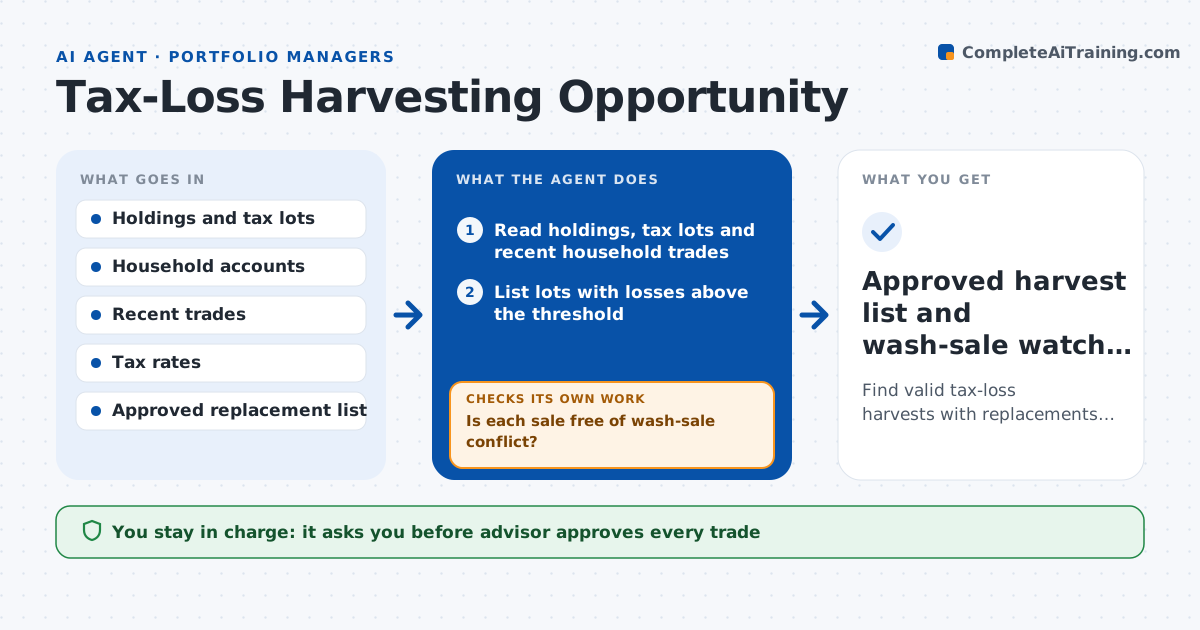
Find valid tax-loss harvests with replacements that keep client exposure.
What it does
Selling a position at a loss can lower a client's tax bill, but the opportunity vanishes with the next rally and a wash-sale mistake can cancel the benefit. This agent reads client holdings and tax lots, finds lots with losses above a threshold, and checks for wash-sale conflicts across all accounts of the household, including recent buys and reinvested dividends. It then picks replacement securities that keep the exposure without being substantially identical, and drafts a proposal showing the estimated tax value. Before presenting, it rechecks current prices. If a loss has shrunk below the threshold, it drops the case. The advisor approves every trade.
How it works
Follow the arrows from top to bottom. The orange dashed arrow is the loop: when a check fails, the agent goes back and tries again.
Read the steps as a list
- Weekly or market drop trigger
- Read holdings, tax lots and recent household trades
- List lots with losses above the threshold
- Check wash-sale conflicts across accounts and reinvestments
- Is each sale free of wash-sale conflict?If not: drop the lot or move the sale date and recheck. Back to step 3.
- Select replacement securities that are not substantially identical
- Refresh prices before proposing
- Is the loss still above the threshold at current prices?If not: drop the case and note the change. Back to step 3.
- Draft the proposal with estimated tax value and tracking difference
- Advisor approves every tradeThe agent waits here for your OK.
- Approved harvest list and wash-sale watch dates
How it decides
It proposes a sale only when the net loss exceeds the threshold, no wash-sale conflict exists, and a suitable replacement is available.
- Harvest only if the loss exceeds $1,000 and 5 percent of the lot
- Check 30 days before and after the sale in all household accounts
- Choose replacements from the approved list with similar exposure
- Value the tax benefit using the client's marginal rate
Make it yours
Every agent is a starting point. You choose these settings for your own situation.
- Loss threshold (default $1,000 and 5 percent)
- Approved replacement list
- Client tax rates
- Run schedule
What keeps you in control
It always asks you first
- Advisor approves every trade
- Advisor approves the replacement security
Hard limits
- Never places a trade
- Does not give tax advice, advisor confirms with the client's accountant
It stops when
- Done: proposals approved and wash-sale dates recorded
- Stop: tax lot data is incomplete for the account
Set it up
We guide you through the set-up, step by step
Members get the full set-up guide for this agent. No technical skills needed: you copy, paste and upload.
- One set of instructions to paste into your AI, with the clicks for ChatGPT, Claude, Microsoft 365 Copilot, Gemini and Grok
- The agent then walks you through connecting your own data, one source at a time
- A downloadable copy with the flow chart, the rules and the full guide