AI agent for engineering managers
Team Skills and Bus-Factor Agent
Reduce single-person dependencies and confirm the risk fell
What it does
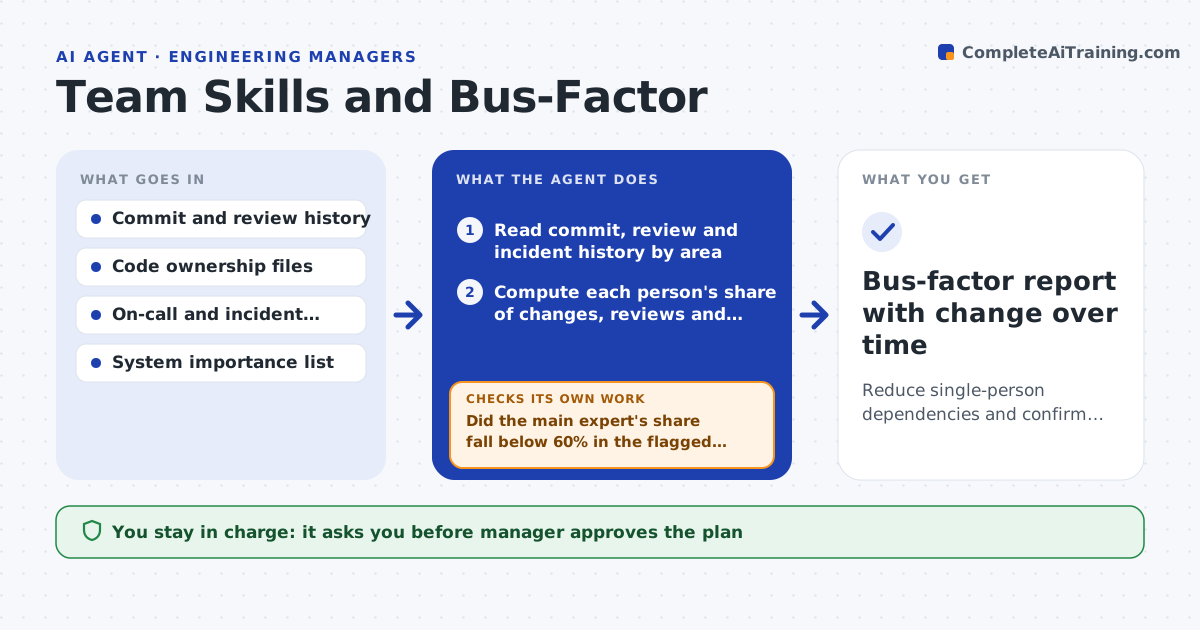
Only one engineer knows how the billing batch works, and she is leaving in six weeks. This agent reads code ownership, review history, commit counts and on-call records to find areas where one person did most of the work and reviews. It lists areas with a single expert and ranks them by importance and risk, such as customer impact. For each it proposes pairing, a walkthrough, a documentation task or a rotation. It rechecks next quarter to see whether the share of the main expert has fallen and whether others now review and fix incidents there. The manager approves the plan. Edge case: a person owns a legacy module nobody touches, so the agent separates low-change areas from active ones.
How it works
Follow the arrows from top to bottom. The orange dashed arrow is the loop: when a check fails, the agent goes back and tries again.
Read the steps as a list
- Quarterly review
- Read commit, review and incident history by area
- Compute each person's share of changes, reviews and fixes per area
- Flag areas with a single expert and rank by importance
- Propose pairing, walkthroughs, docs or rotation per area
- Manager approves the planThe agent waits here for your OK.
- Track the work next quarter
- Recompute the shares
- Did the main expert's share fall below 60% in the flagged areas?If not: revise the actions for that area, such as a stronger rotation. Back to step 4.
- Bus-factor report with change over time
How it decides
It flags an area when one person accounts for more than 70% of recent changes and reviews and the area is important or changes often.
- Flag an area where one person has over 70% of changes and reviews
- Rank customer-facing and high-change areas first
- Separate low-change legacy areas from active ones
- Recheck after one quarter
Make it yours
Every agent is a starting point. You choose these settings for your own situation.
- Single-expert threshold (default 70%)
- Target share (default 60%)
- Areas in scope
- Data sources
- Review frequency
What keeps you in control
It always asks you first
- Manager approves the plan
- Manager approves any change to ownership files
Hard limits
- Never use the data to evaluate individual performance
- Never change access or ownership files without approval
It stops when
- Done: shares fall below the target in the flagged areas
- Stop: the team is too small to share the areas and hiring is needed
Set it up
We guide you through the set-up, step by step
Members get the full set-up guide for this agent. No technical skills needed: you copy, paste and upload.
- One set of instructions to paste into your AI, with the clicks for ChatGPT, Claude, Microsoft 365 Copilot, Gemini and Grok
- The agent then walks you through connecting your own data, one source at a time
- A downloadable copy with the flow chart, the rules and the full guide