AI agent for head of operations
Management Reporting Exception Agent
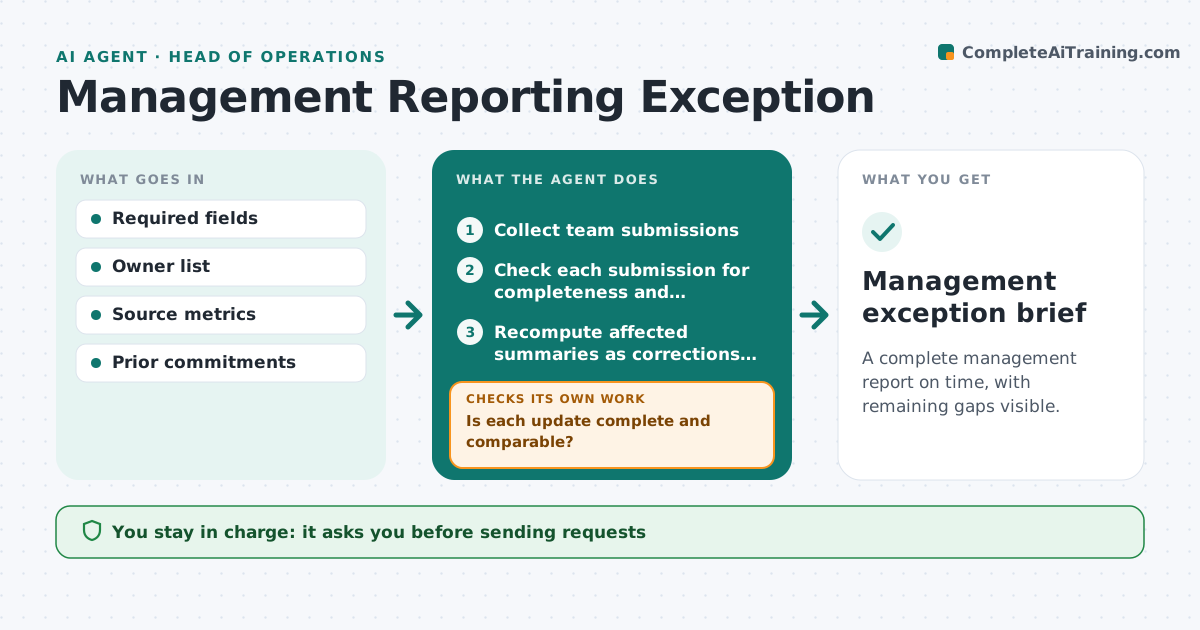
A complete management report on time, with remaining gaps visible.
What it does
Managers spend reporting cycles chasing missing updates from their teams. When a reporting cycle opens, this agent checks each submission for completeness and comparability, such as the right period, units and format. For missing or unclear inputs, it prepares targeted requests in order of importance and cutoff. The department head approves sending them. As corrections arrive, it recomputes the affected summaries and refreshes a factual exception summary. Missing inputs stay visible rather than being filled in. It never changes targets or rates people. Edge case: one team reports revenue in thousands while others report in units, so the agent asks rather than converting.
How it works
Follow the arrows from top to bottom. The orange dashed arrow is the loop: when a check fails, the agent goes back and tries again.
Read the steps as a list
- Reporting cycle opens
- Collect team submissions
- Check each submission for completeness and comparability
- Is each update complete and comparable?If not: draft a targeted request for the gap. Back to step 3.
- Department head approves sending requestsThe agent waits here for your OK.
- Recompute affected summaries as corrections arrive
- Write the exception summary
- Management exception brief
How it decides
It chases the most important missing or incomparable update first and recomputes only affected summaries.
- Prioritize by importance and cutoff.
- Missing inputs stay visible.
- Do not convert units without confirmation.
Make it yours
Every agent is a starting point. You choose these settings for your own situation.
- Required fields per update
- Cutoff date and reminder timing
- Priority order of teams
- Who approves sending requests
What keeps you in control
It always asks you first
- Sending requests
- Changing targets
- Performance ratings
Hard limits
- No ratings.
It stops when
- Done: report complete or gaps listed.
Set it up
We guide you through the set-up, step by step
Members get the full set-up guide for this agent. No technical skills needed: you copy, paste and upload.
- One set of instructions to paste into your AI, with the clicks for ChatGPT, Claude, Microsoft 365 Copilot, Gemini and Grok
- The agent then walks you through connecting your own data, one source at a time
- A downloadable copy with the flow chart, the rules and the full guide