AI agent for fashion designers
Tech Pack Completeness Agent
Complete, consistent tech packs that factories can build from
What it does
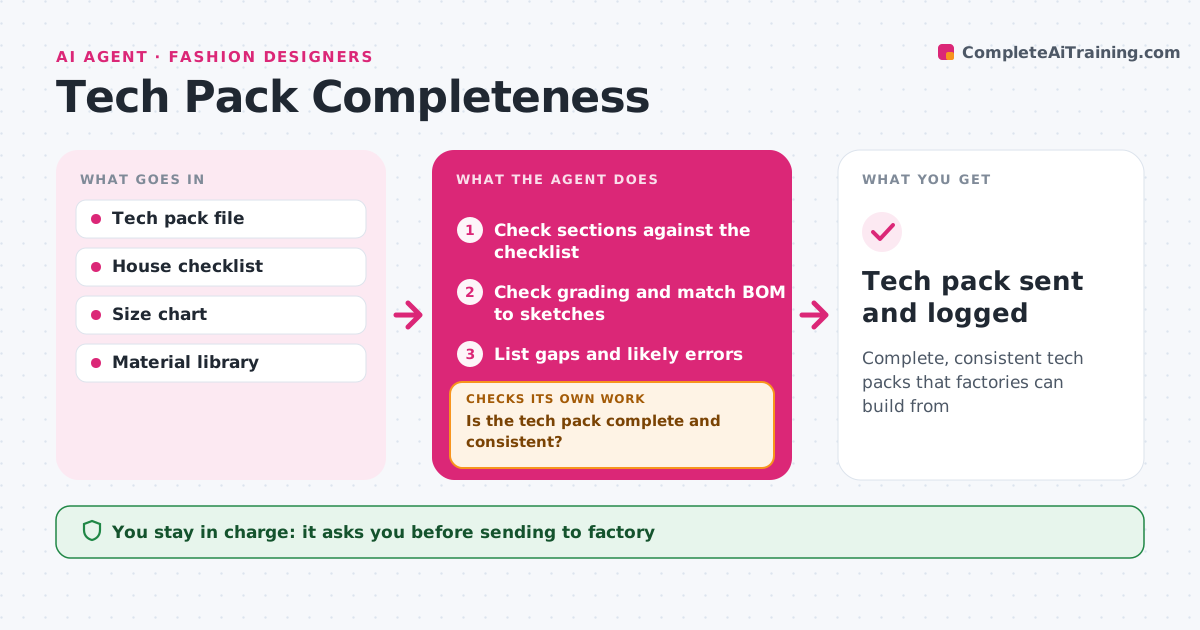
A tech pack with a missing measurement or trim costs a full sample round and weeks of delay. Before a tech pack goes to a factory, this agent checks it against the house checklist: front and back flats, points of measure with tolerances, grading for every size, a bill of materials with supplier codes and colors, construction details, stitch types, labels and packaging. It then cross-checks the grading across sizes for uneven jumps and confirms every material shown in the sketches has a bill of materials line. It lists each gap and likely error with the page it came from. If the pack is not complete and consistent, it sends the list to the designer and rechecks the new version. Only when it passes does it draft the factory cover note. The designer approves sending. Edge case: an odd grade jump is flagged as a probable typo, not changed.
How it works
Follow the arrows from top to bottom. The orange dashed arrow is the loop: when a check fails, the agent goes back and tries again.
Read the steps as a list
- Tech pack ready
- Check sections against the checklist
- Check grading and match BOM to sketches
- List gaps and likely errors
- Is the tech pack complete and consistent?If not: send gaps to the designer and recheck. Back to step 2.
- Draft the factory cover note
- Designer approves sendingThe agent waits here for your OK.
- Tech pack sent and logged
How it decides
It requires every checklist section and consistent grading before release.
- Uneven grade jumps are flagged
- Every sketched trim needs a BOM line
- Tolerances required for every point
Make it yours
Every agent is a starting point. You choose these settings for your own situation.
- House checklist
- Grade rules
- Cover note template
- Factories
What keeps you in control
It always asks you first
- Sending to factory
Hard limits
- Never sends files without approval
- Never changes measurements
It stops when
- Done: tech pack sent
- Stop: style dropped
Set it up
We guide you through the set-up, step by step
Members get the full set-up guide for this agent. No technical skills needed: you copy, paste and upload.
- One set of instructions to paste into your AI, with the clicks for ChatGPT, Claude, Microsoft 365 Copilot, Gemini and Grok
- The agent then walks you through connecting your own data, one source at a time
- A downloadable copy with the flow chart, the rules and the full guide